What is ChatCut
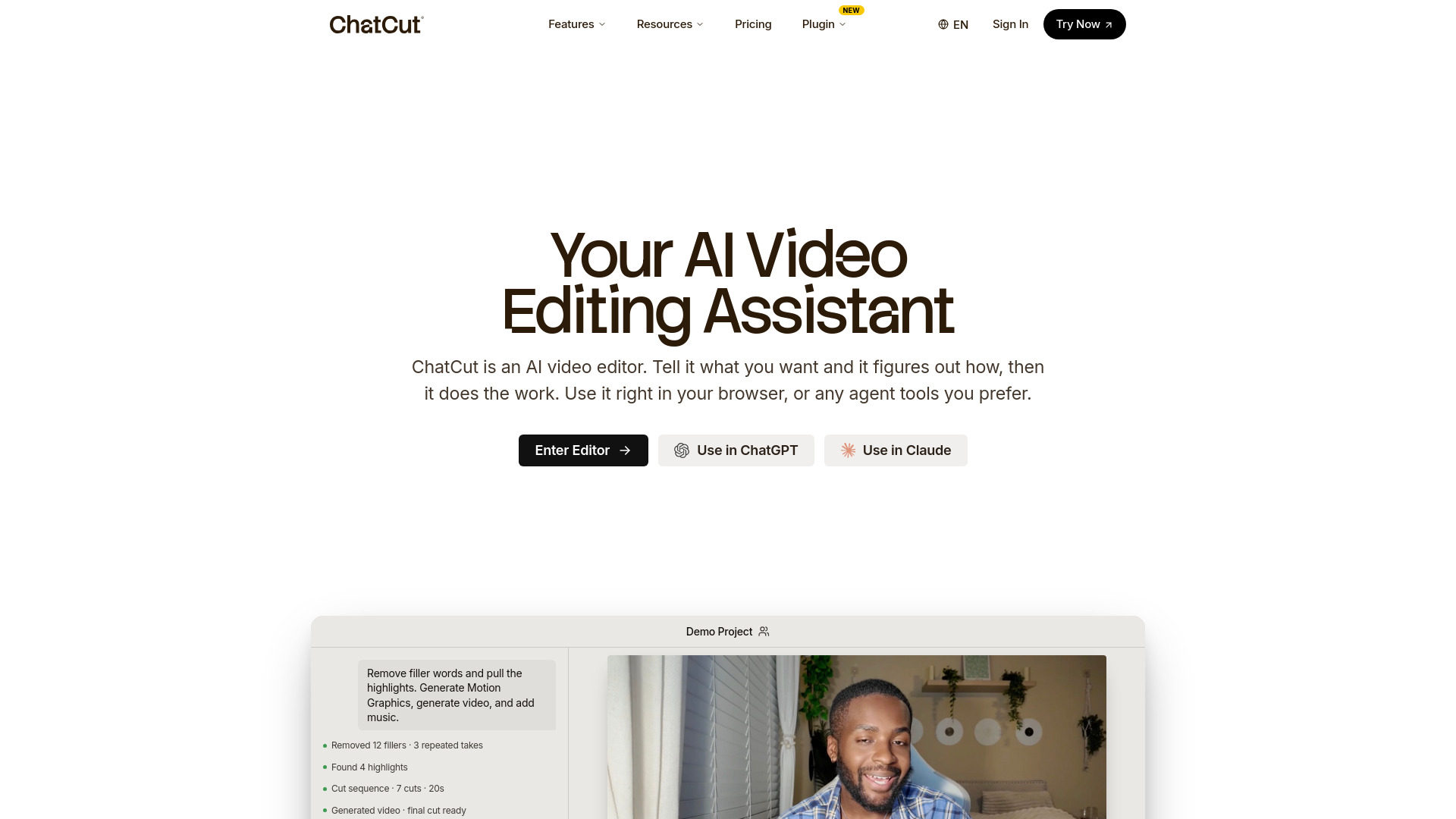
ChatCut is a web-based AI video editor that lets you edit videos using natural language prompts. You describe what you want—edit a talking head, add motion graphics, write a script, find background music—and the AI agent figures out how to do it. It understands your footage, can browse your website, grab logos, read marketing copy, and build a video that matches your brand. It can pull footage from YouTube, generate AI video and images, write voiceovers, and create motion graphics, all from a single prompt.
How to use ChatCut
- Upload or link your footage – Import video files or provide a YouTube link.
- Describe your edit – Type a prompt like "Clean up filler words" or "Add motion graphics for a lower third."
- Let the AI agent work – ChatCut analyzes your footage and builds timeline edits automatically.
- Review and refine – Every result stays editable. You can keep prompting the agent or fine-tune the timeline manually.
- Export – Export your final video or as an XML to continue editing in other software.
Features of ChatCut
- Prompt-based editing – Edit video by typing what you want, no timeline scrubbing needed.
- Transcript editing – Edit your video like a document: change a word, cut a sentence, or remove filler words, and the timeline follows.
- AI motion graphics – Generate lower thirds, callouts, and data visualizations from text prompts. Editable properties (text, color, font, scale) with live re-rendering.
- AI video generation – Create B-roll, establishing shots, or any footage from a prompt or reference image using Seedance 2.0.
- AI image generation – Generate images for thumbnails, reference, or B-roll using GPT Image 2 and Nano Banana 2.
- AI captions – Auto-generate captions in 100+ languages with 20+ styles. Editable and saveable as templates.
- AI music generation – Describe the vibe and get a royalty-free track at exactly the length needed.
- Voiceover recording – Narrate with your mic or let the agent generate voiceover in 12 voices and 14 languages.
- Brand Kit – Save colors, fonts, logo, and tone once; every motion graphic comes out on-brand automatically.
- Agentic editing – The AI agent finds highlights, cuts repeated takes, and builds a first cut automatically.
- Real timeline – Full editing timeline with manual control. Export as XML for other software.
- Plugins – Use ChatCut inside ChatGPT/Codex or Claude Code via plugins.
Use Cases of ChatCut
- Talking head cleanup – Remove filler words, false starts, and long pauses from YouTube videos, interviews, or podcasts.
- Product promos – Create 15-second promo videos by providing a product URL; the agent analyzes the page and crafts the video.
- Social media clips – Repurpose long videos into shorts for TikTok, Reels, or YouTube Shorts.
- Motion graphics explainers – Generate animated charts, lower thirds, and callouts for tutorials or presentations.
- UGC content creation – Hand a product to ChatCut; AI generates scenes, stitches the cut, layers motion graphics, burns captions, mixes music, and exports.
- AI filmmaking – Generate entire video scenes from prompts, with consistent style using reference images.
- Podcast editing – Clean up audio, add captions, and create highlight clips.
- Educational content – Create tutorials with voiceover, captions, and motion graphics.
Pricing
ChatCut offers a Free plan with starter credits, basic editing and exports, and the ability to try AI features. Paid Pro plans are available with monthly or annual billing (annual saves up to 50%). All Pro plans unlock every feature—the only difference is the monthly credit budget. Credits are used for AI features like video generation, image generation, motion graphics, and music generation. Plans include:
- Free – Starter credits, basic editing, try AI features.
- Pro Monthly – Monthly credit budget, all features.
- Pro Annual – Same as monthly but billed annually at a discount.
Features included in Pro: Seedance 2.0 video generation, GPT Image 2, Nano Banana 2, motion graphics (up to a certain number of clips), transparent export, AI music generation, and all AI agent editing capabilities.
FAQ
What is ChatCut? ChatCut is an AI video editor that helps you turn raw footage into edited videos with a real timeline, captions, B-roll, motion graphics, music, voiceover, sound effects, and exports. It is not a one-shot video generator or a template app—it is a full editor that AI can help operate.
How does conversational editing work? You describe the edit, and ChatCut analyzes your footage and turns it into timeline edits. For example, you can ask it to edit a talking-head YouTube video, a product promo, a social ad, an AI film, or a motion graphics explainer video. Every result stays editable.
Who is ChatCut for? ChatCut is for creators, marketers, businesses, podcasters, educators, founders, and teams who make video regularly. It works especially well for talking-head videos, promos, tutorials, product demos, social clips, podcasts, ads, and repurposing long videos into shorts.
How long does it take to get a cut? It depends on the length of your footage and what you ask. Simple cuts can be ready in minutes. More complex edits may take longer but are still much faster than doing the full workflow by hand.
Can I still edit manually? Yes. ChatCut gives you a real editing timeline, and you can also export it as an XML and continue editing in different software. It is built for human + AI editing, not black-box generation.
What's included in the free plan? You can use ChatCut's editor to edit videos for free. New users also get 15 credits to try paid AI features like video generation, AI agent editing, and other premium workflows.