What is Clico
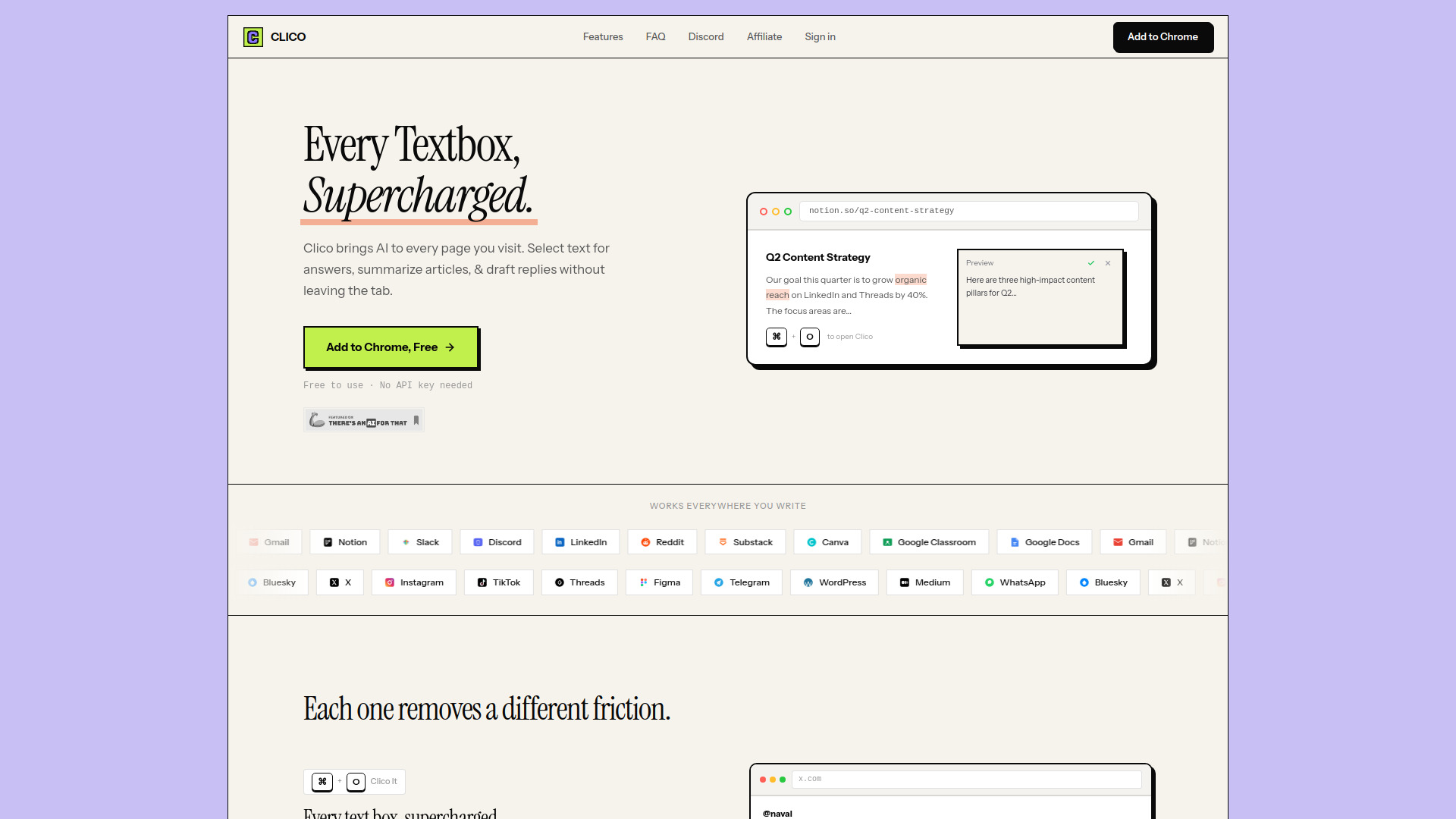
Clico is an AI-powered browser extension that integrates AI capabilities into every text box across the web. It allows users to write, search, summarize, and dictate content directly within their browser, without needing to leave the current page.
How to use Clico
- Install the Clico browser extension from the Chrome Web Store.
- Navigate to any website with a text field.
- Use keyboard shortcuts or highlight text to activate Clico's features.
- Press
⌘ + Oto open Clico for writing, replying, or rewriting. - Double-tap
⌘to get an instant summary of the current page. - Hold
⌘to use voice input for real-time transcription. - Highlight any text to get an AI-powered explanation.
- Press
Features of Clico
- AI in Every Text Box: Integrates AI assistance directly into browser text fields.
- Write, Search, Summarize, Dictate: Offers a range of AI-powered writing and information retrieval tools.
- Contextual Understanding: Reads visible page content to understand context without copy-pasting.
- Keyboard Shortcuts: Utilizes shortcuts like
⌘ + Ofor quick access. - Highlight to Explain: Select text to receive AI-generated explanations.
- Instant Summarization: Double-tap
⌘to summarize the current page. - Voice Input: Allows dictation and transcription via keyboard shortcuts.
- Dark Mode: Supports automatic or manual dark mode activation.
Use Cases of Clico
- Drafting Replies: Quickly generate replies in emails, social media, or messaging apps.
- Content Creation: Assist in writing content for platforms like Notion, Google Docs, or Substack.
- Information Retrieval: Get instant answers and explanations for selected text on any webpage.
- Summarization: Condense articles, reports, or long texts into key points and action items.
- Productivity Boost: Streamline writing and information processing across various online platforms.
Pricing
Clico is free to install and use. A free account is required to get started, with no credit card needed.
FAQ
- Which browsers does Clico work on? Chrome, Edge, Brave, Arc, and any Chromium-based browser.
- Can I use Clico on Google Docs, Notion, and Gmail? Yes, Clico works on every website with a text field, including Google Docs, Notion, Gmail, Slack, Discord, LinkedIn, Substack, and Reddit.
- How does Clico know what I'm working on? When Clico is opened on a page, it reads the visible content to understand the context.
- Do I need an API key or account? No API key is required. Installation from the Chrome Web Store allows immediate use without configuration.
- Is Clico free? Yes, Clico is free to install and use. A free account is required to start, with no credit card needed.
- Does Clico work with dark mode? Yes, Clico includes a dark mode that activates automatically or can be set manually.