What is ExcelGen | AI Excel Formula Generator & Spreadsheet Assistant
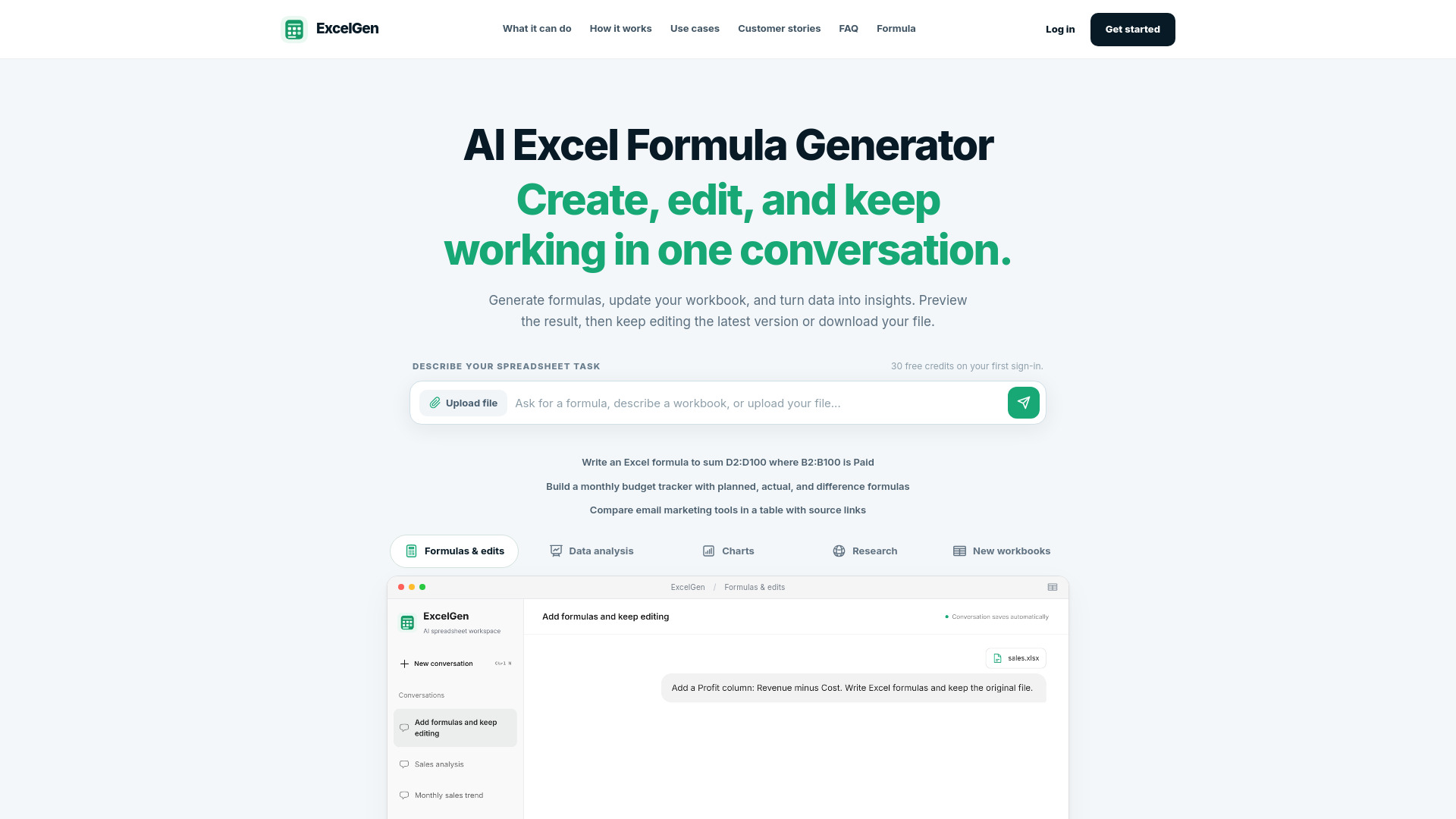
ExcelGen is an AI-powered spreadsheet workspace that helps users create, analyze, and transform Excel workbooks using natural language. It can generate and explain Excel formulas, edit existing workbooks, build charts, and structure data—all within a single conversation. Users can upload XLSX, XLS, or CSV files, describe tasks, and receive downloadable results without overwriting their original files.
How to use ExcelGen | AI Excel Formula Generator & Spreadsheet Assistant
- Sign in to the workspace (30 free starter credits on first sign-in).
- Describe your task in the chat box—either ask for a formula, describe a workbook change, or upload a file (XLSX, XLS, CSV).
- Review the progress as ExcelGen reads your data and prepares the result. If more information is needed, it will ask.
- Preview the result and either download the new file or request further edits. Successful edits become the current version for your next message.
Features of ExcelGen | AI Excel Formula Generator & Spreadsheet Assistant
- Formula generation and explanation: Describe calculations, ranges, and conditions to get formulas like IF, SUMIFS, and XLOOKUP.
- Workbook editing: Insert formulas, update cell values, and save changes as a new version without altering your original upload.
- Data analysis: Upload a workbook and ask for comparisons, rankings, or summaries.
- Chart creation: Generate charts from your data.
- New workbook creation: Build spreadsheets from scratch based on your description.
- Research assistance: Create comparison tables with source links for industry scans.
- Version control: Select earlier versions of your workbook for continued editing.
- File format support: Upload XLSX, XLS, and CSV; editing supports XLSX (CSV edits create a new XLSX).
Use Cases of ExcelGen | AI Excel Formula Generator & Spreadsheet Assistant
- Prepare a monthly sales review: Compare regions, rank products, and chart monthly revenue.
- Build a budget you can adjust: Set up planned vs. actual spending with difference formulas.
- Apply commission rules: Add commission formulas to a sales workbook based on rates and conditions.
- Turn project notes into a tracker: Organize tasks, owners, due dates, and status into an Excel file.
- Review outstanding invoices: Identify unpaid invoices, summarize balances, and flag accounts needing attention.
- Compare tools before you choose: Collect features, pricing, and source links in a comparison table.
FAQ
How does the AI Excel formula generator work? Describe the calculation, cell ranges, and conditions you need. ExcelGen can generate and explain formulas such as IF, SUMIFS, and XLOOKUP. In the workspace, you can also ask it to insert formulas into a supported workbook and save the result as a new version.
Can I get formula help without uploading a file? Yes. Describe your ranges and the result you want, or paste a formula for an explanation. You only need to select a workbook when the task depends on your actual file.
Can ExcelGen edit my workbook and insert formulas? Yes. Ask it to update cell values or write Excel formulas into a supported XLSX workbook. You can preview and download the new version, then request another change. Some workbook features or formula types are not supported; ExcelGen will explain when a change cannot be made.
Will my original file be changed? No. Edits are saved as a separate workbook version. Your original upload is not overwritten.
Can I continue editing or select an earlier version? Successful edits become the selected workbook for your next message. Use the file selector above the message box to choose an earlier available version.
Which file formats can I upload? You can upload XLSX, XLS, and CSV files for supported analysis tasks. Workbook editing supports XLSX; editing a CSV creates a new XLSX file. Save legacy XLS files as XLSX before editing. Upload limits depend on your plan, and editing has a separate 10 MB file limit.
When are formulas calculated? ExcelGen writes real Excel formulas into the output file but does not recalculate them on the server. Newly written formulas can show a pending-calculation state in the preview. Open the downloaded file in Excel, recalculate, and save it to see the computed values.
Do I need an account, or can I use the free Formula Bot? The workspace requires sign-in and includes 30 one-time starter credits. For quick formula generation or explanations without an account, use the separate Formula Bot. Its free usage limits are separate from workspace credits.