What is Framecast
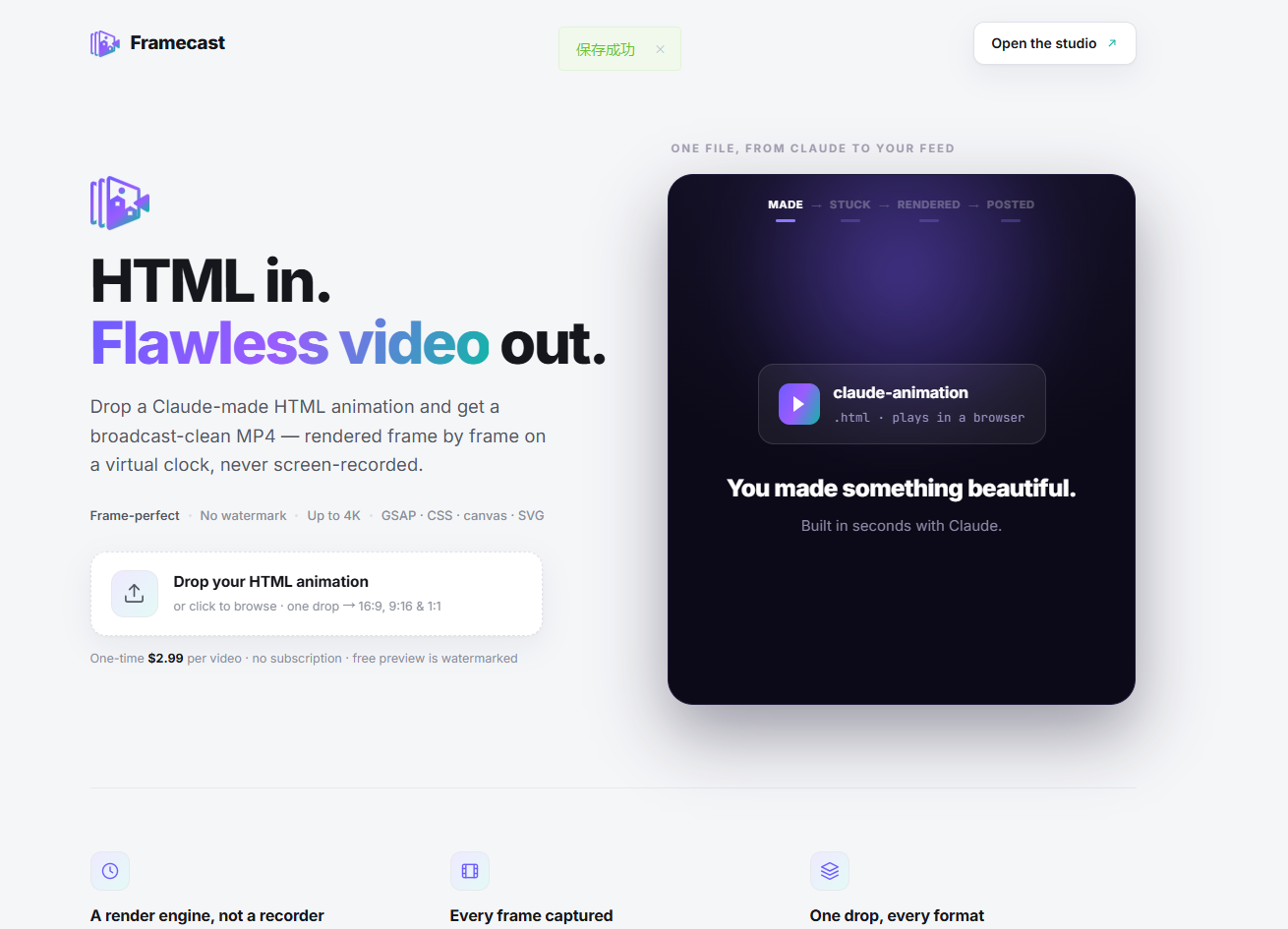
Framecast is a web-based tool that converts HTML animations—especially those created with Claude—into clean, watermark-free MP4 video files. Instead of screen-recording, it renders each frame on a virtual clock, ensuring flawless output suitable for social media platforms like YouTube, TikTok, and Instagram Reels.
How to use Framecast
- Drop your HTML animation – Drag and drop or click to browse for an
.htmlfile (e.g., a Claude-made animation). - Automatic rendering – Framecast processes the file frame by frame, converting it into MP4 format.
- Get multiple formats – A single upload produces 16:9, 9:16, and 1:1 aspect ratios, ready for different social platforms.
- Download or post – The output is a broadcast-clean MP4 with no watermark (paid) or a watermarked preview (free).
Features of Framecast
- Frame-perfect rendering – Uses a deterministic clock per frame, not real-time recording, so no dropped frames or tearing.
- No watermark – Paid exports are clean and professional.
- Multiple aspect ratios – One HTML file yields 16:9 (YouTube), 9:16 (TikTok/Reels), and 1:1 (square) formats.
- Supports various animation technologies – Works with GSAP, CSS, canvas, and SVG animations.
- Up to 4K resolution – High-quality output for any platform.
- Pay-per-video – No subscription required; pay $2.99 per video.
Use Cases of Framecast
- Claude users – Turn Claude-generated HTML animations into shareable videos for social media.
- Content creators – Create polished animations for YouTube Shorts, TikTok, and Instagram Reels without screen-recording artifacts.
- Designers and developers – Export CSS, GSAP, canvas, or SVG animations as MP4 for portfolios, demos, or presentations.
- Marketers – Produce consistent, high-quality animated content across multiple platforms from a single source file.
Pricing
- One-time payment: $2.99 per video.
- Free preview: Watermarked output available at no cost.
- No subscription: Pay only when you need a clean export.
FAQ
What file types can I upload?
Only .html or .htm files containing animations (e.g., from Claude).
What formats do I get? You receive MP4 files in 16:9, 9:16, and 1:1 aspect ratios.
Is there a watermark? The free preview includes a watermark; the paid $2.99 export is watermark-free.
What animation libraries are supported? GSAP, CSS, canvas, and SVG animations are all supported.
How is the video quality? Up to 4K resolution, with no dropped frames or tearing, thanks to frame-by-frame rendering.