LogoTop AI Hubs
icon of Free AI Background Remover - Remover AI

Free AI Background Remover - Remover AI

AI Background Remover, Free Background Removal, Free BG Remover, Watermark Remover, Free AI Tool, Online Image Editor, AI Image Editing

Introduction

What is Free AI Background Remover - Remover AI

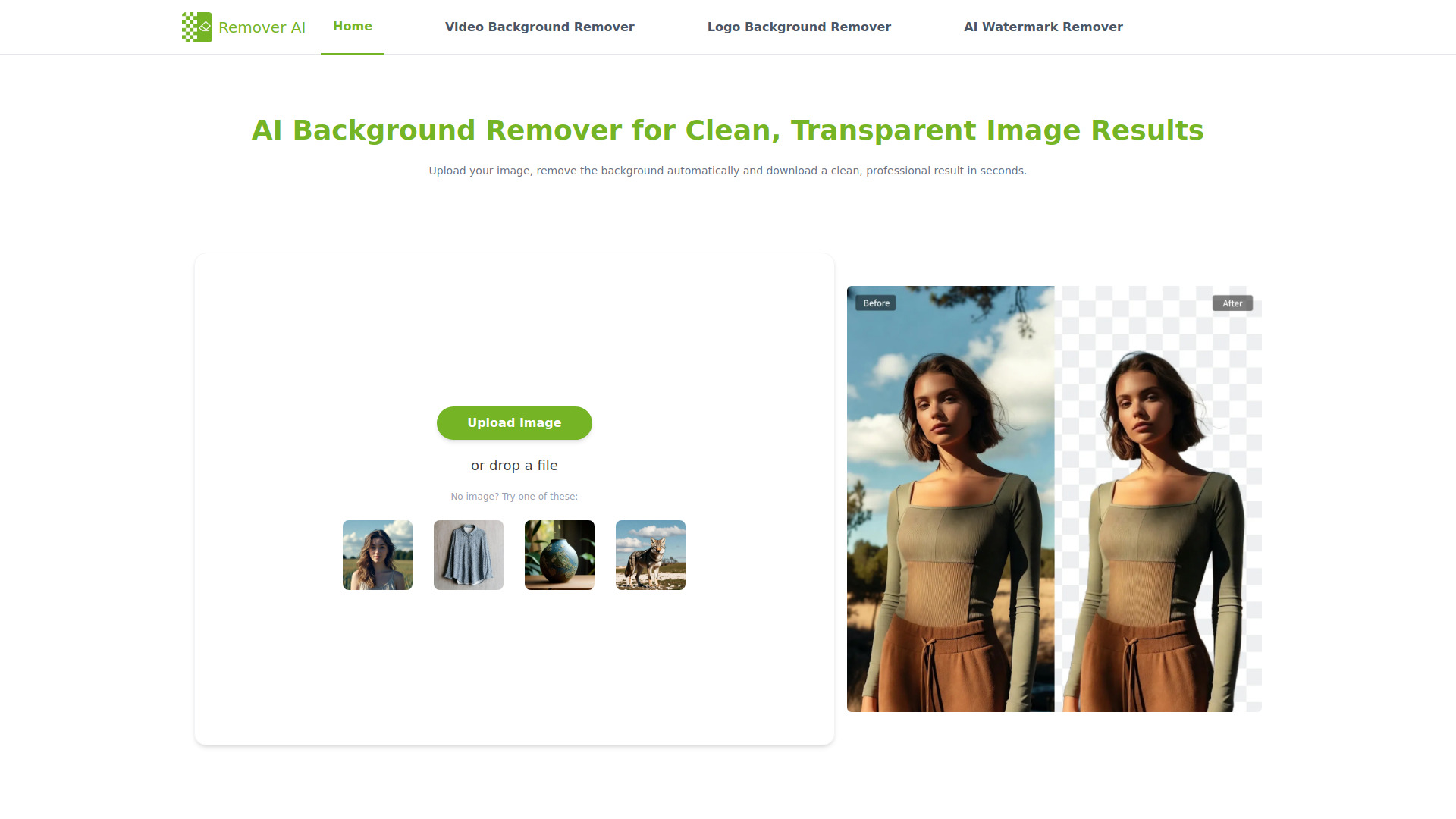
Remover AI is an advanced AI background remover that automatically removes backgrounds from images, allowing for fine-tuning with smart erase tools. It offers a free background removal service, acting as an online image editor and an AI tool for image editing.

How to use Free AI Background Remover - Remover AI
  1. Upload Your Image: Upload any image you wish to edit. The platform supports common formats and is suitable for portraits, product photos, and creative visuals.
  2. Let AI Remove the Background: The system automatically detects the main subject and removes the background using advanced AI technology.
  3. Refine and Download: Preview the result instantly. Use the erase tool to adjust edges or remove unwanted areas, then download a high-quality image with a transparent background.
Features of Free AI Background Remover - Remover AI
  • Automatic background removal using AI.
  • Smart erase tools for fine-tuning results.
  • Online image editing capabilities.
  • Watermark removal.
  • Handles various image types including portraits, product photos, group photos, pets, and logos.
  • Preserves sharp edges and fine details.
  • Optional manual refinement for precise control.
  • Fast and secure processing.
  • No downloads or installations required; runs in the browser.
  • Ability to edit images after background removal.
  • Export images with a transparent background.
Use Cases of Free AI Background Remover - Remover AI
  • Product Photos: Create clean, professional product images for e-commerce listings to improve visual quality and potentially increase conversion rates.
  • Portraits: Generate transparent background portraits for professional profiles, resumes, and personal branding, preserving fine details like hair and contours.
  • Design Elements: Extract objects from images for use in presentations, thumbnails, and creative layouts, reducing manual editing time.
  • Creative Projects: Effortlessly remove backgrounds for various creative and commercial projects.
FAQ
  1. How does AI background remover remove backgrounds? Advanced AI models identify the main subject and separate it from the background automatically. Edge detection and detail analysis help ensure clean cutouts, with optional manual refinement available.
  2. How can I remove the background from a picture on an iPhone? Remover AI works directly in mobile browsers on iPhone and Android. You can upload images, let the AI remove the background, refine results, and download images without installing apps.
  3. What makes background remover AI different from other background removers? Remover AI focuses on image quality and reliability, delivering cleaner results, consistent performance across image types, and professional output designed for real-world creative and commercial use. Key advantages include cleaner, more natural cutouts, stable performance, a better balance between AI automation and manual control, and professional-grade output for commercial use.
  4. Can I edit images after the background is removed? Yes. Using the free AI background remover, you can use the erase tool to adjust edges or remove unwanted elements directly on the image.
  5. How many images can be processed at one time? AI BG remover processes one image at a time to ensure optimal accuracy and consistent background removal quality.
  6. Is AI remove bg suitable for commercial use? Yes. Images created with the free AI background remover can be used for e-commerce, marketing, design, and other commercial purposes.

Information

Newsletter

Join the Community

Subscribe to our newsletter for the latest news and updates