What is Free GPT Image 2.5 Generator Online
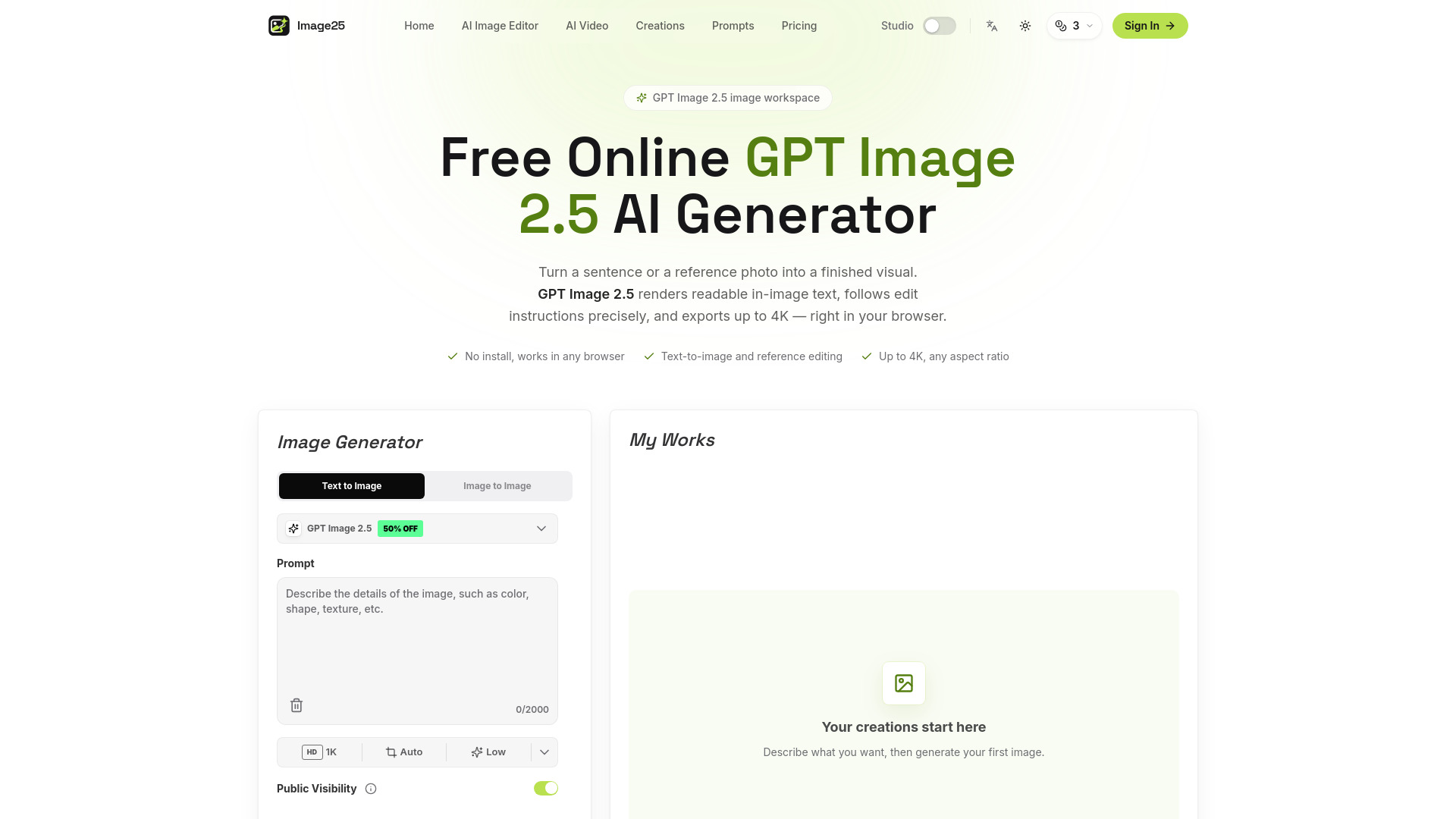
GPT Image 2.5 is an online AI image generator and editor that creates and edits images from text prompts or reference photos. It is the default option in Image25's generator for text-to-image, reference editing, in-image text, and output up to 4K. On Image25, this option currently uses the GPT Image 2 generation service. The platform runs entirely in the browser, requiring no installation, GPU, or local model. It is an independent platform not affiliated with OpenAI.
How to use Free GPT Image 2.5 Generator Online
- Describe your image: Type the subject, style, mood, and any text that should appear in the picture. Or upload a reference image and describe what to change instead.
- Choose your format: Pick an aspect ratio, a resolution up to 4K, the quality level, and how many variations you want. The controls adapt to the model you selected.
- Generate and download: Run it, compare the results, and download the one you like — or adjust the prompt and go again. Everything you create is saved to your history.
Features of Free GPT Image 2.5 Generator Online
- Text you can actually read: Headlines, labels, and captions come out legible instead of scrambled — the difference that makes posters, covers, and thumbnails usable. Proofread anything customer-facing before you publish.
- Edit any image you upload: Swap a background, restyle a product shot, change an outfit, fix a detail. Describe the edit in a sentence and iterate until it is right, without leaving the page.
- Sharp up to 4K: Wide, square, or tall, at resolutions up to 4K — big enough for thumbnails, ad creative, posters, and print.
- Pay only for what you use: Start free, then top up with a one-time credit pack when you need more. No subscription required, and a monthly plan is there if you would rather have one.
- Fast iteration loop: Reuse a prompt, change one setting, and compare versions side by side in your creation history until you land on the right one.
- Nothing to install: No GPU, no downloads, no local model to babysit. Open the page on your laptop, tablet, or phone and start generating.
Use Cases of Free GPT Image 2.5 Generator Online
- Slides and school projects: Clean diagrams, maps, and infographic-style visuals that make a deck look finished instead of improvised.
- YouTube thumbnails: Bold compositions with readable title text, in 16:9, ready to upload — generate a few options and pick the one that pops.
- Anime and manga panels: Character designs, panel compositions, line-art styles, and speech-bubble layouts you can keep refining.
- Memes and stickers: Turn a joke into a shareable image in one prompt, caption included, then export the version that lands.
- Game art and avatars: Profile pictures, skin concepts, and wallpapers in any style — pixel art, cyberpunk, watercolor, you name it.
- Posters and album covers: Full layouts with typography at print-friendly resolutions — explore directions fast, then finish the one you want.
Pricing
Image25 uses a credit system. Browsing and exploring the workspace is free. Generating images spends credits. Credit packs and monthly plans are available.
Pay as you go plans:
- Starter: $12.9 — 100 credits, GPT Image 2 generation, face/detail enhancement, high-resolution output, fast cloud processing, standard support.
- Standard: $39.9 — 400 credits, GPT Image 2 generation, face/detail enhancement, high-resolution output, priority processing queue, priority support.
- Premium: $99.9 — 1400 credits, GPT Image 2 generation, face/detail enhancement, 4K upscaling output, fastest processing speed, dedicated support.
Monthly and annual plans are also available.
FAQ
What is GPT Image 2.5? GPT Image 2.5 is the default option in Image25’s generator for text-to-image, reference editing, in-image text, and output up to 4K. On Image25, this option currently uses the GPT Image 2 generation service.
Is the GPT Image 2.5 generator free? Browsing and exploring the workspace is free. Generating images spends credits — your balance is shown in your account, and the credit packs and monthly plans are listed on the pricing page.
Do I need to install anything? No. Image25 runs entirely in the browser — no app, no GPU, no local model. It works the same on desktop, tablet, and phone.
How is GPT Image 2.5 different from GPT Image 2? On Image25, GPT Image 2.5 and GPT Image 2 currently use the same GPT Image 2 generation service, with the same settings and credit costs. GPT Image 2.5 is selected by default, and GPT Image 2 remains available in the picker.
Can it write text inside images? Yes — in-image text is one of the biggest improvements in GPT Image models, so headlines, labels, and captions usually come out clean. It is still generated text, so proofread anything customer-facing or legally important.
What sizes and aspect ratios are supported? Wide, square, and tall ratios, with output up to 4K. The exact list of ratios and resolutions updates to match the model selected in the picker.
Can I use the images commercially? Commercial use is generally allowed under the Image25 terms and the selected provider’s terms. You are responsible for your inputs, so clear any trademarks, likenesses, or copyrighted source material before publishing.
Is Image25 an official OpenAI product? No. Image25 is an independent platform. It is not affiliated with, endorsed by, or partnered with OpenAI, and it does not claim ownership of the GPT Image trademarks.