What is Free TTS
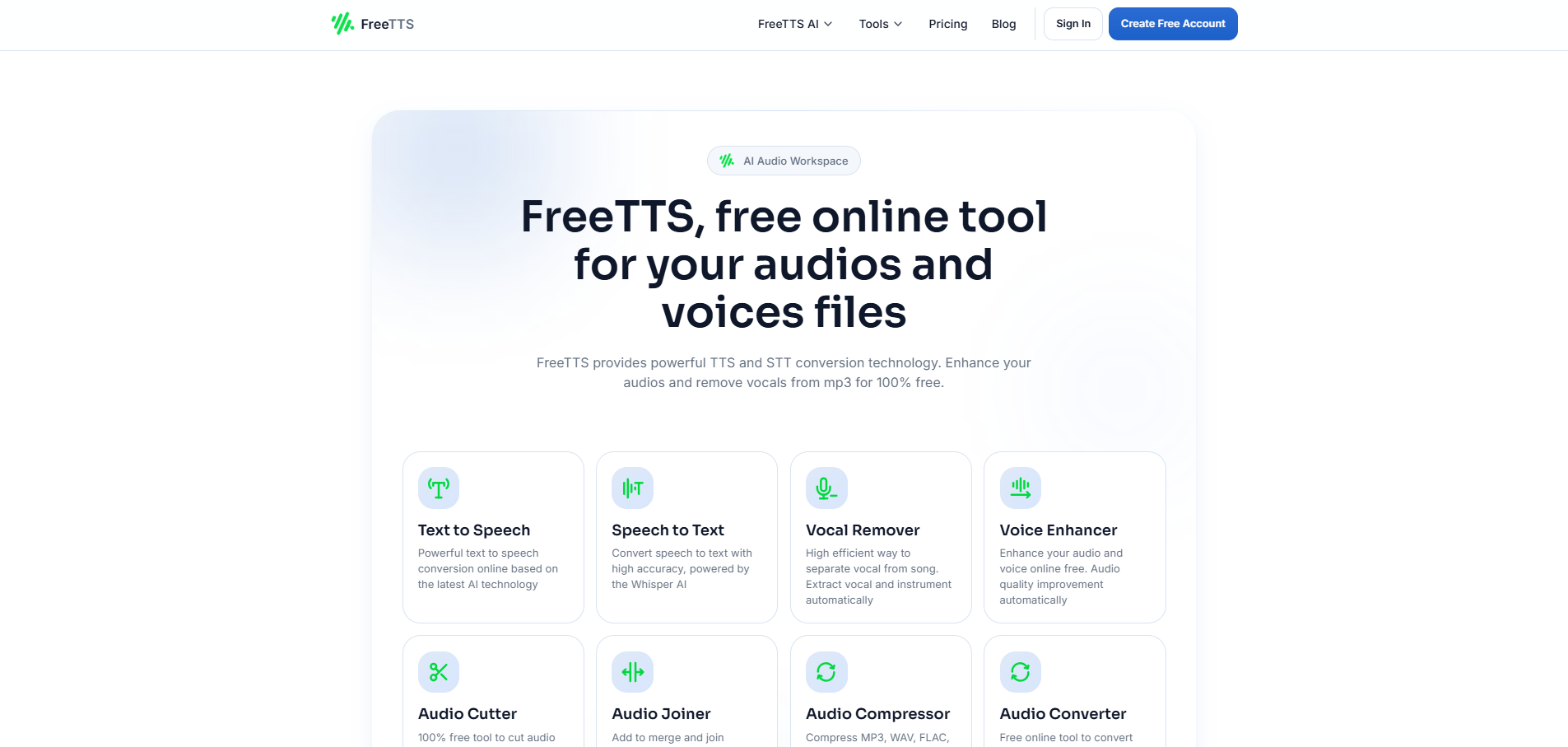
FreeTTS is a comprehensive AI-powered online toolkit that offers a range of free tools for audio and voice manipulation. It includes text-to-speech (TTS), speech-to-text (STT), audio editing, and voice enhancement capabilities.
How to use Free TTS
While a detailed step-by-step guide is not provided, the website structure suggests a user-friendly interface where users can select a tool, upload or input their data (text or audio), adjust settings if applicable, and then export the result. The general workflow is described as a 3-step process: Upload, Adjust, Export.
Features of Free TTS
- AI-Powered Tools: Utilizes cutting-edge AI for high accuracy and natural results in conversions and enhancements.
- Text to Speech (TTS): Converts written text into natural-sounding speech.
- Speech to Text (STT): Transcribes spoken audio into written text with high accuracy, powered by Whisper AI.
- Vocal Remover: Separates vocals from music tracks, creating karaoke versions or isolated instrumentals.
- Voice Enhancer: Improves audio quality, reduces noise, and optimizes clarity for voice recordings.
- Audio Converter: Converts audio files between various formats (MP3, WAV, FLAC, OGG, M4A, etc.) and supports batch conversion.
- Audio Cutter: Allows users to trim audio files and extract specific segments.
- Audio Joiner: Merges multiple audio files into a single file.
- Audio Compressor: Reduces audio file size while maintaining sound quality, supporting common formats and batch processing.
- Batch Processing: Enables conversion or enhancement of multiple files simultaneously in supported tools.
- Multiple Audio Formats Support: Handles various formats including MP3, WAV, FLAC, OGG, M4A, AAC, AIFF, and WMA.
- User-Friendly Interface: Designed for ease of use for both beginners and professionals.
- Security and Privacy: Offers protection with features like local browser processing for some tools and automatic file clearing after processing.
Use Cases of Free TTS
- Creating voiceovers for presentations, audiobooks, or videos.
- Transcribing interviews, lectures, or meetings.
- Producing karaoke tracks or isolating instrumentals from songs.
- Improving the quality of podcasts or voice recordings.
- Converting audio files for compatibility or storage.
- Trimming unwanted parts of audio clips.
- Combining multiple audio segments into one file.
- Reducing audio file sizes for easier sharing or uploading.
Pricing
All tools and features are offered for free, with no hidden fees, subscriptions, or limits on usage mentioned. Some features might have account, character, file size, or usage limits depending on the tool and mode chosen.
FAQ
- What is Free TTS? FreeTTS is an online audio toolkit that brings together text to speech, speech to text, vocal remover, voice enhancer, audio converter, audio cutter, audio joiner, and other practical voice and audio tools in one place.
- Is Free TTS free to use? Yes. FreeTTS includes free tools and free usage options. Some features may have account, character, file size, or usage limits depending on the tool and mode you choose.
- Do I need an account to use Free TTS? It depends on the feature. Some tools can be used without signing in, while others, such as certain text to speech modes and speech to text workflows, require an account before processing starts.
- Does Free TTS upload my files to a server? Not always. Some FreeTTS tools work directly in your browser and keep processing on your device, while other features use server or cloud processing to generate results. The exact workflow depends on the tool you are using.
- Which tools in Free TTS work in the browser? Browser-based tools currently include features such as audio cutter, audio joiner, audio converter, and audio compressor. These tools are designed to handle processing locally in your browser for a faster and more private workflow.
- What is the difference between Text to Speech and Speech to Text? Text to Speech turns written text into spoken audio. Speech to Text does the reverse by turning spoken audio into written text. FreeTTS offers both, so you can create voice output or transcribe recordings depending on what you need.
- Which audio formats does Free TTS support? FreeTTS supports many common audio formats, including MP3, WAV, OGG, FLAC, M4A, AAC, AIFF, and WMA in supported tools. The exact formats available can vary by feature.
- Can Free TTS handle batch processing? Yes. Batch processing is available in selected tools such as audio converter and audio compressor, so you can work with multiple files in one session instead of processing them one by one.
- Is Free TTS safe to use? FreeTTS is designed with privacy in mind. Many audio editor tools process files locally in the browser, which means your files do not need to be uploaded for those workflows. For tools that rely on cloud processing, usage depends on that tool's processing flow and account features.
- What can I use Free TTS for? People use FreeTTS for voiceovers, transcription, audio cleanup, karaoke track creation, format conversion, trimming audio, joining clips, and everyday accessibility or content creation tasks.