What is Gemini 3 - Google AI Chat | Online
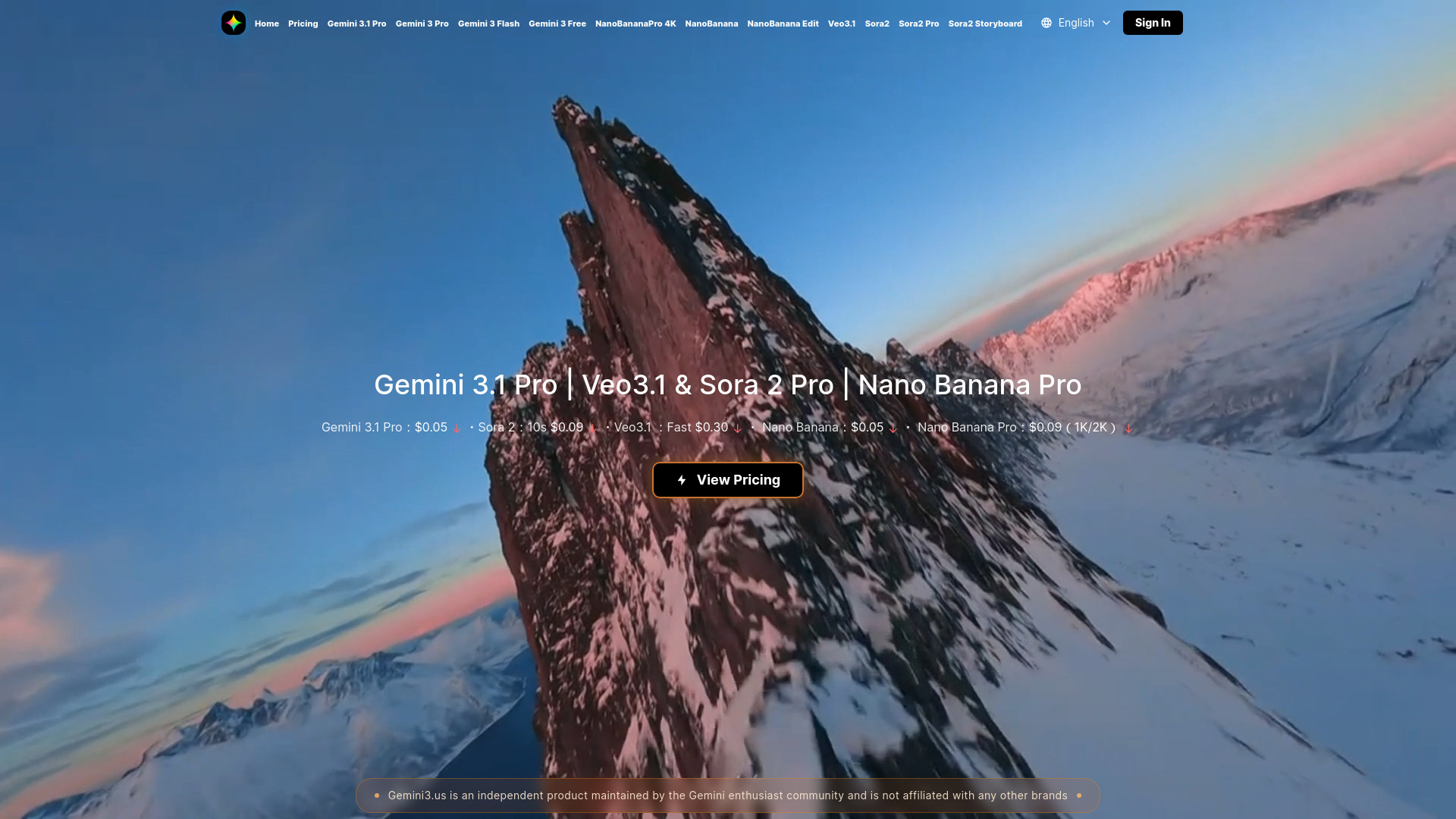
Gemini 3 is Google DeepMind's latest AI model series, released in November 2025. This platform provides access to cutting-edge artificial intelligence capabilities, including AI chat, image generation, and video creation. The ecosystem offers comprehensive access to Google's latest models (Pro, Flash, and Free), enabling users to leverage advanced features for professional content creation. Users can generate professional 4K images with Nano Banana Pro and create high-quality videos using Veo3.1 and Sora 2 Pro, all powered by this technology.
How to use Gemini 3 - Google AI Chat | Online
Getting started is straightforward:
- Access the platform at Gemini3.us.
- Select the AI model or tool you want to use (Chat, Image, or Video).
- Enter a simple text description of what you want to create.
- Receive your AI-generated content and download or use it immediately.
- Explore different models and features to find what works best for your needs.
Features of Gemini 3 - Google AI Chat | Online
- AI Chat: Three model variants - Pro (advanced reasoning, 1M token context), Flash (optimized for speed), and Free (full features at no cost).
- Image Generation: Create 4K images with character consistency and multilingual text support using Nano Banana Pro.
- Video Generation: Produce videos with Veo3.1 (rapid generation) or Sora 2 Pro (cinematic quality).
- Unified Platform: All tools integrated with a consistent interface and community support.
- Enhanced Multimodal Understanding: Seamlessly process and understand text, images, video, and code simultaneously.
- Superior Reasoning and Logic Capabilities: Advanced abstract and complex problem-solving abilities.
- Extended Context Window: Supports up to 1 million tokens for processing long conversations and documents.
- Agentic Behavior: Ability to autonomously plan and execute complex tasks.
Use Cases of Gemini 3 - Google AI Chat | Online
- Content Creation: Generate blog posts, social media content, and written content using advanced language capabilities. Create comprehensive multimedia content by combining text, images, and videos.
- Professional Design: Create professional 4K images for various projects, product mockups, character designs with consistent features, and multilingual visual content using Nano Banana Pro.
- Video Production: Generate videos, product demonstrations, social media content, and cinematic sequences using Veo3.1 and Sora 2 Pro video generation models.
- Business Automation: Automate customer support, content generation, data analysis, and business processes using advanced reasoning and analysis capabilities.
- Academic and Research: Analyze large datasets, generate literature reviews, write research papers, and explore complex theoretical concepts.
- Software Development: Code generation, debugging, and optimization capabilities.
FAQ
Gemini 3 is Google DeepMind's latest AI model series, offering advanced multimodal understanding and reasoning capabilities. The platform (Gemini3.us) is an independent community-maintained product providing access to these models, including chat variants (Pro, Flash, Free), Veo3.1 and Sora 2 Pro for video generation, and Nano Banana Pro for 4K image creation.
What Gemini 3 models are available and how do they differ?
- Pro: Best for complex reasoning, coding, research, and analysis with a 1M token context window.
- Flash: Optimized for speed, best for real-time interactions and quick responses.
- Free: Offers full functionality at no cost, ideal for testing and experimentation.
How do I use Gemini 3 Pro for complex tasks?
Access the platform, select "Gemini 3 Pro" from the model dropdown, and write specific, context-rich prompts. Leverage the 1M token context window for long documents and complex conversations. Iterate on responses by asking follow-up questions and requesting specific formats.
What is Veo3.1 and how does it work for video generation?
Veo3.1 is an advanced video generation AI model that creates high-quality videos from text prompts. Describe your desired video in plain English, and the AI generates a high-quality video file. It is optimized for fast generation and professional-grade output.
What is Sora 2 Pro and when should I use it?
Sora 2 Pro is a professional-grade video generation AI model for cinematic and high-quality video production. Use it for professional projects, film production, marketing campaigns, and any scenario requiring the highest video standards, distinguishing it from Veo3.1's focus on speed.
What is Nano Banana Pro and how does it create 4K images?
Nano Banana Pro is an AI image generation tool that creates professional 4K images (3840x2160 pixels) with 99% character consistency and multilingual text rendering. Enter a text description, specify features, and download your high-resolution image.
No technical skills are required. The platform uses natural language input, requires no coding, and has an intuitive web-based interface suitable for users of all skill levels.
Visit Gemini3.us, create an account, select your desired tool (Chat, Image, or Video), enter your prompt or description, and start creating immediately.