What is Gorby
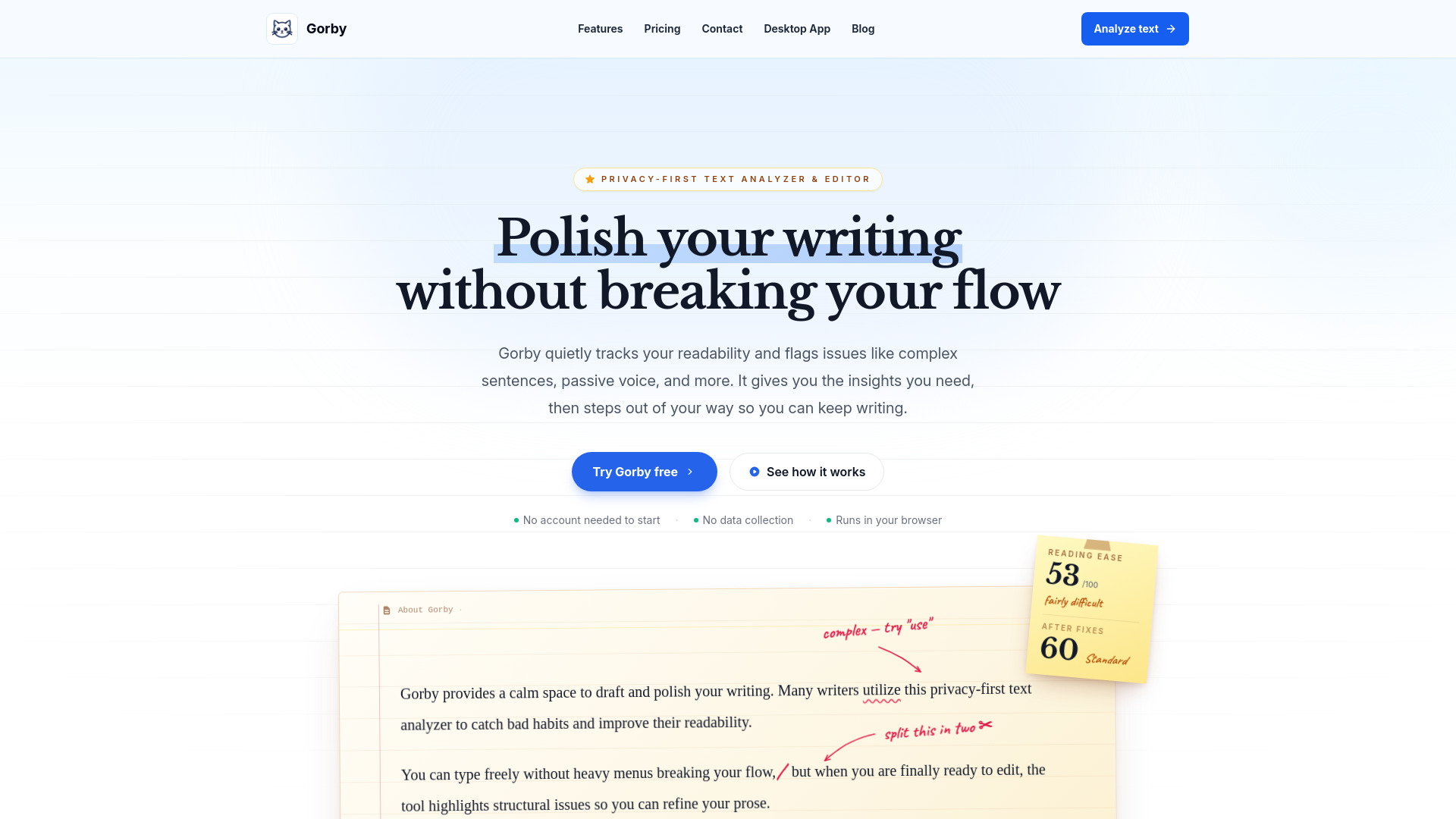
Gorby is a privacy-focused text analyzer and editor designed to help writers improve their writing. It tracks readability, flags issues like complex sentences and passive voice, and provides insights without disrupting the writing flow. The tool runs in the browser and does not collect or store user data.
How to use Gorby
- Visit the Gorby website and click "Try Gorby free" or "Analyze text" to open the editor.
- Type or paste your text into the editor.
- As you write, Gorby automatically analyzes your text and highlights potential issues such as passive voice, qualifiers, and complex phrasing.
- Use the color-coded highlights to identify areas for improvement.
- For deeper analysis, run advanced checks to flag cliches, repetitive text, overused words, acronyms, and more.
- View readability scores (Flesch, Dale-Chall, ARI, SMOG, etc.) to see the grade level of your text.
- Optionally, enable Focus Mode to dim surrounding paragraphs and keep your attention on the active sentence.
- Set writing goals with a target word count and track progress.
- Generate reports with statistics, scores, and highlights that can be exported to PDF.
Features of Gorby
- Text Checks & Highlights: Catch passive voice, qualifiers, and complex phrasing as you type. Advanced checks for overused words, acronyms, repetition, and more.
- Focus Mode: A distraction-free writing environment with a paper-colored background, optional typewriter sounds, ambient audio, and a session timer.
- Readability Scores: Calculate Flesch, Dale-Chall, ARI, SMOG, and other readability metrics to determine the grade level of your text.
- Sentence Highlighter: Color-code sentences by length to visualize rhythm and cadence.
- AI Writing Assistant: Get suggestions for clarity, tone, and impact without leaving the editor.
- Text Tagging: NLP-powered tagging of nouns, verbs, adjectives, and more for granular review.
- Reports: Generate exportable PDF reports featuring statistics, scores, and highlights.
- Writing Goals: Set a target word count to activate a visual progress bar and completion chime.
Use Cases of Gorby
- Students: Use Gorby before submitting essays to spot long sentences, repeated words, and sections that are harder to read. Readability metrics help ensure writing is clear enough for others to follow.
- Technical Writers: Verify that manuals and documentation are accessible by using specialized metrics like Dale-Chall and ARI formulas.
- Freelance Journalists: Quickly check reading grade level and find passive voice without navigating through menus, ensuring articles are accessible to a broad audience.
- Newsletter Editors: Paste drafts, check readability, scan highlights, and find places where writing can be cleaner.
- Writers: Prepare book manuscripts for publication by catching bad habits and improving readability.
Pricing
Gorby offers three pricing options:
- Monthly: $12 per month.
- Yearly: $59 per year (save 50% compared to monthly). Includes all advanced text checks, full readability and analysis suite, 20,000 AI credits, and every update released during the year.
- Lifetime: $119 one-time payment. Includes everything in Yearly, 35,000 AI credits, lifetime access to Gorby including future app updates, and priority support.
Prices exclude any applicable sales tax or VAT, which depends on location. In some regions, no tax applies.
FAQ
Is Gorby free to try?
Yes, you can try Gorby free without an account. No data collection occurs, and it runs in your browser.
What readability metrics does Gorby calculate?
Gorby calculates Flesch, Dale-Chall, ARI, SMOG, and more.
Can I use Gorby for long documents?
Yes, Gorby is suitable for essays, blog posts, technical manuals, and book drafts.
Does Gorby store my text?
No, your sensitive drafts are never stored by Gorby's servers.
What are AI credits?
AI credits are used for the AI Writing Assistant feature. Yearly plans include 20,000 credits, and Lifetime plans include 35,000 credits.
Is there a desktop app?
Yes, Gorby offers a desktop app. More information is available on the "Desktop App" page.