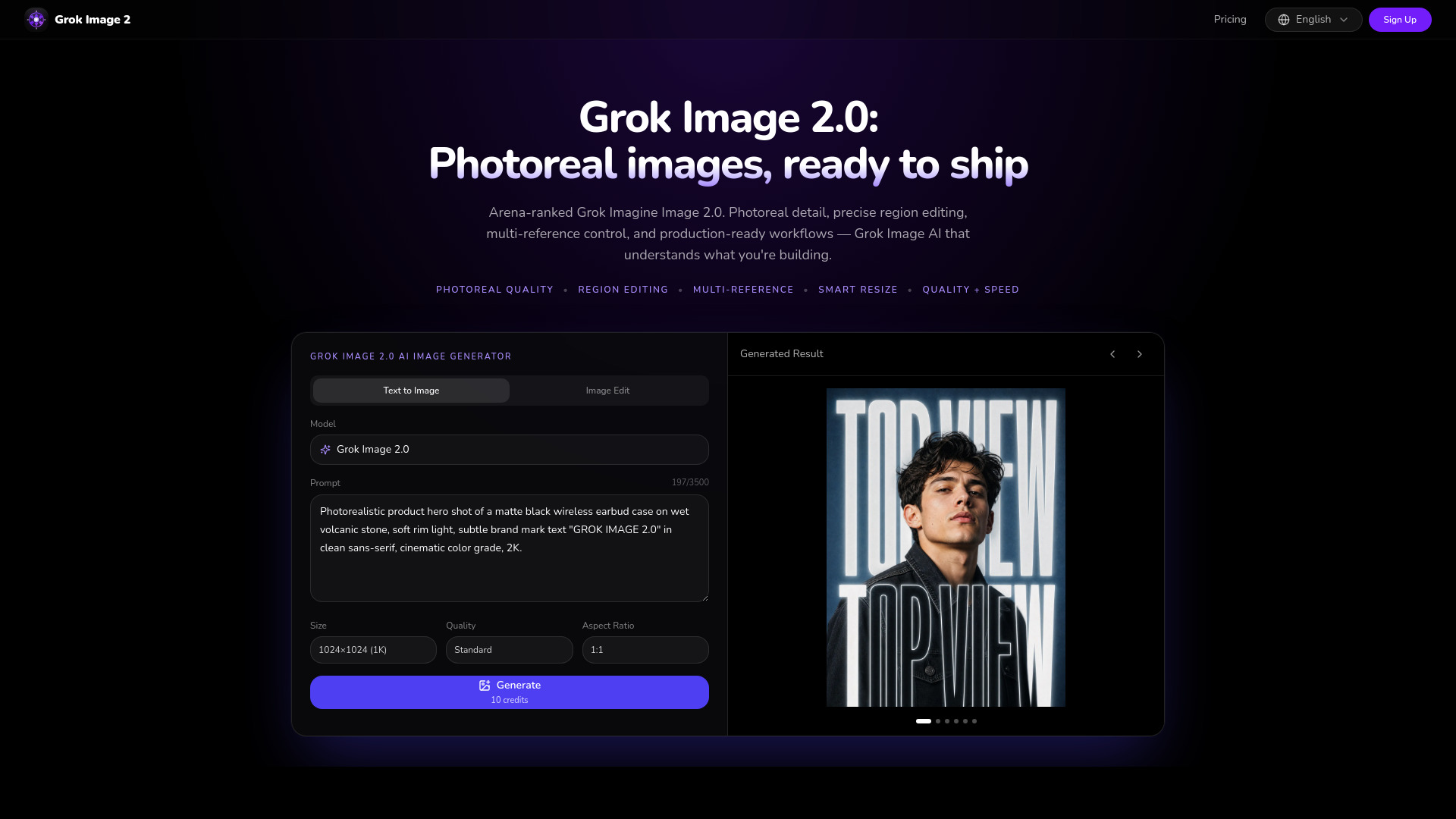
What is Grok Image 2.0
Grok Image 2.0 is an AI image generator that creates photorealistic images from text prompts or reference images. It is built on xAI's Grok Imagine Image 2.0 model and offers advanced editing capabilities such as region editing, multi-reference control, and smart resize. The tool is available online at grokimage2.com and is designed for professional use in marketing, e-commerce, UI/UX design, content creation, and game/film concept art.
How to use Grok Image 2.0
- Enter a prompt: Describe the image you want in natural language, or attach reference images for the AI to follow.
- Generate: Choose the size (1K, 2K, 4K), quality (Standard, HD, Ultra HD), and aspect ratio (1:1, 16:9, 9:16, 3:2, 4:3, 21:9), then click Generate.
- Download & iterate: Export high-resolution assets, refine specific regions, or use multi-reference editing until the image meets your needs.
Features of Grok Image 2.0
- Photorealistic quality: High-detail output with realistic textures, lighting, and edges.
- Region editing: Use a magic wand to edit specific parts of an image without affecting the rest.
- Multi-reference control: Blend up to 5 reference images in a single generation for character consistency and style control.
- Smart resize: Automatically adjust images to any aspect ratio without awkward cropping.
- Text rendering: Generate complex typography, logos, labels, and UI copy with high fidelity.
- Prompt adherence: Understands spatial layout, camera language, lighting, and multi-constraint prompts.
- Full-spectrum styles: Supports photoreal, vector, anime, pixel art, 3D, and more.
- Output formats: PNG, JPEG, WebP, with transparent backgrounds available.
- Speed and quality modes: Speed Mode for rapid drafts, Quality Mode for final high-detail frames.
Use Cases of Grok Image 2.0
- Marketing & Ad Teams: Create banners, social cards, email headers, and posters with brand-ready text.
- E-Commerce & DTC Brands: Turn one product photo into a full catalog with lifestyle scenes and transparent cutouts.
- UI/UX Designers & Developers: Generate app mockups, icon sets, and illustration systems.
- Content Creators & Publishers: Produce thumbnails, blog heroes, covers, and social templates.
- Game & Film Concept Teams: Lock character identity across key frames and explore styles at production speed.
Pricing
Grok Image 2.0 offers a credit-based system. Free accounts receive starter credits; paid plans unlock higher limits and faster iteration. Pricing plans include:
- Pro (Yearly): $17/month (billed annually, save $36), includes ~13,600 credits (~1,360 Standard 1K images/year), $0.15 per image, private generations, unlimited downloads, email support.
- Max (Yearly): $83/month (billed annually, save $204), includes ~110,700 credits (~11,070 Standard 1K images/year), $0.09 per image, commercial license, priority support, private generations. Monthly and one-time billing options are also available.
FAQ
What is Grok Image 2.0 (Grok Imagine 2.0)? Grok Image 2.0 is xAI's upgraded Grok Imagine image model, targeting professional generation and editing with photoreal detail, precise region edits, segmentation, background removal, smart resize, and multi-reference editing with up to five images.
What editing tools does Grok Imagine 2.0 support? It supports region (magic wand) editing, segmentation, background removal, smart resizing across aspect ratios, and multi-reference editing with up to five input images.
How do credits work for the Grok Image generator? Each generation consumes credits based on quality and resolution. Free accounts receive starter credits; paid plans unlock higher limits and faster iteration. Failed jobs are refunded automatically when applicable.
How does Grok Image 2.0 compare to Midjourney, Flux, or GPT Image? Midjourney leans artistic aesthetics; Flux is strong for speed; GPT Image models lead some public arenas. Grok Imagine 2.0 is positioned as a top-tier all-rounder for both generation and editing, especially iterative region edits, multi-reference consistency, and production templates.
How fast is Grok Image 2.0? Speed Mode prioritizes rapid drafts; Quality Mode spends more time on detail and realism. Exact timing depends on resolution, prompt complexity, and queue load — typically seconds for standard previews, longer for maximum fidelity.
Can I use Grok Image AI outputs commercially? Yes for assets you generate on this site under the Terms of Service and the upstream model provider's usage policies. Always review rights before large-scale advertising or trademark-sensitive work.
Is my prompt and image data private? Prompts and uploads are processed only to fulfill generation requests. See the Privacy Policy for retention, subprocessors, and how to request deletion. Do not upload sensitive personal data you are not allowed to process.