What is HappyHorseAIStudio
HappyHorseAIStudio is a browser-based AI video generator that allows users to create videos from text, images, references, or existing clips. It offers a unified workflow for AI video creation, including text-to-video, image-to-video, reference-guided generation, and video editing capabilities.
How to use HappyHorseAIStudio
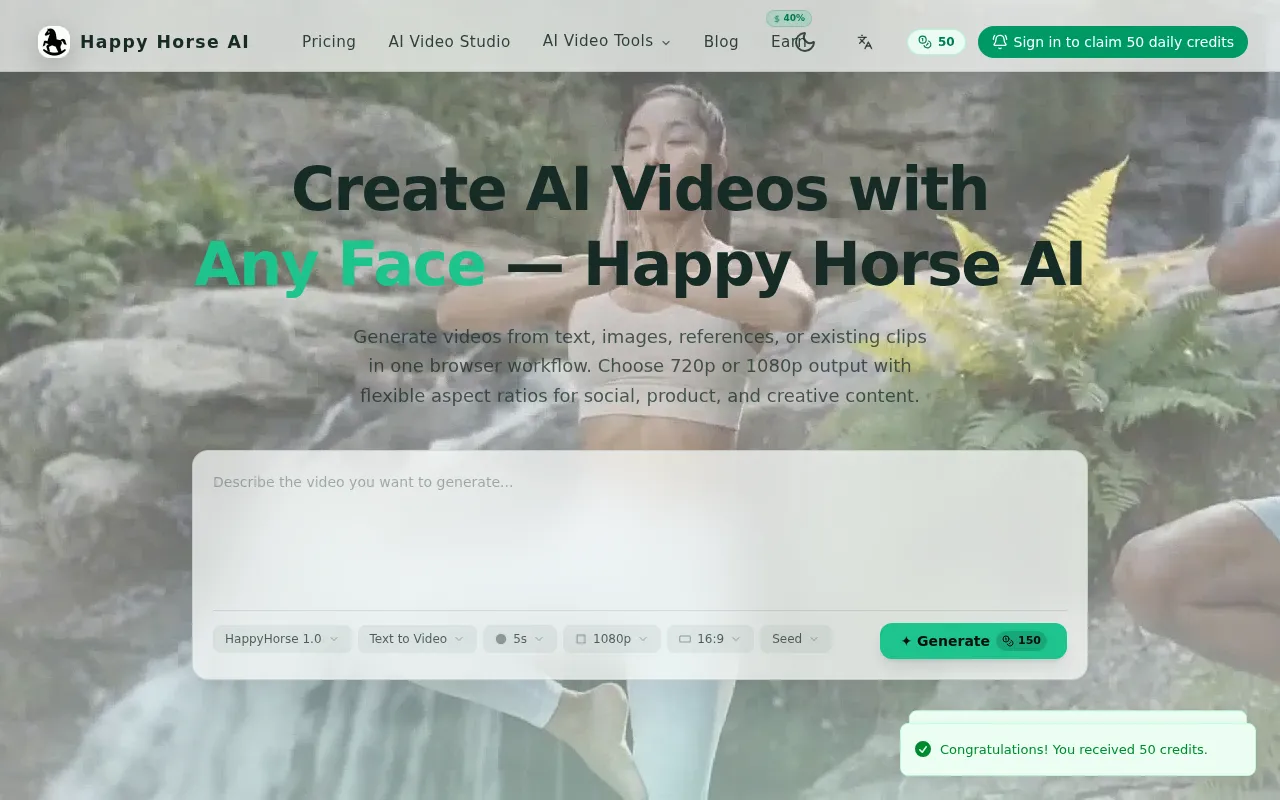
Users can start by describing the video they want to generate in a text area. The platform offers various workflows, including:
- Text to Video: Describe prompts to generate short clips with controls for duration, resolution, and aspect ratio.
- Image to Video: Animate still images by defining first and last frames, or continue motion from an existing clip.
- Reference to Video: Guide style, motion, and subject direction using reference images, videos, first frames, or voice input.
- Video Edit: Upload an existing clip, apply prompt-driven edits, and choose between AI audio or original audio.
Users can select specific settings like duration (e.g., 5s), resolution (e.g., 1080p), and aspect ratio (e.g., 16:9) before generating the video. The platform also supports uploading reference materials like images, videos, and audio files.
Features of HappyHorseAIStudio
- Unified Workflow: Integrates text-to-video, image-to-video, reference-guided generation, and video editing.
- Multiple Input Types: Accepts text prompts, images, reference videos, and existing clips.
- Customizable Outputs: Supports 720p and 1080p resolutions.
- Flexible Aspect Ratios: Offers 16:9, 9:16, 1:1, 4:3, and 3:4 ratios.
- Workflow-Specific Controls: Tailored settings for each creation mode.
- Reference-Guided Control: Utilizes reference assets (images, videos, voice) to guide style and motion.
- Video Editing: Allows prompt-driven edits on uploaded clips and audio selection (AI or original).
- Credit-Based Access: Uses a credit system for generation, with various plans available.
- Browser-Based: Operates entirely within a web browser.
Use Cases of HappyHorseAIStudio
- Creating social media content.
- Producing product videos.
- Developing creative video projects.
- Animating still images.
- Editing existing video clips with AI enhancements.
Pricing
Pricing is based on a credit system. Users can choose from different credit plans, including pay-as-you-go, monthly, and yearly options, to scale usage as needed.
FAQ
- What is Happy Horse AI and how does it work? Happy Horse AI is a browser-based AI video platform. Users can start from text, images, references, or an existing clip, then adjust workflow-specific settings before exporting the result.
- Which workflows are available on the homepage? The main workflows are text to video, image to video, reference to video, and video edit. Each one exposes different upload options and settings based on the task.
- What resolutions and aspect ratios are supported? Happy Horse AI currently supports 720p and 1080p output. Available aspect ratios include 16:9, 9:16, 1:1, 4:3, and 3:4, depending on the workflow.
- Can I upload reference images, videos, or voice? Yes. The reference-to-video workflow supports reference assets such as images, videos, a first frame, and voice input to guide style and motion.
- What can I change in the video edit workflow? You can upload an existing clip, describe the edit you want, choose a clip length preset, and decide whether to keep original audio or switch to AI audio.
- How does pricing work? Happy Horse AI uses credit-based plans. Users can choose pay-as-you-go, monthly, or yearly options based on generation frequency and queue priority needs.