LogoTopAIHubs
icon of ImageToExcel

ImageToExcel

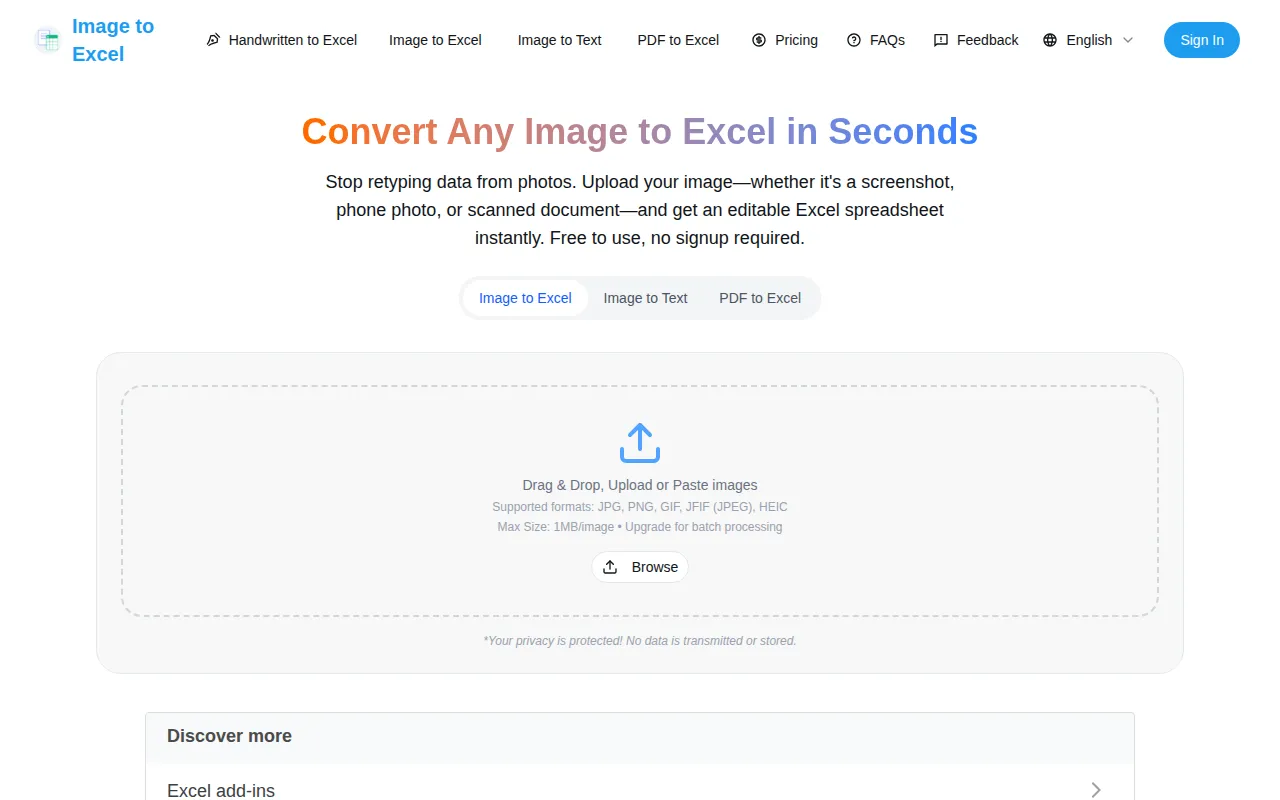
AI-powered online OCR tool that converts images, screenshots, scans, and PDFs into editable Excel spreadsheets instantly.

Introduction

What is ImageToExcel

ImageToExcel is an AI-powered online OCR tool designed to instantly convert images, screenshots, scans, and PDFs into editable Excel spreadsheets. It aims to eliminate manual data entry by providing a quick and accurate way to extract tabular data from visual formats.
How to use ImageToExcel
  1. Upload Your Image: Drag and drop or upload your image file (JPG, PNG, GIF, JFIF, HEIC, WebP, BMP, TIFF) or PDF. The tool supports files up to 1MB per image for free users.
  2. AI Extracts the Data: The AI automatically detects tables, columns, and rows, preserving the original structure.
  3. Download Excel File: Receive a formatted .xlsx file that can be opened in Microsoft Excel, Google Sheets, or other spreadsheet applications.
Features of ImageToExcel
  • AI-Powered OCR: Converts images and PDFs to Excel with high accuracy (99%+ for printed text, 95%+ for clear handwriting).
  • Handles Messy Photos: Extracts data from angled photos, screenshots with shadows, and slightly blurry images.
  • Preserves Table Structure: Intelligently recognizes and maintains the original row and column layout.
  • Works with Handwriting: Capable of converting readable handwritten text to Excel.
  • Batch Processing: Convert up to 50 images simultaneously.
  • Secure Processing: Uses AES-256 encryption and is SOC 2 Type II certified and GDPR compliant. Files are deleted immediately after download.
  • Free to Use: Convert up to 3 images per day for free without signup.
  • Multiple File Formats: Supports JPG, JPEG, PNG, WebP, HEIC, GIF, BMP, TIFF, and PDF.
  • API Access: Offers a REST API for programmatic conversion.
Use Cases of ImageToExcel
  • Invoice to Excel: Convert invoice images into structured Excel files for accounting.
  • Bank Statement Converter: Extract transactions from PDF bank statements for financial analysis.
  • Screenshot to Spreadsheet: Convert tables from websites or documents captured as screenshots.
  • Receipt Scanner: Turn photos of receipts into organized Excel spreadsheets for expense tracking.
  • Table Extraction: Extract tables from academic papers or reports for research.
FAQ
  • Is it free? Yes, the core service is free for up to 3 images per day without signup. Premium plans and API access are available for higher volumes.
  • Can I convert screenshots? Yes, screenshots yield excellent results due to sharp text.
  • How to extract tables without retyping? Upload the image; the AI automatically detects and extracts the table structure.
  • Does it work with handwriting? Yes, it converts handwritten text with 90-95% accuracy for clear handwriting.
  • What file formats are supported? JPG, JPEG, PNG, WebP, HEIC, GIF, BMP, TIFF, and PDF.
  • Is my data secure? Yes, processing uses AES-256 encryption, files are deleted immediately after download, and the service is SOC 2 Type II certified and GDPR compliant.
  • Can I convert multiple images at once? Yes, batch processing supports up to 50 images simultaneously.
  • What about blurry or angled images? The AI includes preprocessing to correct for common imperfections, enhancing accuracy.

Newsletter

Join the Community

Subscribe to our newsletter for the latest news and updates