Newsletter
Join the Community
Subscribe to our newsletter for the latest news and updates

AI interior design tool for photorealistic room concepts and redesigns
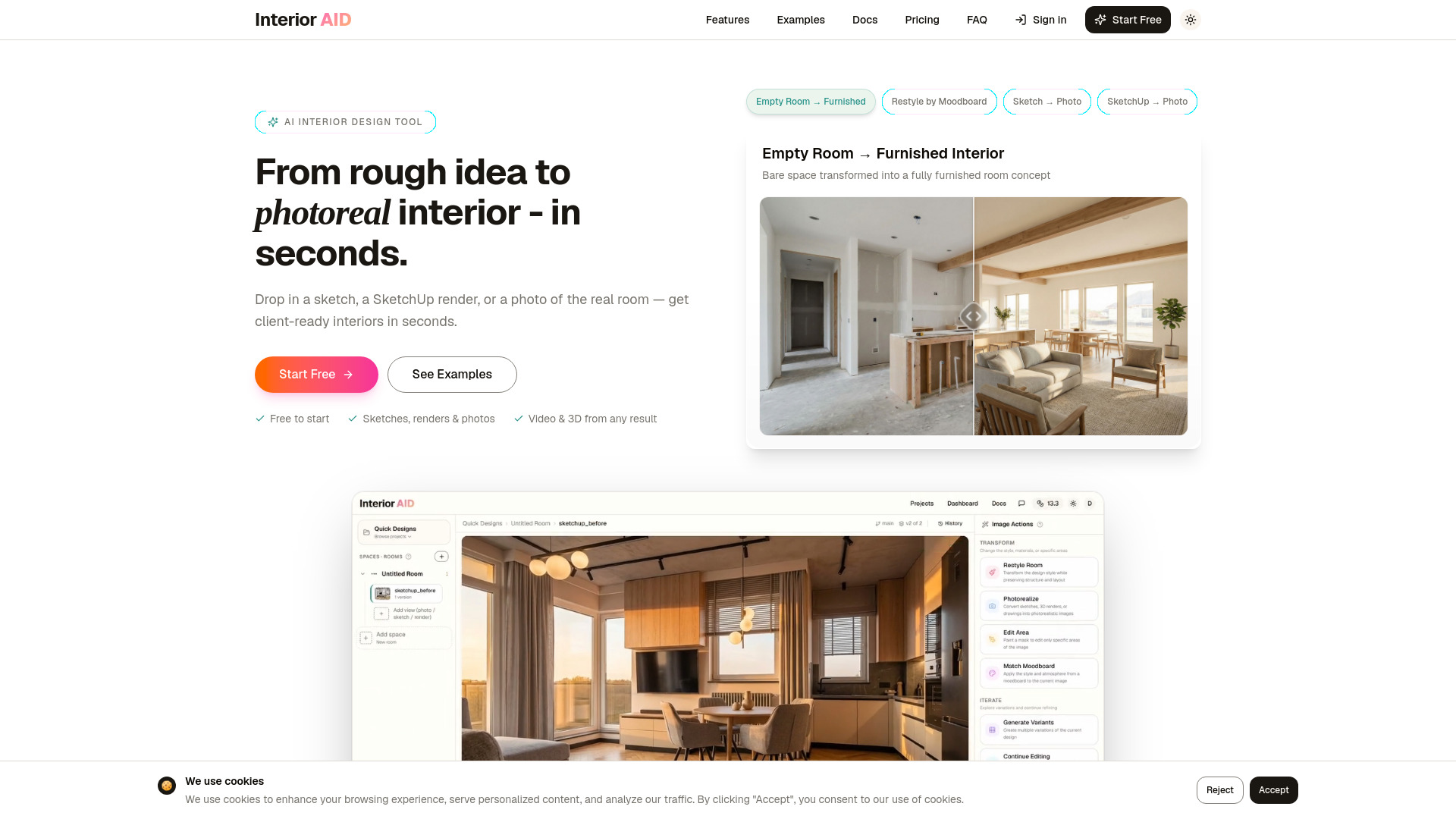
InteriorAID is an AI-powered interior design tool that transforms rough inputs—such as hand-drawn sketches, SketchUp renders, empty room photos, or existing furnished rooms—into photorealistic interior concepts. It also generates cinematic walkthrough videos and explorable 3D scenes from a single image using Gaussian Splatting. The tool is free to try without signup and offers a workspace for organizing projects, rooms, and versions.
InteriorAID offers three plans:
Tokens are used for AI image transformations, video generation, 3D scene creation, edits, and upscales. Each high-quality transformation costs 6.6 tokens.
Can I start from a sketch, render, or real room photo? Yes. You can upload hand-drawn sketches, SketchUp renders, other 3D model exports, empty room photos, or existing furnished rooms. The AI generates photorealistic interior results from any of these inputs.
Can I create a video from a generated image? Yes. Select any generated interior image and turn it into a short cinematic video. The video is generated from the image and brings the room to life with camera motion.
Can I explore a generated room in 3D? Yes. You can generate an explorable 3D scene from a selected interior image. The result is a browser-viewable 3D room you can move around in and share via a link.
Do I need a 3D model to generate a 3D scene? No. The 3D scene is generated from a single 2D image—no SketchUp model, CAD file, or 3D expertise required.
What is Gaussian Splatting and how does InteriorAID use it? Gaussian Splatting is a 3D reconstruction technique that represents scenes as collections of 3D Gaussians instead of traditional meshes or point clouds. InteriorAID uses it to generate explorable 3D room scenes from a single interior image.
Can I use SketchUp renders? Yes. SketchUp renders are one of the most common inputs. Upload your SketchUp export and the AI will generate a photorealistic version of the interior.
Can I restyle an existing room photo? Yes. Upload a photo of any room and describe the new style you want, or upload a moodboard image as a style reference. The AI will restyle the room accordingly.
Can I edit only part of an image? Yes. Use the mask tool to select specific areas you want to change—like replacing furniture, changing wall color, or adding elements—while keeping the rest of the image intact.
What is the AI Assistant? The AI Assistant (currently in beta) is a chat that plans and runs work across your whole project. Describe what you want in plain language—like restyling a room, generating a few style directions, or organizing uploads into rooms—and it proposes a step-by-step plan aligned with your brief and style guide. You review and run each step, or switch to Automatic mode and let it work through the plan up to a token limit.
What are tokens used for? Tokens are used for AI image transformations, video generation, 3D scene creation, edits, and upscales. Each high-quality transformation costs 6.6 tokens. All plans include a monthly token allowance.
Do I need to sign up to try it? No. You can generate your first interiors without creating an account. Sign up later to save your work, organize projects, and access your full history.