What is Invoicer.ai
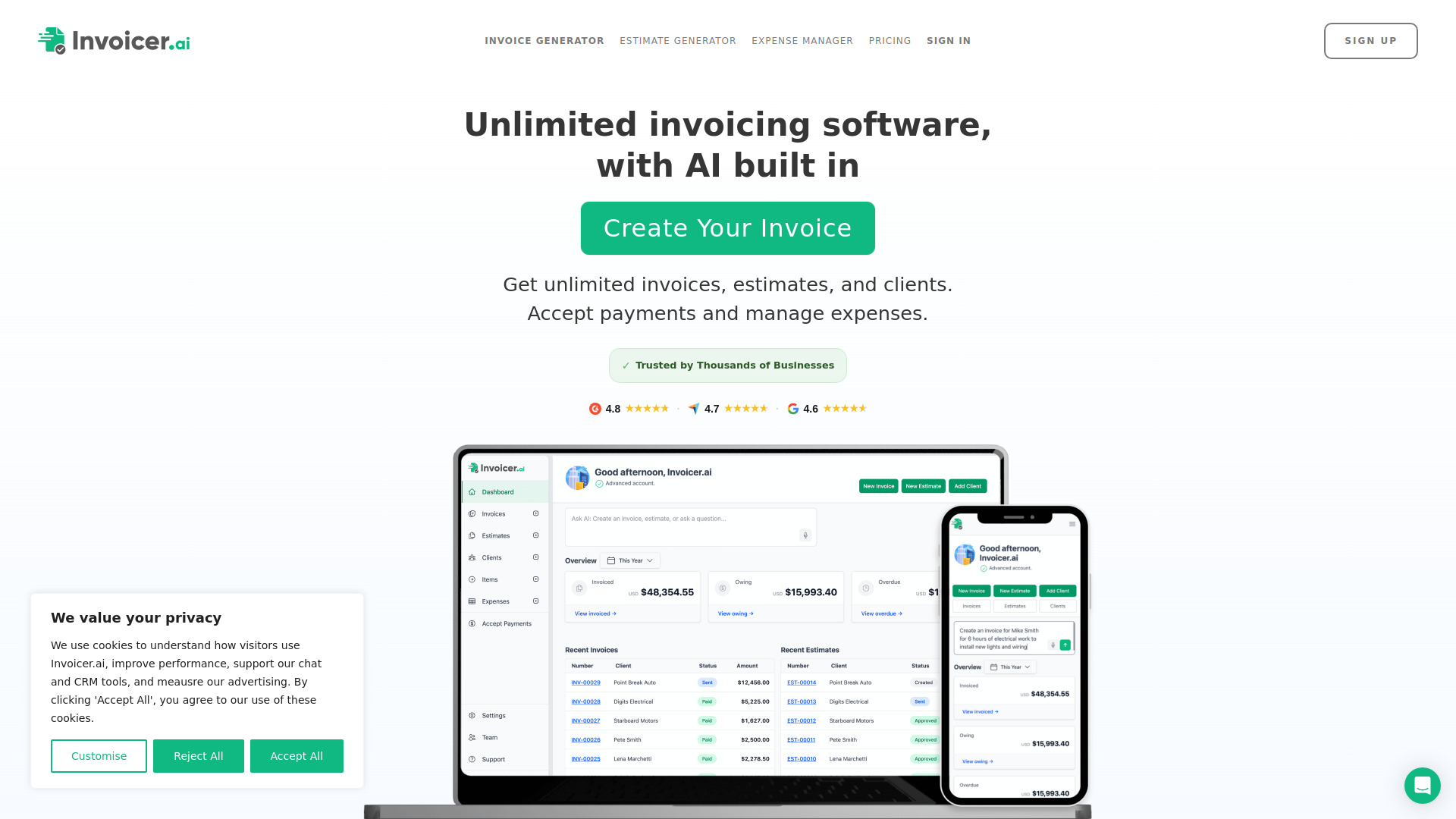
Invoicer.ai is AI-powered invoicing software designed for contractors, small businesses, and freelancers. It provides unlimited invoices, estimates, and clients, and combines an AI invoice generator and AI assistant with payment processing, expense management, and real-time tracking to help users stay organized and get paid faster.
How to use Invoicer.ai
- Sign up for a free trial (no credit card required).
- Create an invoice or estimate using the AI generator with voice or text, or build one manually.
- Quickly select previously used clients and items; automatic calculations handle the totals.
- Customize the invoice with templates, your logo, and colors, previewing it as you create it.
- Send the invoice or estimate to your client and accept payment online.
- Set up automatic payment reminders on a schedule you choose.
- Track delivery, views, and payment status in real time.
- Convert approved estimates into invoices in one click or via automation.
- Capture receipts with a photo or upload to let the AI Expense Manager extract and organize expense details.
- Connect QuickBooks Online or Xero to sync customers, invoices, payments, estimates, and expenses automatically.
Features of Invoicer.ai
- AI invoice generator and AI assistant for creating invoices, adding clients, and generating line items using everyday language
- AI pricing suggestions and answers to questions such as what to charge, who owes money, client details, revenue summaries, and expense trends
- Unlimited invoices, estimates, and clients
- Intelligent estimates that clients can approve and convert to invoices in one click
- Online payments as a Stripe Partner, including credit cards, debit cards, mobile wallets like Apple Pay and Google Pay, and bank transfers (ACH), in 135+ currencies
- Automatic late payment reminders on a schedule you choose
- Real-time tracking with notifications when invoices and estimates are delivered, viewed, and paid
- AI-powered Expense Manager with receipt capture that extracts details into a searchable, organized list
- QuickBooks Online and Xero integration
- Professional, branded invoices with templates, logo, and color customization
- Multiple discounts (percent or dollar based)
- Multiple deposits (percent or dollar based) for milestones
- Scheduled and recurring invoices
- Multiple currencies
- Attachments and notifications
- Central organization of clients, invoices, estimates, expenses, and items with search and filtering
Use Cases of Invoicer.ai
- Contractors pricing a job and building an estimate, such as a deck build or full bathroom remodel
- Freelancers and small businesses creating and sending professional invoices in seconds
- Checking who owes money and identifying past-due invoices
- Capturing and organizing receipts for accountants, bookkeepers, or accounting software
- Getting paid to start a job and at milestones using multiple deposits
- Rewarding customers with percent or dollar based discounts
- Automating recurring billing and late payment follow-ups
Pricing
Invoicer.ai offers instant access with a free trial, 100% free, with no credit card required. The software includes unlimited invoices, estimates, and clients.
FAQ
Do I need a credit card to start?
No. You get instant access with a free trial, and no credit card is required.
Are there limits on invoices, estimates, or clients?
No. Invoicer.ai provides unlimited invoices, estimates, and clients.
How can my clients pay?
As a Stripe Partner, Invoicer supports credit cards, debit cards, mobile wallets like Apple Pay and Google Pay, bank transfers (ACH), and more, in 135+ currencies.
Can I automate payment follow-ups?
Yes. Automatic late payment reminders can be sent on a schedule you choose.
Can I turn an estimate into an invoice?
Yes. Clients can approve estimates, and you can convert them into an invoice in one click or use intelligent automation.
Does it work with my accounting software?
Yes. QuickBooks Online and Xero integrations sync customers, invoices, payments, estimates, and expenses automatically.
How does the expense manager work?
Snap a photo or upload a document, and the AI extracts the details into a searchable, organized list you can download, share with your accountant, or import into accounting software.