What is Katto
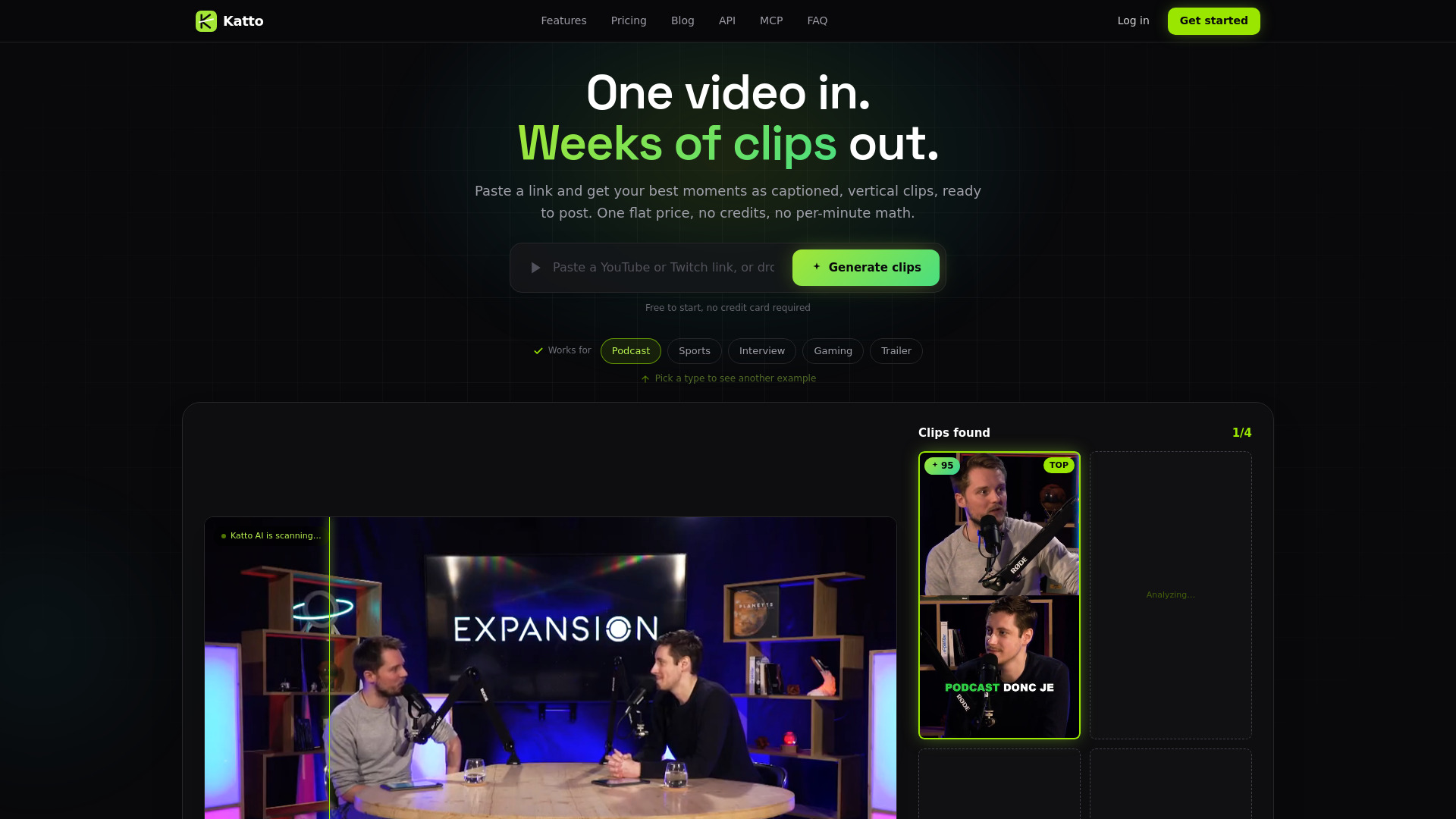
Katto is an AI-powered video clipping tool that transforms long-form videos, such as YouTube videos and podcasts, into viral short-form clips. It automatically detects the best moments, reframes them to vertical 9:16 format, adds word-by-word captions in 99 languages, and provides virality scoring. Katto also offers features like speaker detection, AI B-roll, and text-based editing, and allows publishing to multiple platforms in one click.
How to use Katto
- Paste a link or upload a file: On the Katto homepage, paste a YouTube or Twitch link, or drop a video file (MP4, MOV, WebM, MKV) up to 90 minutes long.
- Generate clips: Click the "Generate clips" button. Katto's AI scans the video, identifies the most engaging moments, and creates vertical clips.
- Review and edit: Browse the generated clips, each scored on virality. Use the editor to adjust reframing, captions, hooks, B-roll, and emojis. You can also edit by deleting or reordering text in the transcript.
- Export or publish: Export clips in various formats (9:16, 4:5, 1:1) or publish directly to platforms like YouTube, TikTok, Instagram, LinkedIn, Threads, Bluesky, and Mastodon. You can also schedule posts.
Features of Katto
- AI-powered clipping: Automatically detects the best moments from long videos.
- Virality scoring: Every clip is scored on 4 axes (hook, flow, value, trend) to rank viral potential.
- Smart reframe: Reframes to 9:16, 4:5, or 1:1 and follows the main subject.
- Speaker detection: Identifies who is talking and frames the right face in dialogues.
- Animated captions: Word-synced captions with highlighting in 99 languages, with AI proper-noun correction.
- AI Hook: Adds a scroll-stopping hook at the top of the clip.
- AI B-roll: Inserts relevant cutaway shots to illustrate points.
- Emojis: Adds animated emojis to emphasize key moments.
- Text-based editing: Edit by deleting or reordering text; the cuts follow automatically.
- Prompt-first selection: Tell the AI what you want (by intent, topic, hook, or audience angle) to get relevant clips.
- AI dubbing: Translate clips into 8 languages with natural voice (Studio feature).
- Clean audio: Removes silences and cleans vocals.
- Brand templates: Use custom brand templates, folders, and favorites.
- Multi-format export: Export in 9:16, 4:5, 1:1, and 4K (soon).
- SRT export: Export subtitles in SRT format.
- REST API and MCP server: For developers and AI agents to integrate programmatically.
- Publishing and scheduling: Publish to 7 platforms in one click or schedule posts.
Use Cases of Katto
- Podcasters: Turn podcast episodes into engaging vertical clips for social media.
- YouTubers: Repurpose long videos into shorts to reach new audiences.
- Gamers: Create highlight clips from gaming streams.
- Marketers: Generate promotional clips from webinars, interviews, or product videos.
- Educators: Extract key teaching moments from lectures or tutorials.
- Social media managers: Automate content distribution across multiple platforms.
Pricing
Katto offers a free plan and a paid Creator plan.
Free Plan (€0/month)
- 2 videos per month
- Up to 30 minutes per video
- 720p output
- Auto captions in 99 languages
- 4 caption presets
- Center-crop reframe
- No credit card required
Creator Plan (€12/month billed annually, or €15/month billed monthly)
- 25 videos per month
- Up to 90 minutes per video
- 5 GB uploads
- 1080p output
- Miru AI reframe (smart reframe)
- Split-screen for multi-speaker
- AI Hook
- Vocal cleanup
- Background music
- Scheduling & calendar
- No watermark
- Priority processing
- 7-day free trial available
FAQ
What is Katto?
Katto turns long videos into ready-to-post vertical shorts. It detects the best moments, reframes them in 9:16, adds word-by-word captions in 99 languages with AI proper-noun correction, generates hashtags, and exports SRT subtitles, all automatically.
What video formats are supported?
YouTube links, MP4, MOV, WebM, and MKV files up to 90 minutes. Uploads up to 500 MB on Free, 5 GB on Creator.
How long does processing take?
About ~5 minutes depending on video length. You can close the tab and come back, your clips will be waiting.
How much does it cost?
Free forever, no card needed. Creator is €12/month billed annually (€144/year), or €15/month billed monthly, 25 videos per month, videos up to 90 minutes.
How does Katto compare to OpusClip, Submagic and Klap?
Katto gives you 25 videos per month at €12 (annual), typically more clips for less than OpusClip, Submagic, Klap, Spikes Studio and others, plus captions in 99 languages, virality scoring, a real free plan, and automatic gaming layouts.