What is Kuca AI
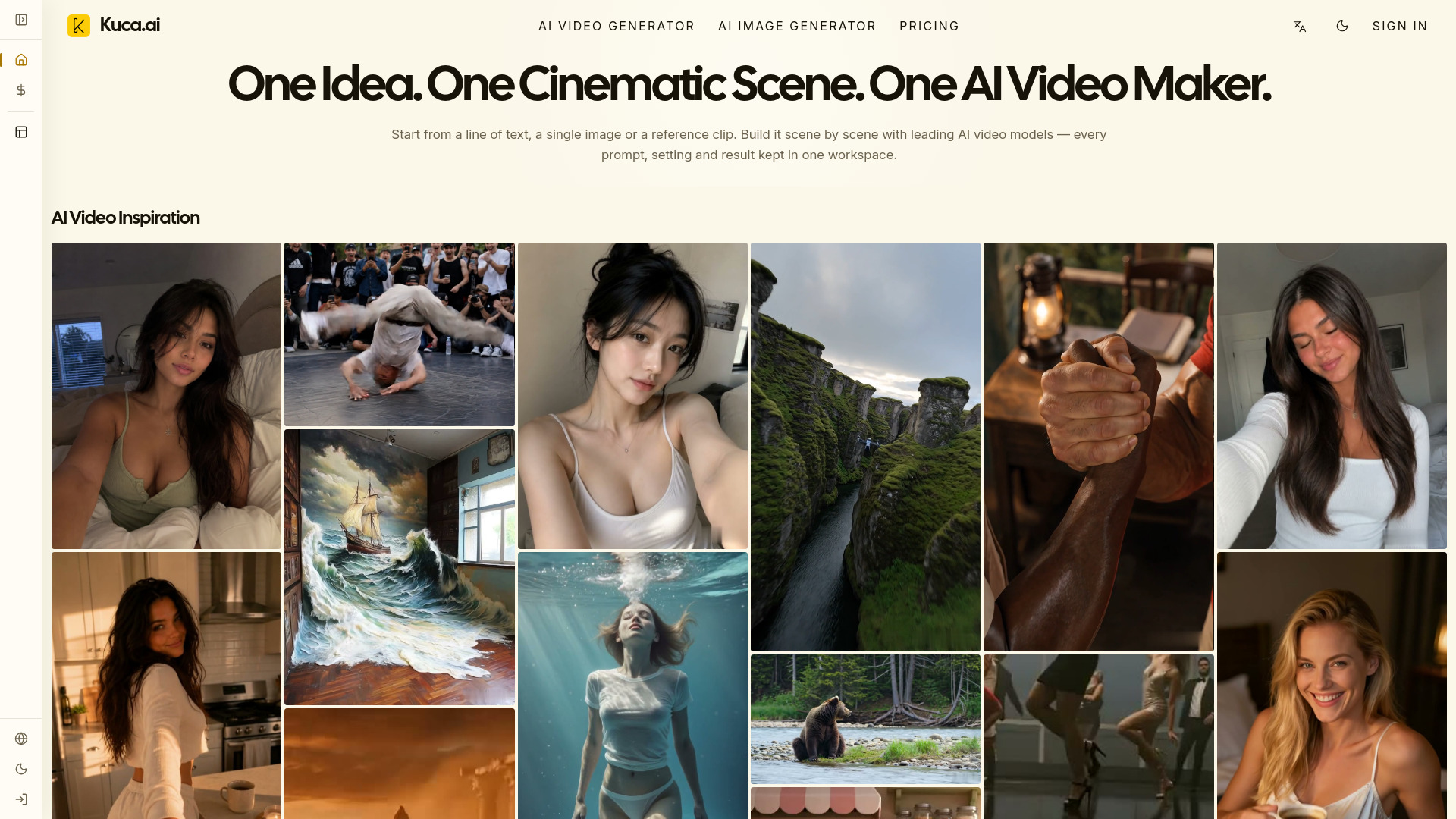
Kuca AI is a unified workspace for creating professional AI videos with multiple leading models. It allows users to move from a prompt or reference image to generation, review, and reuse without managing separate subscriptions and disconnected tools.
How to use Kuca AI
- Start from a line of text, a single image, or a reference clip.
- Choose from supported AI video models such as Seedance, Veo, Kling, Wan, Grok Imagine, Hailuo, Runway, HappyHorse, and Gemini Omni workflows.
- Provide inputs like text prompts, first frame, last frame, multiple reference images, or a reference video, depending on the selected model.
- Adjust settings and generate the video.
- Review results in the generation history panel and reuse successful setups for future shots.
Features of Kuca AI
- Multi-model support: Access to leading AI video models in one place.
- Text-to-video and image-to-video: Create videos from text prompts or images.
- Reference workflows: Use first frame, last frame, multiple reference images, or reference videos for model-specific workflows.
- Native audio support: Generate dialogue, sound effects, and ambient audio when the selected model supports it.
- Generation history: Keep track of submitted, running, completed, and failed tasks, with options to recreate drafts, retry, download, or remove records.
- Credit system: Each generation uses credits based on the model and settings; free accounts generate publicly with watermarked downloads, while paid plans or one-time credit purchases unlock private, watermark-free generation.
Use Cases of Kuca AI
- Cinematic scenes: Create film-like sequences with realistic motion and visual detail.
- Short dramas: Produce short dramatic content with character consistency.
- Social videos: Generate engaging content for social media platforms.
- Ads: Create product films and commercials.
- Product films: Turn product images into cinematic videos.
- Music visuals: Generate visuals for music tracks.
- Previsualization: Plan and visualize scenes before production.
Pricing
Kuca AI offers a free tier where generations are public and watermarked. Paid plans or one-time credit purchases unlock private, watermark-free generation. The exact pricing structure is not detailed on the page, but credits are used per generation based on the selected model and settings.
FAQ
What is Kuca's AI Video Maker? Kuca is a unified workspace for creating professional AI videos with multiple leading models. You can move from a prompt or reference image to generation, review, and reuse without managing separate subscriptions and disconnected tools.
What can I create with Kuca? Kuca is built for cinematic scenes, short dramas, social videos, ads, product films, music visuals, and previsualization. Start from text, images, or supported reference media, then compare models and reuse the strongest setup for the next shot.
Which AI video models can I use in Kuca? Kuca brings together Seedance, Veo, Kling, Wan, Grok Imagine, Hailuo, Runway, HappyHorse, and Gemini Omni workflows. Each model keeps its real supported inputs and controls, so you can choose speed, motion quality, visual detail, reference support, or native audio based on the shot you need.
Can I create videos from text, images, and reference media? Yes. Kuca supports text-to-video, image-to-video, and model-specific reference workflows. Depending on the selected model, you may be able to provide a first frame, last frame, multiple reference images, or a reference video; Kuca only shows controls the current workflow actually supports.
Can Kuca generate dialogue, sound effects, and ambient audio? Audio capability depends on the model. When a selected workflow supports native audio, Kuca can pass the relevant prompt and audio settings for dialogue, effects, or ambience; models without audio support do not show an unavailable audio control.
How do I choose the best AI video model for my project? Start with the result you care about most: fast iteration, realistic motion, cinematic detail, reference consistency, or synchronized audio. You can run the same creative direction through different supported models, review the results in one history panel, and continue with the version that best fits the project.
How long does AI video generation take? Generation time varies by model, duration, resolution, enabled features, and provider demand. Kuca keeps the task in generation history while it is queued or running, so you can continue working and return when the result is ready.
How do credits and free AI video generation work? Each generation uses credits based on the selected model and active settings, with the required amount shown before submission. Accounts that have not completed a payment must generate publicly and receive watermarked downloads. Any successful paid plan or one-time credit purchase unlocks private, watermark-free generation.
Can I use Kuca videos for professional or commercial projects? Kuca is designed for creators, filmmakers, marketing teams, and businesses producing professional content. Usage rights can vary by model provider, source material, and account plan, so review the applicable model and platform terms before publishing commercial work.
Where can I manage finished videos and reuse successful settings? Generation history keeps submitted, running, completed, and failed tasks together. Open any task to review its prompt and settings, recreate an editable draft, retry a failed generation when appropriate, download completed media, or remove records you no longer need.