What is massCode
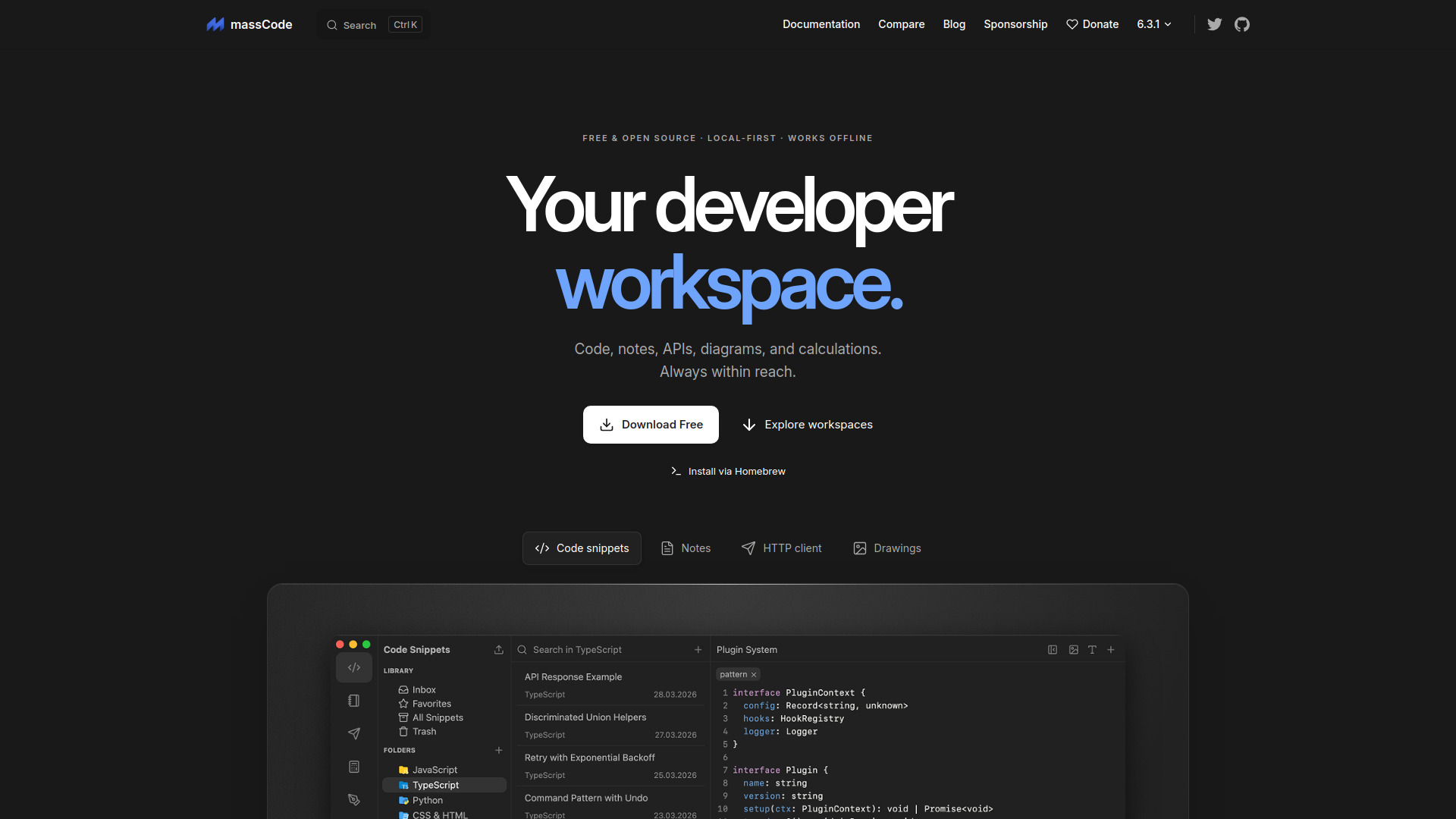
massCode is a free, open-source, local-first developer workspace that organizes code snippets, Markdown notes, API requests, diagrams, and calculations in one place. It works offline and stores data locally in open formats, with a built-in AI assistant for code, notes, and HTTP workflows.
How to use massCode
- Download and install massCode for macOS, Windows, or Linux. On macOS, you can also install via Homebrew with
brew install --cask masscode.
- Launch the app and set up your workspace vault, which contains folders for code, notes, http, and math.
- Use the Code snippets workspace to organize snippets in folders, add tags, and keep useful code within reach.
- Use the Notes workspace to create Markdown notes, track tasks with status, priority, and due dates, and explore connections between notes in a graph.
- Use the HTTP client to save requests, run them in sequence, pass values between steps, and inspect test results.
- Use the Drawings workspace (Excalidraw canvas) for diagrams.
- Use the Math Notebook for calculations with variables, unit and currency conversions.
- Use the Command Palette (⌘ P to search, ⌘ ⇧ P for commands) to find snippets, notes, and requests, switch spaces, create new items, or run commands from the keyboard.
- Optionally connect an AI model (OpenAI, Anthropic, Gemini, DeepSeek, Mistral, xAI, OpenRouter, or local models via Ollama or LM Studio) with your own API key to edit code, organize notes, or work through HTTP workflows.
- Optionally connect an external AI agent through MCP to let it find saved snippets, read project notes, and run HTTP requests.
Features of massCode
- Code snippets organized in folders with tags
- Markdown notes with a folder library and note editor
- Notes Graph showing connections between linked notes
- Task notes with status, priority, and due dates, including Today and Upcoming views
- HTTP client with saved requests, request configuration, and response panel
- API workflows: run saved requests in sequence, pass values between steps, and inspect test results
- Drawings workspace using an Excalidraw canvas
- Math Notebook with variables, percentages, currency and unit conversions
- Developer tools including JSON Diff for comparing JSON side by side
- Command Palette for searching and running commands
- Built-in AI assistant for editing code, organizing notes, and testing APIs
- Support for multiple AI models: OpenAI, Anthropic, Gemini, DeepSeek, Mistral, xAI, OpenRouter, Ollama, LM Studio
- MCP support to connect external AI agents
- Local-first storage: code, notes, and requests in Markdown; drawings in Excalidraw
- Sync options: iCloud, Dropbox, other cloud storage, Syncthing, or Git
- Free and open source (AGPL v3)
- Works offline
Use Cases of massCode
- Organizing code snippets in folders with tags for quick retrieval
- Keeping Markdown notes and linking them to related snippets and API requests
- Tracking tasks with status, priority, and due dates, and finding tasks by due date
- Testing API workflows from login to final response, with assertions and test results
- Running saved HTTP requests in sequence and passing values between steps
- Creating diagrams with the Excalidraw canvas
- Performing calculations with variables, unit conversions, and currency conversions
- Using the AI assistant to edit code, organize notes, or work through HTTP workflows
- Connecting an external AI agent via MCP to access snippets, notes, and HTTP requests
- Syncing a local vault across devices using iCloud, Dropbox, Syncthing, or Git
Pricing
massCode is free and open source under the AGPL v3 license. There is no cost to download or use the application. Cloud API usage for the AI assistant is billed by your provider.
FAQ
Is massCode free?
Yes, massCode is free and open source under the AGPL v3 license.
Does massCode work offline?
Yes, massCode is local-first and works offline.
Where is my data stored?
Code, notes, and requests are stored in Markdown files; drawings are stored in Excalidraw format. Files are kept locally in your workspace vault.
Can I sync my data across devices?
Yes, you can sync your vault folder using iCloud, Dropbox, other cloud storage, Syncthing, or Git.
Which AI models can I use?
You can connect OpenAI, Anthropic, Gemini, DeepSeek, Mistral, xAI, or OpenRouter with your own API key, or use a model running on your computer with Ollama or LM Studio.
Can I use an external AI agent with massCode?
Yes, you can connect an external AI agent through MCP to let it find saved snippets, read project notes, and run HTTP requests.
What platforms are supported?
massCode is available for macOS, Windows, and Linux.