What is MixVio AI
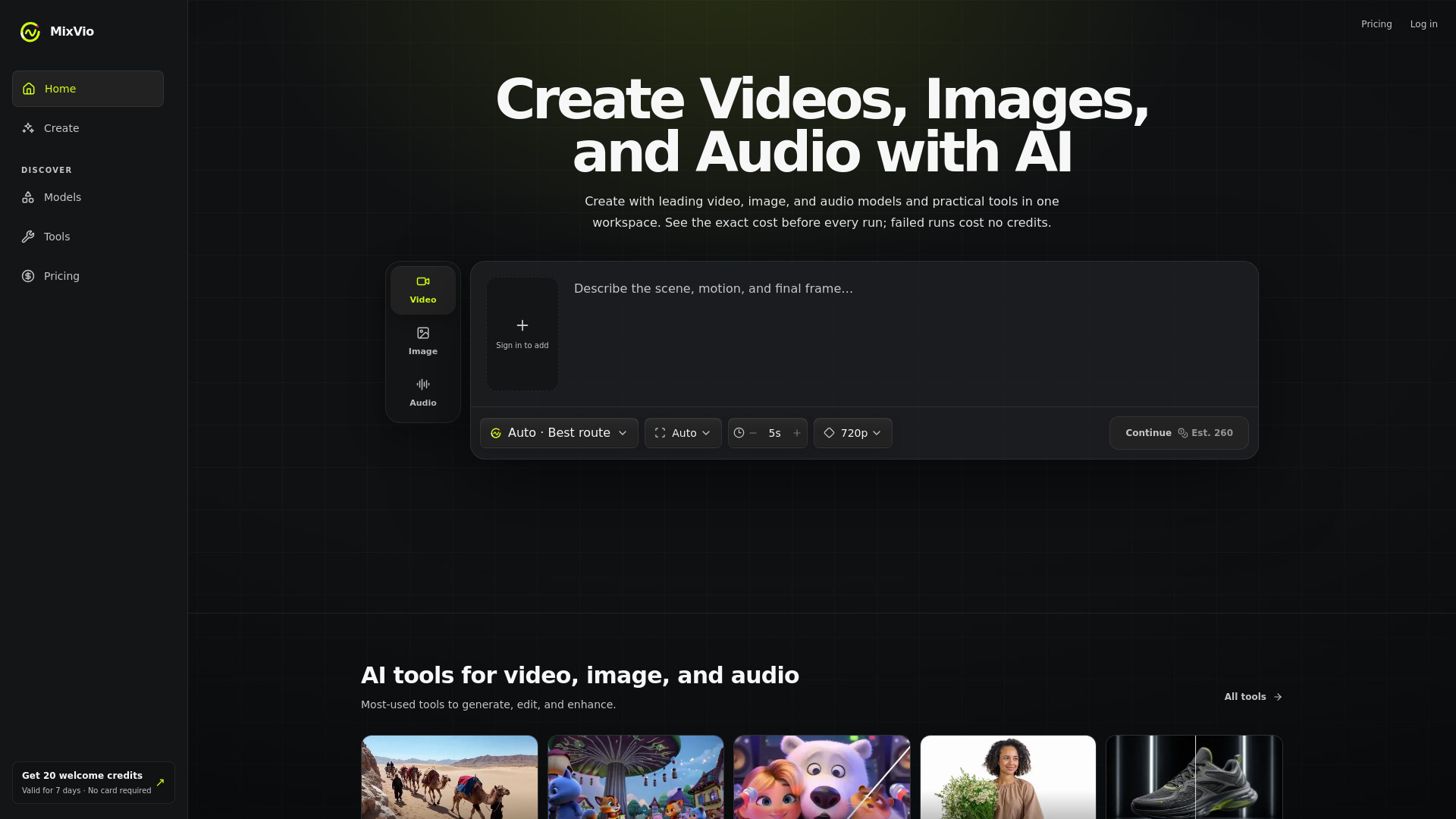
MixVio AI is an AI-powered creative workspace that enables users to generate videos, images, and audio in one place. It integrates leading models like Seedance, Kling, Veo, GPT Image, and Seed Audio, along with practical tools for editing and enhancement. The platform emphasizes transparent credit costs, with exact costs shown before each run and no credit charged for failed attempts.
How to use MixVio AI
- Sign up for a free account to receive 20 welcome credits (valid for 7 days, no credit card required).
- Choose a creation type (Video, Image, or Audio) from the tabs on the home page.
- Describe your desired output in the prompt textarea, or upload a reference image/video/audio where supported.
- Select a model (or use Auto for a recommended compatible model) and adjust settings like duration, resolution, or aspect ratio.
- Review the credit cost displayed before submission, then click generate.
- Wait for the generation to complete; if it fails, reserved credits are automatically released.
- Access your creations in your private workspace, where you can download or further edit them.
Features of MixVio AI
- AI Video Generation: Create short videos from text or reference images using models like Seedance, Kling, Veo, and Wan 3.0.
- AI Image Generation: Generate product-ready images and precise edits with GPT Image 2 and Seedream 5.0 Pro.
- AI Audio Generation: Produce voiceovers in multiple languages and original music with Seed Audio 1.0.
- Practical Creative Tools: Includes Text to Video, Image to Video, Video Upscaler, Background Remover, and Image Upscaler.
- Transparent Pricing: See exact credit costs upfront; failed runs cost no credits.
- Private Workspace: Uploads and generated results stay private and are not listed publicly.
- Free Plan: 20 welcome credits for new users, with no credit card required.
- Commercial Use: Paid plans include commercial use of outputs, subject to terms.
Use Cases of MixVio AI
- Content Creation: Generate short cinematic videos for social media, marketing, or storytelling.
- Product Visualization: Create product images and edits for e-commerce listings or advertising.
- Voiceover and Music: Produce voiceovers for videos or presentations, and generate original music tracks.
- Video Enhancement: Upscale existing clips to 1080p, 2K, or 4K, or remove backgrounds from images.
- Creative Exploration: Experiment with different models and tools to achieve unique visual and audio styles.
Pricing
MixVio AI offers a free plan with 20 welcome credits (valid for 7 days). Paid plans (Starter, Pro, and Ultra) provide subscription credits that expire at the end of each billing period and do not roll over. Purchased credit packs remain usable until their own expiry. Exact credit costs for each model and tool are displayed before submission. Failed runs do not consume credits. For detailed plan pricing and model costs, refer to the Pricing page.
FAQ
What can I create on MixVio? You can create short videos from text or a reference image, product-ready images and edits, voiceovers in multiple languages, and original music. Live routes include Seedance, Kling, Veo, GPT Image, and Seed Audio.
Can I try MixVio for free? Yes. Every new account receives 20 welcome credits valid for 7 days, with no credit card required.
Does the Free plan add a watermark? Yes. Free Plan image outputs include a visible MixVio watermark, and Free voiceovers include an audible MixVio disclosure. Paid plan exports do not add a MixVio plan watermark.
Do I have to choose a model? No. Auto recommends a compatible live model for your task, or you can choose one manually.
Can I upload my own images, video, or audio? Yes, on routes that accept references—image-to-video, edits, and other tools that ask for a source file. Uploads stay private to your workspace.
How do credits work? Every model and tool shows an integer credit cost before you submit. A task reserves that quote, settles it on success, and releases the reservation if the run fails.
What if a generation fails? The failed task stays visible with a safe error message, and reserved credits are automatically released so you can retry or switch routes.
What happens to credits and creations if I cancel? Paid creations stay accessible long-term after cancellation. Subscription credits expire at the end of each billing period and do not roll over; purchased credit packs stay usable until their own expiry.
Are my uploads or results public? No. Uploads and generated results stay in your private workspace and are not listed publicly.
Can I use outputs commercially? Paid plans include commercial use of outputs you create on MixVio, subject to the Terms of Service. Free-plan outputs are for evaluation and are not for commercial publishing.