LogoTopAIHubs
icon of MkAnime

MkAnime

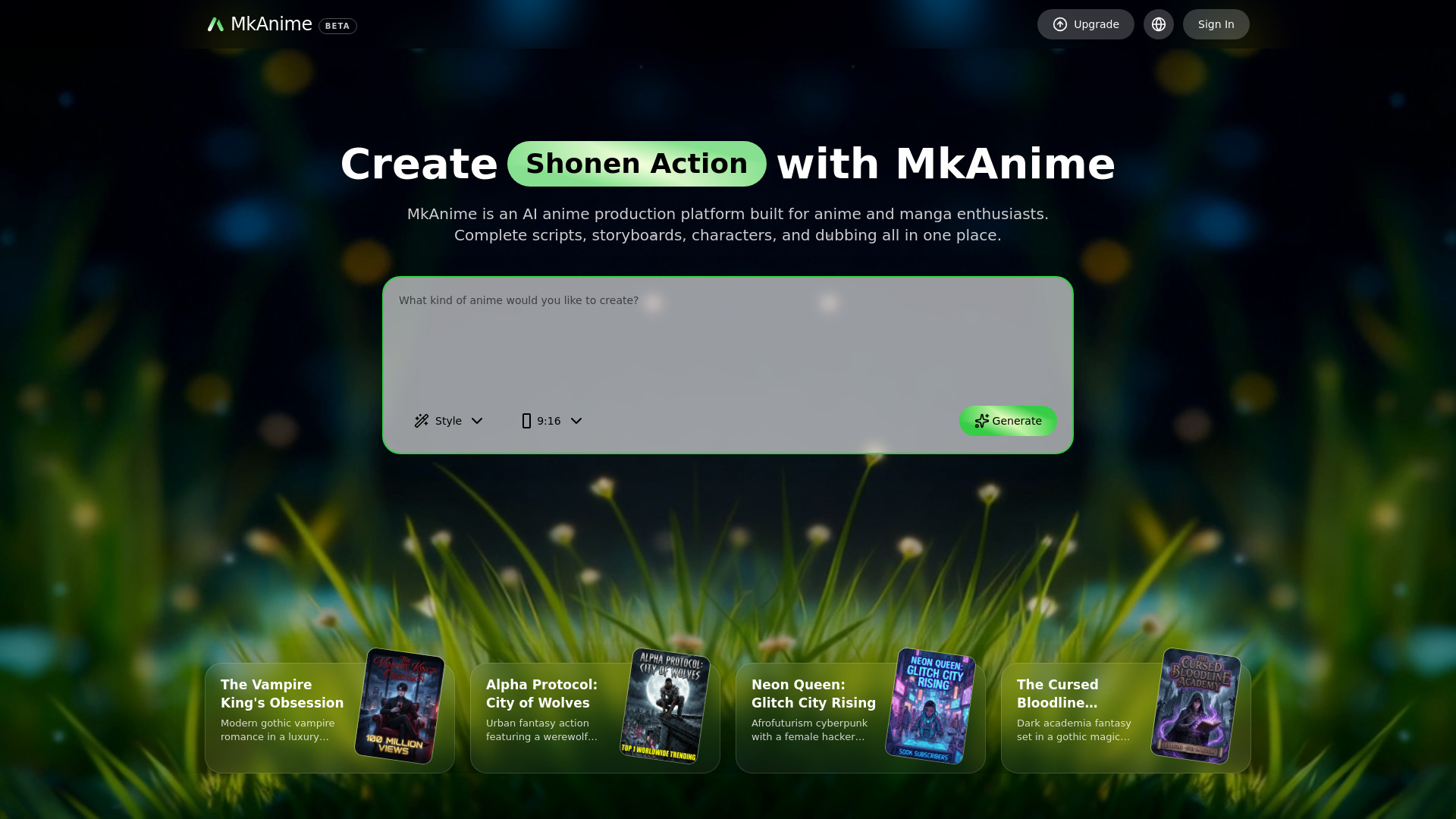
All-in-one AI anime studio for scripts, storyboards, and dubbed videos.

Introduction

What is MkAnime

MkAnime is an all-in-one AI anime studio designed for anime and manga enthusiasts. It allows users to create scripts, storyboards, characters, and dubbed videos from a single prompt.

How to use MkAnime
  1. Describe your idea: Input your story idea, choose a style and aspect ratio (9:16 or 16:9), and the AI begins the creation process.
  2. AI builds your outline: The AI generates episodes and a story flow that can be edited.
  3. AI creates characters and scenes: The AI extracts key characters and scenes from the script to prepare visual assets.
  4. AI generates storyboard shots: The AI drafts each shot with keyframes and video, allowing for fine-tuning and regeneration.
  5. AI dubbing and export: Generate voices, add lip sync, preview, and export your videos. Assets like images, videos, and audio are organized within the platform.
Features of MkAnime
  • AI Script Generation: Creates outlines, scripts with scenes and dialogue.
  • AI Storyboard & Shot Design: Generates storyboards and shots with attention to rhythm and pacing.
  • AI Character Creator: Ensures character consistency across scenes and episodes with reusable profiles.
  • AI Dubbing & Lip Sync: Supports dubbing and lip sync in multiple languages (Chinese, English, Japanese, Korean).
  • Multi-Format Video Shorts: Creates anime shorts in 9:16 and 16:9 aspect ratios.
  • Storyboard & Shot Pacing Control: Allows editing of shots for timing, framing, and beat order before scene generation.
  • Fast Shot Iteration: Regenerate individual shots without rebuilding the entire storyboard.
  • All-in-One Workflow: Integrates scriptwriting, storyboarding, character creation, dubbing, and export.
  • Multilingual Support: Facilitates multilingual releases with voice casting and dialogue generation.
Use Cases of MkAnime
  • Short-Form Creators: Produce multi-format anime shorts, control storyboard pacing, iterate shots quickly, and export dubbed videos.
  • Series Builders: Expand premises into outlines and episode beats, create reusable character sheets, maintain recurring cast consistency, and manage a connected workflow.
  • Solo Creators: Start from a single prompt to generate outlines, scripts, scenes, and assets, set up characters and scenes, control storyboards, and deliver finished content.
  • Multilingual Teams: Cast character voices, generate multilingual dialogue audio, sync lip movements scene-by-scene, and conduct pre-export reviews.
Pricing

MkAnime offers various plans with different credit allocations and features. Plans include Standard, Pro, and Ultra tiers, with options for monthly or yearly billing. Credits are consumed for AI generation tasks like scripts, keyframes, videos, and dubbing. Unused credits expire at the end of the billing cycle. Specific pricing details and credit bundles are available on their pricing page.
FAQ
  • What can I create with MkAnime? You can create outlines, scripts, storyboards/keyframes, and anime shorts, then add dubbing and download assets, all starting from a single idea.
  • Do I need drawing or editing skills? No, drawing or video-editing skills are not required. You can use templates or simple prompts and iterate with easy controls.
  • Which AI models does MkAnime use? For writing and planning, Gemini 3 Flash is used. For video generation, options include Kling2.6, Sora2 Pro, Wan2.6, Hailuo2.3 Pro, and Seedance1.5 Pro.
  • How do you keep characters consistent? A character profile can be created once and reused across scenes and episodes, maintaining consistent settings and style.
  • Can I use the generated content commercially? Yes, generated content can be used commercially, provided you have the rights to any references and do not use infringing materials.
  • What aspect ratios are supported? 16:9 for landscape and 9:16 for short-form platforms are supported.
  • How do credits work? Do they expire? AI generation consumes credits. Credits are granted per billing cycle and unused credits expire at the end of the cycle.
  • How long does generation take? Generation time varies based on the model, resolution, and queue, but most jobs finish in a few minutes. You can continue editing while jobs run.
  • Can I regenerate a single shot or keyframe? Yes, you can edit prompt, style, or character settings for a specific scene/keyframe and regenerate it.
  • Do you support dubbing and lip sync? Yes, voiceovers and lip sync can be generated for characters, supporting Chinese, English, Japanese, and Korean.

Newsletter

Join the Community

Subscribe to our newsletter for the latest news and updates