What is Omni 1.1 Flash
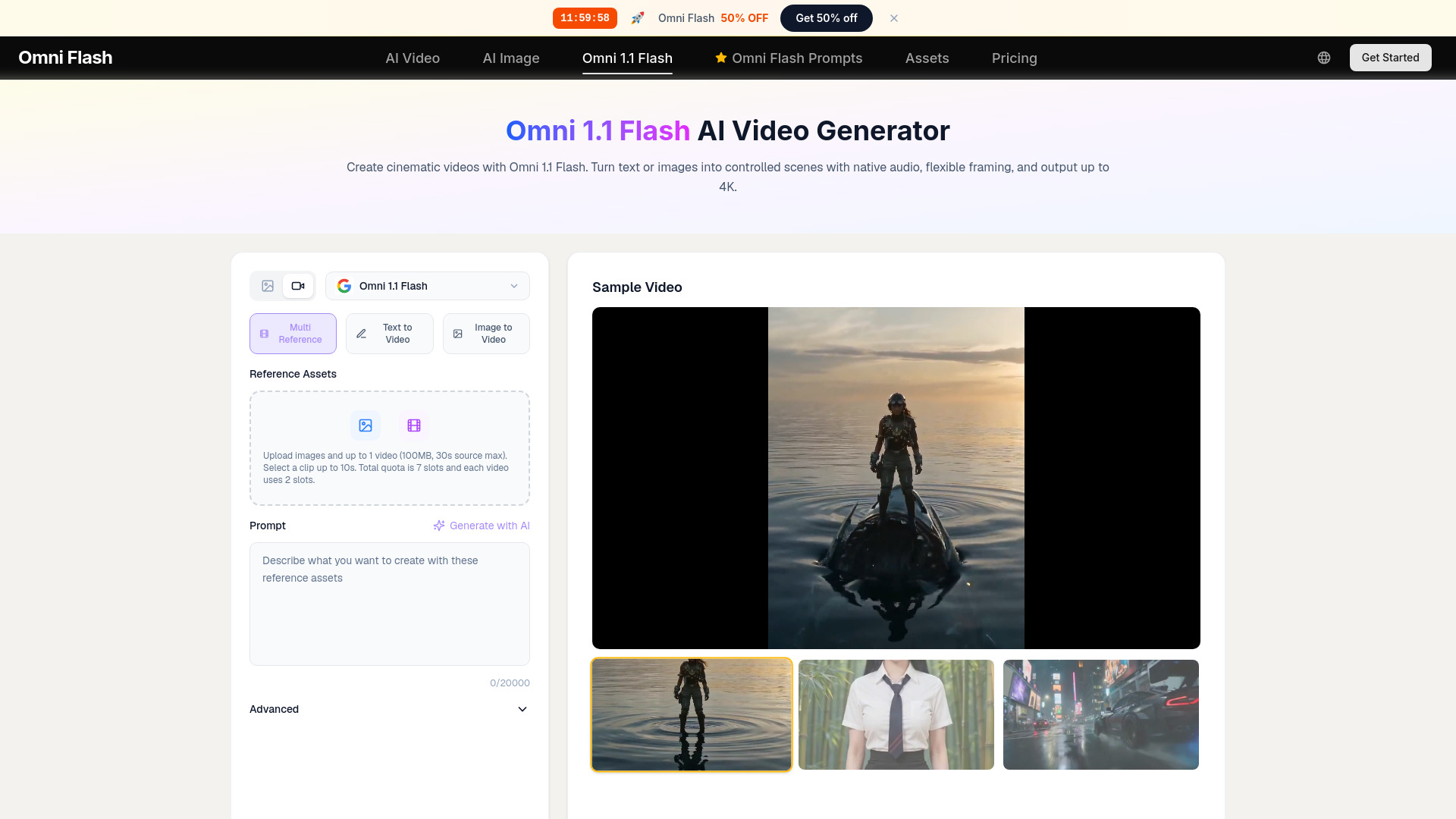
Omni 1.1 Flash is an advanced AI video generation model that creates cinematic videos from text or images. It supports controlled motion, native audio, and outputs up to 4K resolution. The model is ranked #1 on the Text-to-Video Arena as of August 27, 2026.
How to use Omni 1.1 Flash
- Choose input mode: Select either Text to Video or Image to Video. You can also use Multi Reference mode to upload images and up to 1 video (100MB, 30s source max) for more control.
- Write a prompt: Describe the subject, action, environment, camera movement, lighting, timing, dialogue, ambience, and music. For a single continuous shot, specify that you want no automatic cuts.
- Adjust settings: Choose resolution (360p, 720p, 1080p, 4K), duration (3-10 seconds per generation), aspect ratio (16:9 or 9:16), and number of variations.
- Generate and refine: Click Create to generate the video. Review the output, then adjust the prompt or starting image as needed. You can extend the video in 10-second increments up to 40 seconds total.
Features of Omni 1.1 Flash
- Scene Extension: Extend videos up to 40 seconds cumulative, in 10-second steps, while preserving character identity, motion, lighting, dialogue, and narrative context.
- First-and-Last-Frame Control: Provide a starting and ending image to guide the transition, enabling controlled orbits, push-ins, match cuts, and looping clips.
- Multiple Resolutions: Generate at 360p (draft mode), 720p, 1080p, or 4K. Draft mode is up to 60% faster and costs about one-third as much as 720p.
- Video References: Use up to 3 clips (3 seconds each) as references for style or content.
- Audio Continuity: Native audio is carried across extended segments, maintaining sound consistency.
- Aspect Ratios: Supports 16:9 landscape and 9:16 vertical formats.
- Multi Reference: Upload images and up to 1 video (100MB, 30s source max) to guide generation.
Use Cases of Omni 1.1 Flash
- Short narrative sequences, product demonstrations, music-video concepts, social stories, previsualization, and longer advertising scenes.
- Storyboard transitions, logo reveals, before-and-after shots, architectural walkthroughs, product transformations, and seamless social loops.
- Creative iteration, shot comparison, campaign variants, client review, storyboards, high-resolution social assets, and presentation footage.
Pricing
Pricing details are not explicitly listed on the page, but there is a mention of an annual plan that offers 23 credits for a discounted rate (save 30%). The interface shows a credit cost of 33 for a generation, and a promotional note about annual plan savings.