What is PDF to Word AI
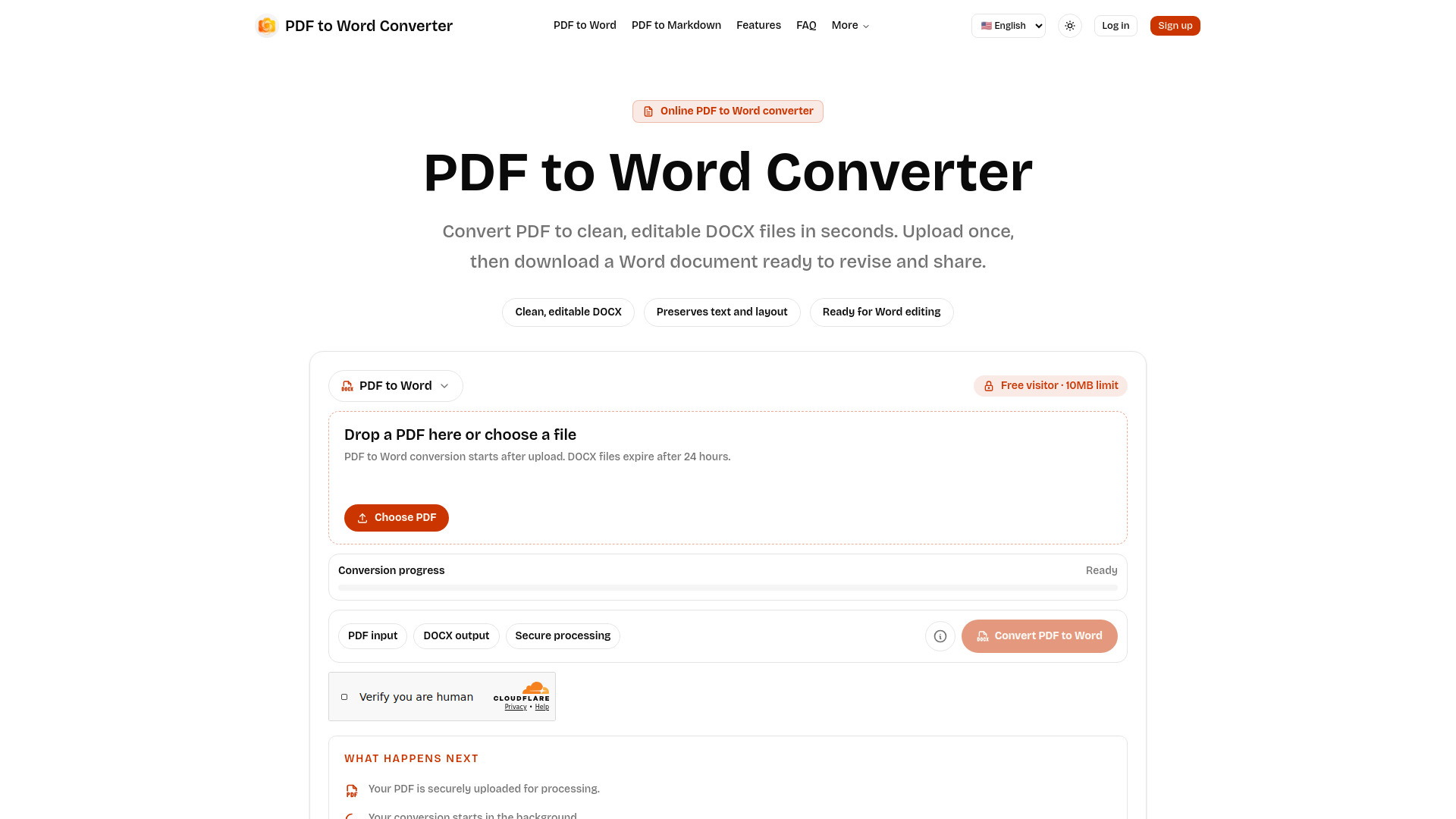
PDF to Word AI is an online tool designed to convert PDF documents into editable Word (DOCX) files. It leverages AI to preserve the original layout and text, making documents ready for revision and sharing.
How to use PDF to Word AI
- Upload your PDF: Choose a PDF file from your device. Free visitors can convert files up to 10MB, signed-in users up to 20MB, and paid users up to 100MB.
- Wait for DOCX processing: After uploading, your file enters a processing queue, and the page updates its status in real-time.
- Download the Word document: Once the conversion is complete, you will receive a DOCX file that can be opened in Microsoft Word, Google Docs, Pages, and other compatible editors. Files are automatically removed after a retention period.
Features of PDF to Word AI
- Editable DOCX Output: Converts PDFs into clean, editable Word documents.
- Layout Preservation: Aims to maintain the original text and layout.
- Scanned File Support: Capable of converting scanned PDF files, with results dependent on scan quality.
- Secure Processing: Uploads and downloads are handled as private conversion tasks.
- Temporary File Storage: Files are automatically removed after a retention window (default is 24 hours).
- Asynchronous Conversion: Allows for background processing of longer jobs.
- File Size Limits: Free visitors (10MB), signed-in users (20MB), paid users (100MB).
Use Cases of PDF to Word AI
- Extracting editable text, equations, and structured sections from research papers (e.g., arXiv style).
- Converting simple text PDFs for easy editing.
- Transforming scanned documents into editable formats.
FAQ
- Is this PDF to Word Converter free? Yes. Free visitors can convert PDF files up to 10MB. Logged-in users can convert up to 20MB, and paid users can convert up to 100MB.
- Will the DOCX match my original PDF exactly? The converter aims for practical, editable DOCX output. Simple text PDFs usually convert cleanly. Complex layouts, scans, tables, and unusual fonts may need manual adjustment after PDF to Word conversion.
- Can it convert scanned PDF files? Yes. Scanned files are supported, and results depend on scan clarity, page angle, contrast, and original document quality.
- Is this good for arXiv paper PDF to Word conversion? Yes. arXiv-style research papers are one of our strongest use cases, especially for extracting editable text, equations context, and structured sections for further editing.
- How long are my files stored? Files are temporary. The default retention window is 24 hours, after which the PDF and DOCX files are removed from storage.