What is pumaDB
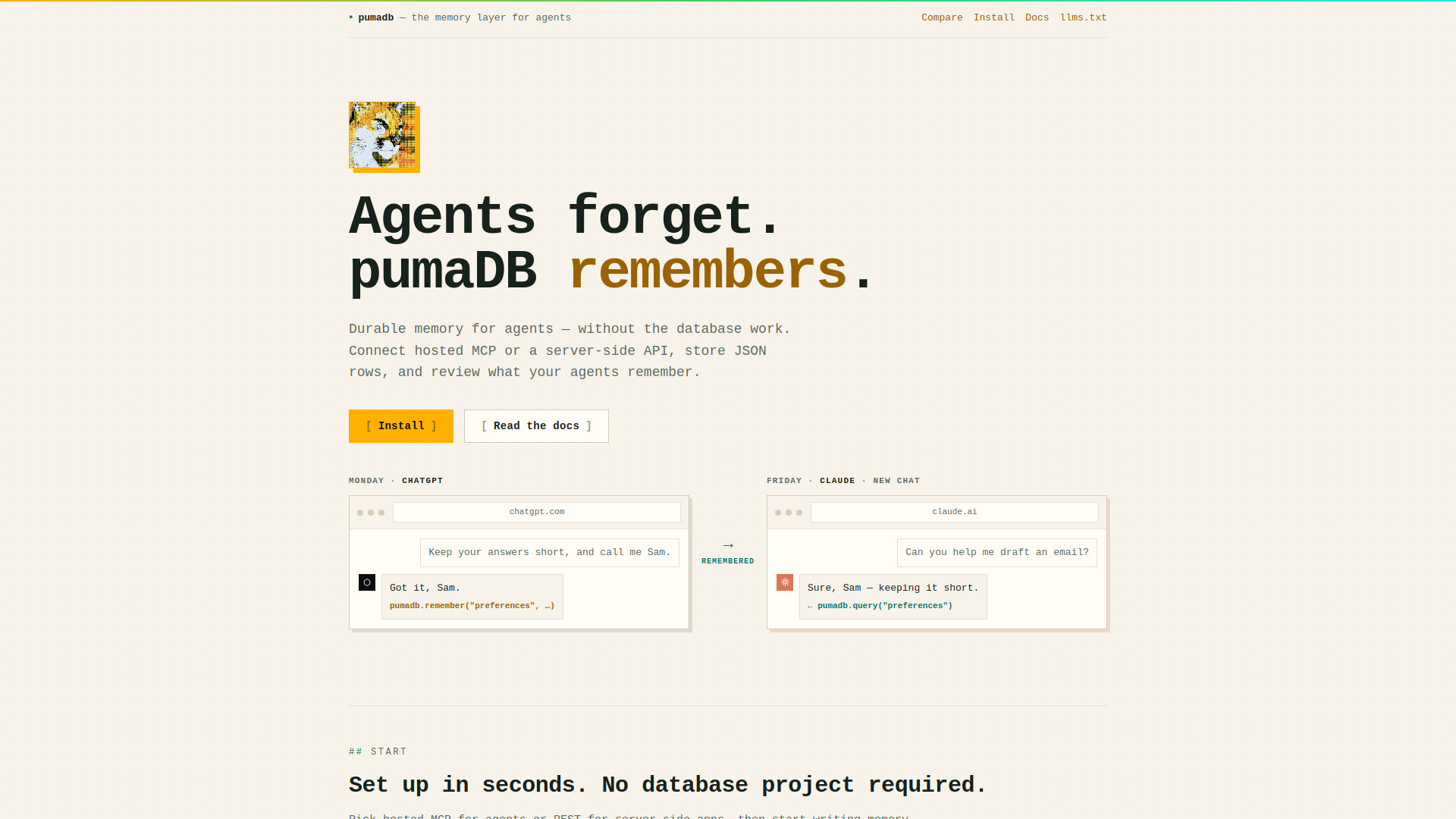
pumaDB is a lightweight, database-free memory API layer for AI agents. It provides durable JSON memory for agents over hosted MCP or REST, without requiring any database project or infrastructure setup. Agents can store, query, and review memory across sessions and even across different AI clients like ChatGPT and Claude.
How to use pumaDB
-
Choose your connection method:
- Hosted MCP: Connect from any MCP client (Codex, ChatGPT, Claude, OpenClaw, etc.) using the Streamable HTTP MCP endpoint at
https://api.pumadb.ai/mcp. OAuth is supported. - Server-side REST API: Use the REST API at
https://api.pumadb.aiwith bearer API keys for backend, serverless, or CLI applications.
- Hosted MCP: Connect from any MCP client (Codex, ChatGPT, Claude, OpenClaw, etc.) using the Streamable HTTP MCP endpoint at
-
Start writing memory: Use the
rememberMCP tool or REST endpoints to store JSON rows in tables. Common memory types include user preferences, project conventions, task state, and more. -
Query and manage memory: Use tools like
query,update_row,delete,versions, andrestoreto interact with stored data.
Features of pumaDB
- Hosted MCP and REST API: Two ways to access the same memory surface.
- No database setup: No database project or infrastructure required.
- Durable JSON storage: Store any small JSON record.
- Safety rails:
- Account limits: 20 tables, 1,000 rows per table, 25 MB total storage.
- Rate limits: 30 writes/min and 60 reads/min per key.
- Version history: Last 10 versions kept for 30 days, restorable with one call.
- Natural edits: Agents can use plain-language requests for filtered updates.
- Viewer links: Short-lived links for large text or result sets.
- MCP tools:
add,query,batch,upsert,update_row,update_where,list_tables,count,delete,versions,restore,open_row,open_text_field,remember. - REST endpoints:
GET /v1/{table},POST /v1/{table},POST /v1/{table}/update_row,POST /v1/{table}/update_where,DELETE /v1/{table}.
Use Cases of pumaDB
- Skills markdown: Reusable operating instructions and workflows for agents.
- Project conventions: Repository facts, architecture notes, naming patterns.
- User preferences: Communication style, formatting defaults, review expectations.
- Research clippings: Sources, summaries, links, follow-up questions.
- Task state: Open threads, blockers, handoff notes, pending commands.
- Typed safe memory: Resources, code snippets, Markdown, commands, config examples stored as inert records.
FAQ
Q: Do I need to set up a database? A: No. pumaDB is database-free. Just connect via MCP or REST and start storing memory.
Q: What are the account limits? A: 20 tables, 1,000 rows per table, and 25 MB total storage per account.
Q: What are the rate limits? A: 30 writes per minute per key and 60 reads per minute per key.
Q: Is there version history? A: Yes. Every update and delete archives the prior row content. The last 10 versions are kept for 30 days and can be restored with one call.
Q: Can I use pumaDB with ChatGPT or Claude? A: Yes. pumaDB supports hosted MCP connections from ChatGPT, Claude, Codex, OpenClaw, and any client that supports Streamable HTTP MCP.