LogoTopAIHubs
icon of PureMIDI

PureMIDI

AI tool that converts audio and sheet music into editable MIDI

Introduction

What is PureMIDI

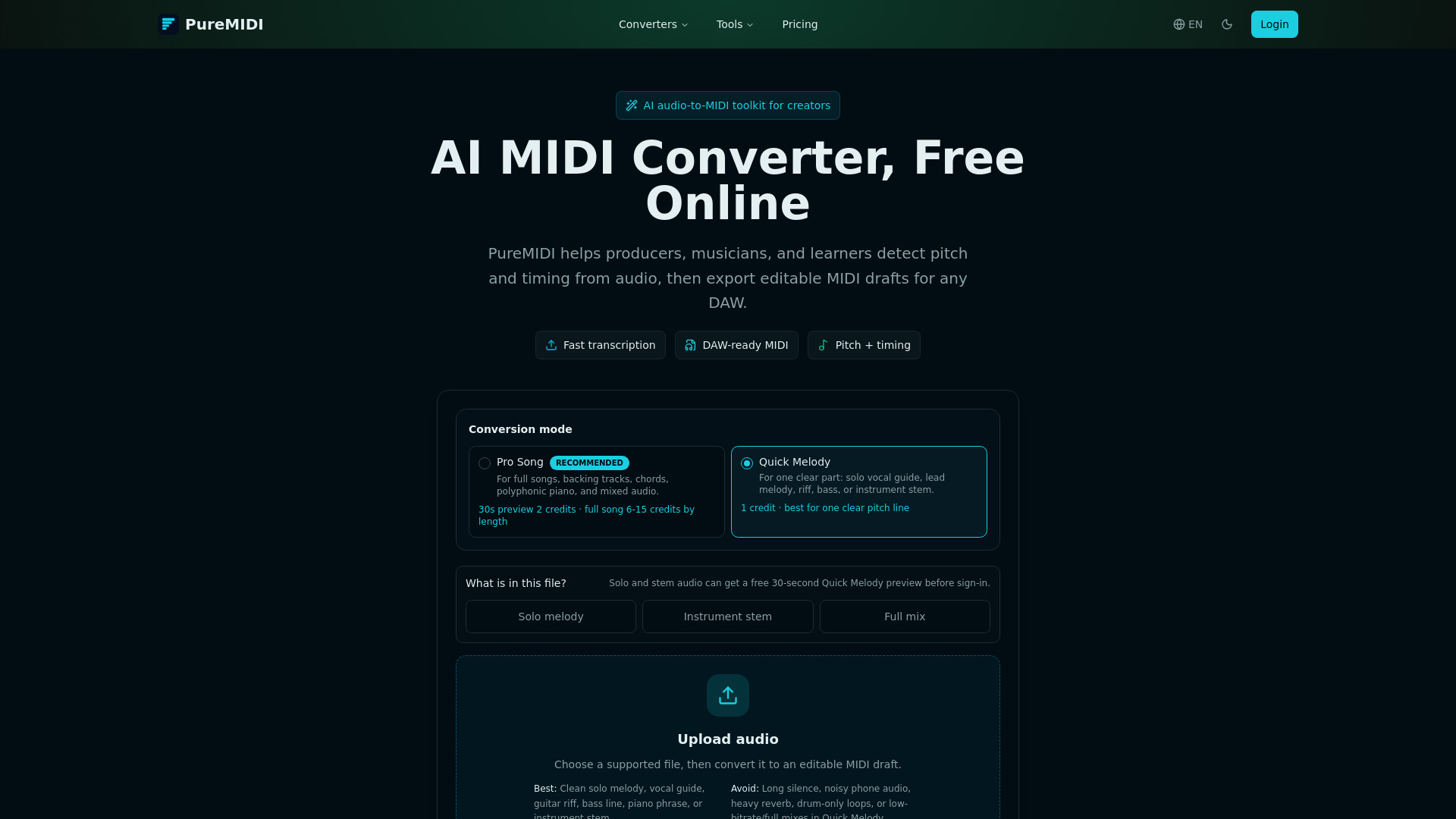
PureMIDI is a free AI-powered online toolkit that converts audio files (MP3, WAV, M4A, FLAC, OGG, AAC, AIFF), video files (MP4, MOV, WebM, M4V), and sheet music (PDF, MusicXML, MXL, PNG, JPG, WebP) into editable MIDI files. It detects pitch, rhythm, and velocity from recordings and uses AI score recognition for sheet music. The output is a standard .mid file compatible with all major DAWs and notation software.

How to use PureMIDI
  1. Upload your source: Choose an audio file (MP3, WAV, M4A, etc.), video file, or sheet music PDF/score image on the appropriate tool page.
  2. AI transcription: The AI engine processes the file, detecting notes, timing, and velocity in seconds.
  3. Download MIDI: Receive a standard .mid file ready to import into any DAW or notation software.
Features of PureMIDI
  • Audio to MIDI: Convert MP3, WAV, M4A, FLAC, OGG, AAC, AIFF into MIDI.
  • Video to MIDI: Upload MP4, MOV, WebM, M4V and convert the audio track to MIDI.
  • MP3 to MIDI: Tuned for lossy song exports with bit-rate guidance.
  • WAV to MIDI: For lossless recordings and studio stems.
  • PDF to MIDI (Beta): Convert sheet music PDFs into MIDI via AI score recognition.
  • Sheet Music to MIDI (Beta): Convert MusicXML, MXL, PDF, and scanned score images.
  • YouTube to MIDI: Preview a YouTube link, confirm rights, then upload authorized audio for conversion.
  • Piano to MIDI: Turn solo piano recordings into polyphonic MIDI.
  • Guitar to MIDI: Convert electric, acoustic, or DI guitar recordings.
  • MIDI Editor Online: Full piano-roll editor in the browser for drawing, editing, multi-track playback, and export.
  • AI MIDI Generator (Waitlist): Planned prompt-based MIDI generation.
  • DAW-specific pages: Audio to MIDI workflows for Ableton Live and Logic Pro.
  • Privacy: Successful-conversion source uploads deleted within 3 days; failed sources retained up to 14 days for support. No model training on user files.
  • No install required: Works entirely in the browser.
Use Cases of PureMIDI
  • Music production: Convert recorded ideas, loops, or stems into MIDI for further editing, sound design, and arrangement in a DAW.
  • Music education: Convert assigned scores to MIDI for ear-training playback, slow-practice, or grading student recordings.
  • Remixing and transcription: Extract melody, chords, or bass lines from audio to create MIDI drafts for remixing or learning.
  • Compliance: Clear rights confirmation for YouTube workflows and transparent data retention policy.
Pricing
  • New accounts receive 2 free trial credits, valid for 14 days.
  • After trial, continue with one-time credit packs.
  • Quick Melody: 1 credit per conversion.
  • Pro Song: 6–15 credits depending on audio length.
FAQ

Which file formats can I convert to MIDI? Audio: MP3, WAV, M4A, FLAC, OGG, AAC, AIFF. Video: MP4, MOV, WebM, M4V. Sheet music (Beta): PDF, MusicXML, MXL, PNG, JPG, WebP.

Is the MIDI converter free? Yes, with 2 free trial credits. After that, use one-time credit packs.

Will the converted MIDI work in my DAW? Yes, PureMIDI exports standard .mid files compatible with Logic Pro, Ableton Live, FL Studio, Cubase, Reaper, GarageBand, Studio One, Pro Tools, MuseScore, Sibelius, Dorico, and more.

How accurate is AI audio-to-MIDI conversion? Best on clean monophonic vocals, solo instruments, and isolated parts. Dense full mixes, heavy reverb, percussion, and unusual timbres may need manual cleanup.

Does PureMIDI keep my files? Successful-conversion sources are deleted within 3 days. Failed sources may be retained up to 14 days for support. Deleting a conversion requests immediate cleanup. Uploads are never used to train AI models.

Can I convert YouTube videos to MIDI? The YouTube workflow previews a link and confirms rights, then you upload authorized local audio for conversion. PureMIDI does not download from YouTube.

Will PureMIDI work for guitar tabs, jianpu, or handwritten scores? Currently focuses on standard staff notation. Guitar TAB, jianpu, shape-note, and handwritten manuscripts are on the roadmap.

How do I choose between MP3 to MIDI, WAV to MIDI, and Audio to MIDI? Audio to MIDI accepts any audio format. MP3 to MIDI is tuned for lossy exports. WAV to MIDI is for lossless recordings. The underlying AI is the same.

Newsletter

Join the Community

Subscribe to our newsletter for the latest news and updates