What is roomflip
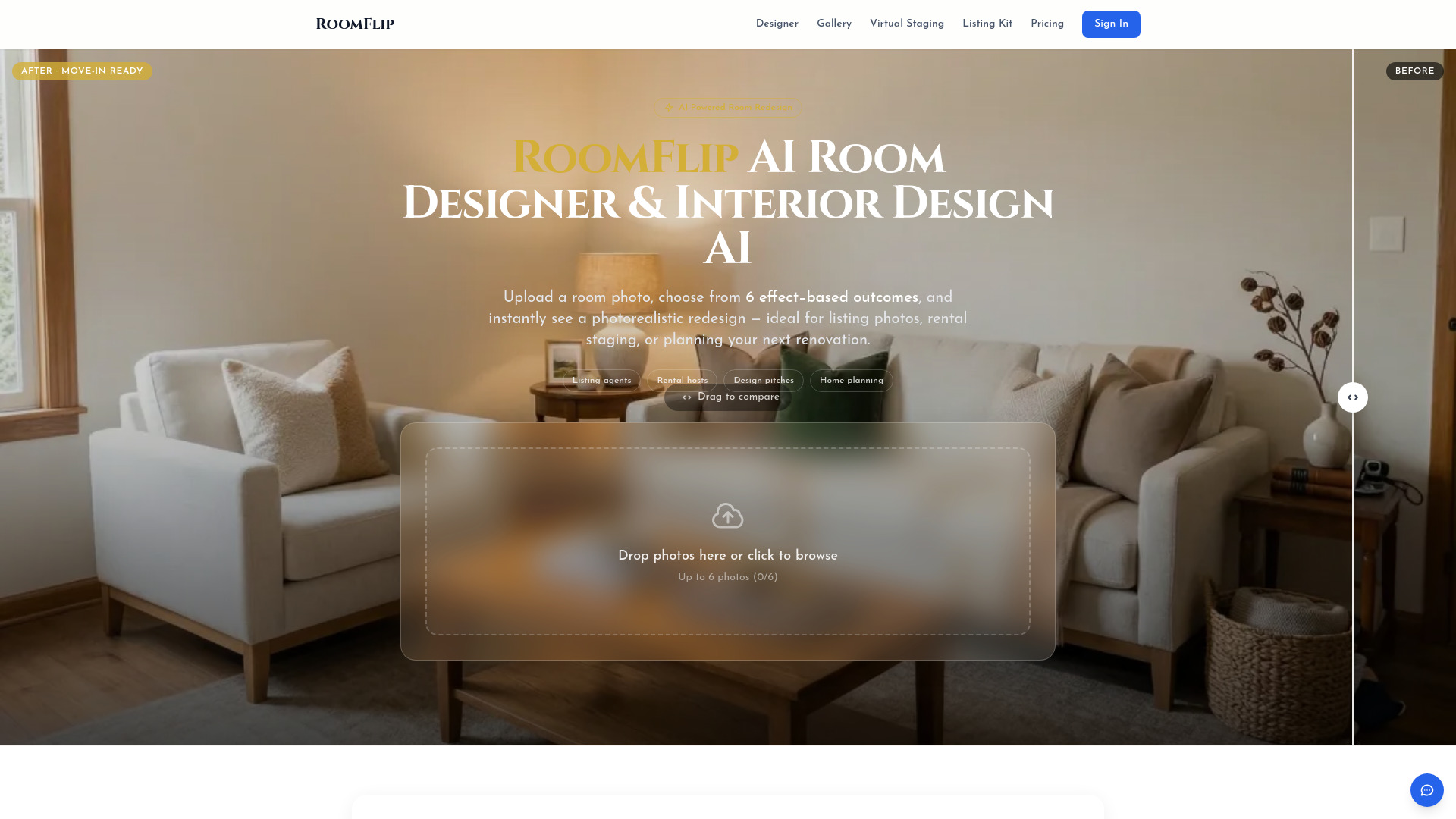
RoomFlip is an AI-powered tool that offers photorealistic interior redesigns and virtual staging. It allows users to upload a room photo and instantly see it transformed into various interior design styles.
How to use roomflip
- Upload Your Room: Take a photo of any room and upload it. The AI works best with well-lit photos taken from a corner. Supported formats include JPG, PNG, and WebP (up to 10MB).
- Pick an Outcome: Choose from effect-based outcomes that describe the desired feeling of the room, such as 'Move-in Ready' or 'Premium Guest Suite'.
- Get Your Redesign: In 15-30 seconds, the AI generates a photorealistic redesign. You can compare the before and after using a slider and download the result.
Features of roomflip
- AI-powered photorealistic interior redesigns
- Virtual staging capabilities
- Transforms room photos into 12+ interior design styles
- Generates redesigns in 15-30 seconds
- Offers 6 effect-based outcomes named by result (e.g., 'Move-in Ready', 'Zen Retreat')
- Supports JPG, PNG, and WebP image formats up to 10MB
- Accepts photos with a minimum resolution of 800x600 pixels
- Provides high-resolution downloads (2K and 4K) for professional use
- Offers a before/after slider for comparison
- No software installation required; runs in a web browser
Use Cases of roomflip
- Listing agents & stagers: To visualize potential improvements for property listings.
- Short-term rental hosts: To test different aesthetics for guest rooms.
- Designers, remodelers, consultants: For creating visual proposals and aligning client expectations.
- Homeowners & renters: For exploring design ideas and planning renovations or decor changes.
Pricing
- New users receive 3 free credits upon signup.
- Preview generations (low resolution with watermark) cost 1 credit.
- High-resolution, watermark-free results require paid credits.
- Credit packages start at $4.99 for 30 credits.
- Subscription options are available, including monthly and annual plans with varying credit allocations.
FAQ
- What is AI Room Designer? An online tool using AI to transform room photos into different interior design styles, visualizing changes to furniture, decor, colors, and materials.
- How does AI room redesign work? It uses image-to-image generation technology to analyze room structure and apply chosen design styles, creating a new photorealistic image.
- Is AI Room Designer free to use? Yes, new users get 3 free credits. Paid credits are needed for high-resolution, watermark-free results.
- Who gets the most value from AI Room Designer? Listing agents, home stagers, short-term rental hosts, and design professionals, as well as homeowners and renters.
- What types of rooms can I redesign? Any indoor space, including living rooms, bedrooms, kitchens, bathrooms, dining rooms, home offices, and nurseries.
- What design effects are available? Six effect-based outcomes: Move-in Ready, Premium Guest Suite, Warm Family Home, Urban Loft, Zen Retreat, and Luxury Showcase.
- How long does it take to generate a redesign? Typically 15-30 seconds, depending on room complexity and server load.
- Can I use the redesigned images for professional purposes? Yes, generated images belong to the user and can be used for various professional and personal purposes.
- What image formats and sizes are supported? JPG, PNG, and WebP images up to 10MB. Photos should be at least 800x600 pixels for optimal results.
- Do I need to install any software? No, the tool runs entirely in a web browser on desktop, tablet, and mobile devices.