LogoTopAIHubs
icon of SoraLum AI

SoraLum AI

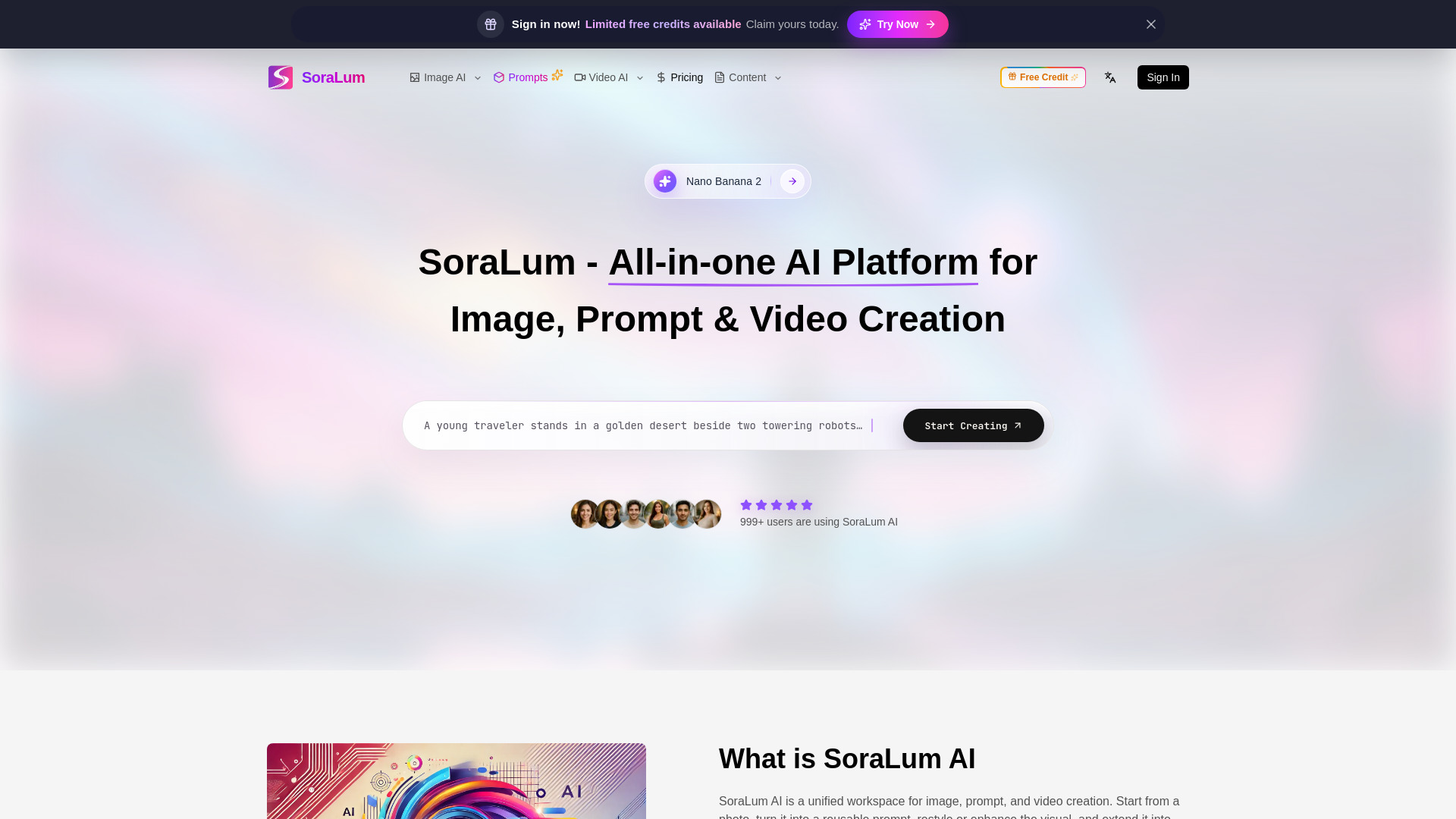
All-in-one AI platform to generate images, turn visuals into prompts, edit photos, and create videos—fast, simple, and built for creators who want more in one workflow.

Introduction

What is SoraLum AI

SoraLum AI is a unified workspace for image, prompt, and video creation. It allows users to start from a photo, turn it into a reusable prompt, restyle or enhance the visual, and extend it into motion without switching between separate tools. It aims to provide a faster path to consistent, creator-ready results for non-designers.

How to use SoraLum AI

While a detailed step-by-step guide is not provided, the website suggests the following functionalities:

  • Image Generation: Create images from text prompts or existing images (image-to-image).
  • Prompt Management: Utilize an AI prompt generator to turn images into prompts, enhance prompts, and check prompt quality.
  • Video Creation: Generate videos from text (text-to-video) or images (image-to-video).
  • Video Editing: Edit existing video clips.
  • Photo Editing: Edit and restyle photos.

Users can initiate creation by clicking on buttons like "Start Creating" or by navigating to specific sections like "Generate Image Now" or "Generate Video Now".

Features of SoraLum AI
  • Unified Workspace: All-in-one platform for image, prompt, and video creation.
  • Image-to-Image: Restyle, enhance, or reimagine existing pictures using text prompts.
  • Image-to-Video: Add motion, pacing, or camera movement to still images.
  • Text-to-Video: Create videos from text prompts.
  • AI Prompt Generator: Converts images into prompts, enhances prompts, and checks prompt quality.
  • AI Video Editor: Clean up, enhance, and perform finishing work on video clips.
  • AI Photo Effects: Apply trending social media effects and filters with one click.
  • Extensive Model Library: Access over 10 advanced AI image and video models (e.g., Nano Banana, Seedream, Flux, GPT Image, Sora, Veo, Wan, Kling).
  • Ready-to-Use Tools: Over 20 plug-and-play tools for image and video editing (e.g., face swap, watermark remover, background remover, photo restoration, video upscaling).
  • Large Effect Library: Over 100 viral AI image and video effects and filters.
  • User-Friendly Interface: Designed for non-designers with clear controls and guided presets.
Use Cases of SoraLum AI
  • Product Refreshes: Quickly generate visuals for product updates and use the AI image editor for minor fixes.
  • Creative Block: Use the AI prompt generator for starting points and AI photo effects for thumbnail variations.
  • Client Mood Previews: Utilize image-to-video for adding motion to client visuals without altering the original feel.
  • Ad Testing: Employ text-to-video for testing ad concepts and the AI video editor for refining successful versions.
  • Content Creation: Transform concepts into images and video teasers in a single workflow.
  • Social Media Content: Create scroll-stopping, shareable content using trending effects and filters.
FAQ
  • Should I use the AI image generator, AI image editor, or AI photo effects?

    • Use the AI image generator for creating new visuals from prompts or exploring visual directions.
    • Use the AI image editor for making controlled changes, cleaning up, or replacing parts of existing images.
    • Use AI photo effects for quick style changes, filters, or trend-driven transformations.
  • Do I need prompt-writing experience to get good results on SoraLum?

    • No, users can achieve usable results with rough ideas or existing images. The AI prompt generator can help refine simple ideas into clearer prompts.
  • When should I use text to video, image to video, or the AI video editor?

    • Use text to video when starting from an idea to create a full scene.
    • Use image to video when you have a still image and want to add motion.
    • Use the AI video editor for cleanup, enhancement, or finishing work on existing clips.
  • How long does generation usually take?

    • Generation time varies based on the model, prompt complexity, output settings, and job type. Lighter image tasks generally finish faster than longer video jobs.
  • How do credits work on SoraLum?

    • SoraLum uses a credit system where different tools and settings have varying credit costs. Subscriptions include recurring credits, and one-time credit packs are available.
  • Can I use SoraLum outputs for commercial work, and what should I know before uploading files?
    • Outputs can often be used for commercial work, but users should ensure they have the right to use any uploaded images or assets. It's advised to review site terms and privacy policies and avoid uploading content without permission.

Newsletter

Join the Community

Subscribe to our newsletter for the latest news and updates