What is TestDriver
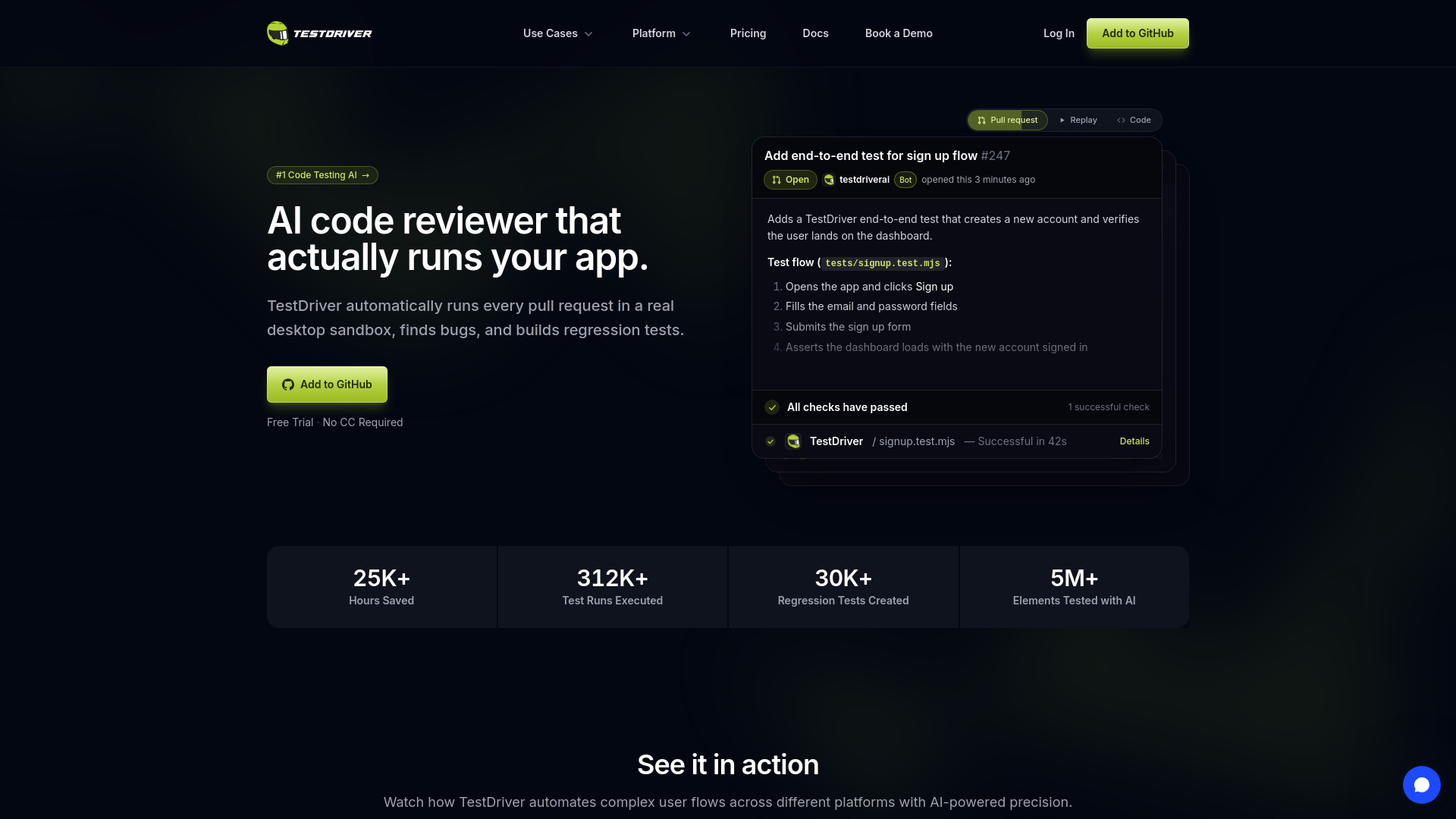
TestDriver is an AI-powered end-to-end testing and code review tool for GitHub pull requests. It automatically runs every pull request in a real desktop sandbox, finds bugs, and builds regression tests. It uses AI vision to interact with the app like a human, without needing access to source code or DOM.
How to use TestDriver
- Add the @testdriverai bot to your GitHub repository.
- Create a pull request with your changes.
- TestDriver automatically runs the app in a sandbox and executes tests.
- It writes UI tests based on your app's behavior and catches regressions.
- Review the test results and recordings in the pull request.
Features of TestDriver
- AI-powered test generation: Describe a flow in plain English, and the AI writes the test.
- Blackbox testing: Tests the app without access to source code, DOM, or internal APIs.
- Runs in CI/CD: Automatically tests every pull request.
- Self-healing: Tests keep passing when colors, layout, or styling change.
- Real desktop sandbox: Runs tests in a real desktop environment.
- Vision-based element detection: Uses AI vision to find and interact with UI elements.
- Regression test creation: Automatically builds regression tests to prevent future bugs.
- Supports various platforms: Websites, Chrome extensions, and VS Code extensions.
Use Cases of TestDriver
- Automated code review: Get AI-powered feedback on pull requests.
- End-to-end testing: Test complex user flows across different platforms.
- Regression prevention: Catch bugs before they merge.
- Testing third-party apps: Test apps you don't own or control.
- Chrome extension testing: Test browser extensions with popups and content scripts.
Pricing
TestDriver offers a free trial with no credit card required. Specific pricing plans are not detailed on the page.
FAQ
Q: Does TestDriver require access to my source code? A: No, it uses blackbox testing, so it doesn't need source code, DOM, or internal APIs.
Q: What platforms does TestDriver support? A: It supports websites, Chrome extensions, and VS Code extensions.
Q: How does TestDriver handle UI changes? A: It uses self-healing technology, so tests keep passing even when colors, layout, or styling change.