What is Unpixelate AI
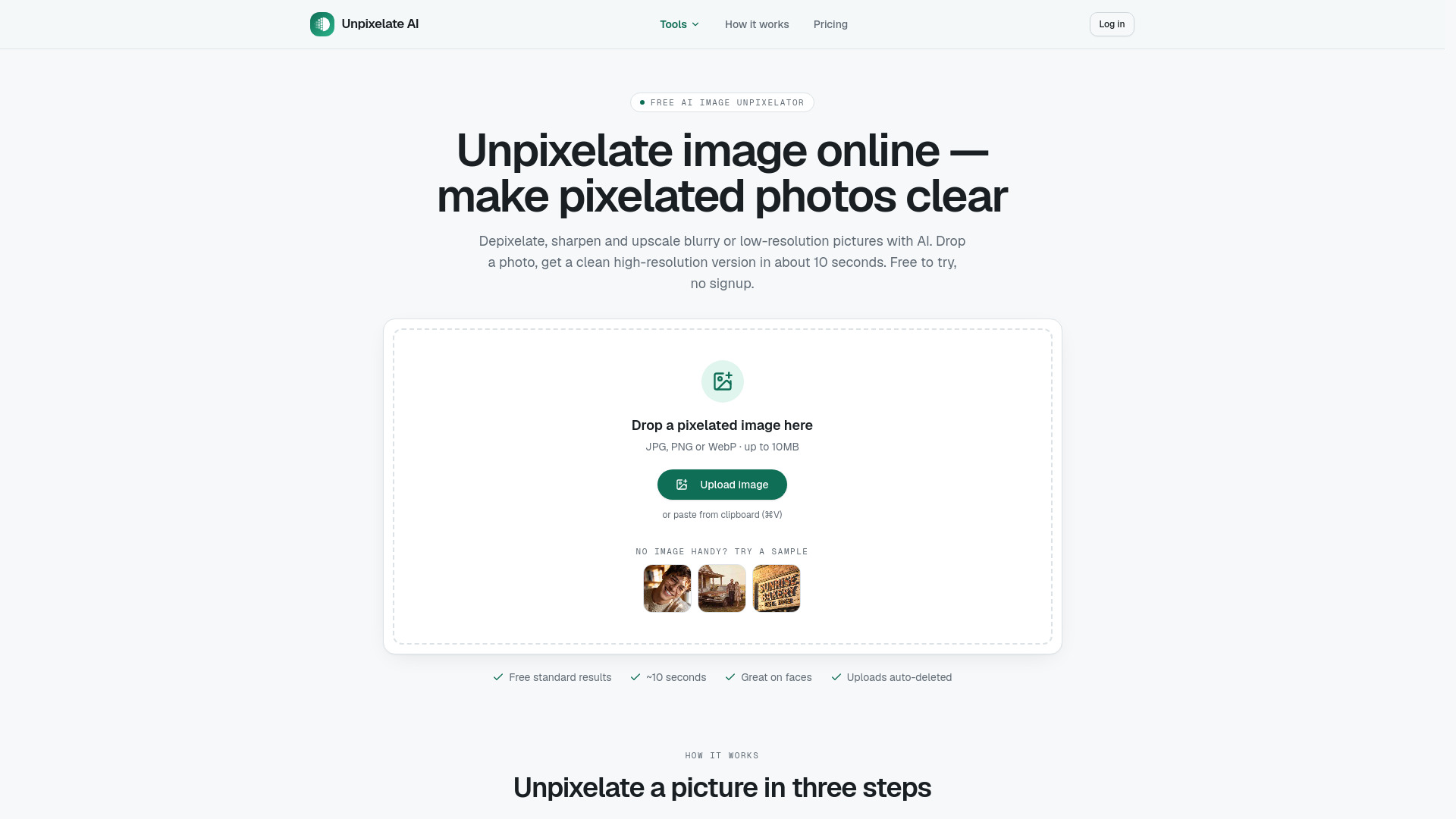
Unpixelate AI is a free online tool that uses artificial intelligence to depixelate, sharpen, and upscale blurry, pixelated, or low-resolution images. It transforms photos into sharp, clear, high-resolution pictures in about 10 seconds. The tool works on faces, old photos, screenshots, and more, without requiring signup for standard use.
How to use Unpixelate AI
- Upload the pixelated image: Drag in a JPG, PNG, or WebP file (up to 10MB) — a low-res photo, blurry screenshot, or scanned print. You can also paste from clipboard.
- Pick Standard or HD: Standard is free and fast. HD uses the strongest model for faces and fine texture. No prompts or settings to learn.
- Compare and download: Slide between before and after, then download the clean, high-resolution result. Nothing is watermarked.
Features of Unpixelate AI
- AI-powered depixelation, sharpening, and upscaling
- Standard and HD quality tiers
- Face enhancement in both tiers; HD adds a dedicated facial-detail model
- Up to 4x upscale (Standard) or 2x with stronger model (HD)
- Supports JPG, PNG, and WebP up to 10MB
- No signup required for free standard results
- Uploads processed in memory and auto-deleted; never used for training
- No prompts or manual settings
- Free standard results with daily credits when signed in
- Commercial use included with credits
Use Cases of Unpixelate AI
- Low-res profile photos: Small avatars and thumbnails become crisp enough to print.
- Old scanned photos: Recover faces and detail from tiny scans and phone photos of prints.
- Zoomed-in screenshots: Cropped screenshots and chat images get readable again.
- Game and pixel art captures: Upscale sprites and captures cleanly for wallpapers and streams.
- Compressed downloads: Fix JPEG blockiness from messaging apps and repeated re-saves.
- AI-generated images: Take 512px or 1024px generations to print-ready resolution.
Pricing
- Free: $0 — Standard quality, 2 runs/day without an account, daily credits when you sign in, no watermark, full resolution download.
- Credits: from $6.90 — HD quality, credit packs or monthly plans, commercial use included.
FAQ
Is Unpixelate.ai really free?
Yes. The Standard tier is free: two runs a day without an account, and daily free credits once you sign in. HD quality uses credits, which you can buy as a one-time pack or a monthly plan.
Can you unpixelate any image?
Any JPG, PNG or WebP up to 10MB. Results are best on photos of people, old scans, screenshots and AI images. The more pixels the original has, the more faithful the result — a 64×64 avatar will look plausible, not identical.
What's the difference between unpixelate and depixelate?
Nothing practical — they describe the same task of removing a pixel grid and rebuilding detail. We use both words because people search for both.
Can it recover censored or blurred-out text?
No. Heavy pixelation and mosaic censoring destroy the original information; no tool can truly reverse that and we do not attempt it. Our models rebuild plausible photo detail, which is a different thing.
What resolution do I get back?
Standard returns up to 4× the input size (capped at 2048px on the long edge before processing). HD returns 2× with a stronger model focused on facial detail.
Is it safe to upload personal photos?
Uploads are processed in memory by our model providers and automatically deleted. We never use your images to train models, and signed-in users can delete their history at any time.
Why did my result look different from the original?
Because the original lacked the detail. AI upscaling predicts what the missing pixels most likely were. For faces this works remarkably well; for tiny text or logos it can invent shapes. Try Standard first — it stays closer to the source.
Do you offer an API?
Not yet. If you need batch or API access, email us — it's on the roadmap.