What is VideoBee
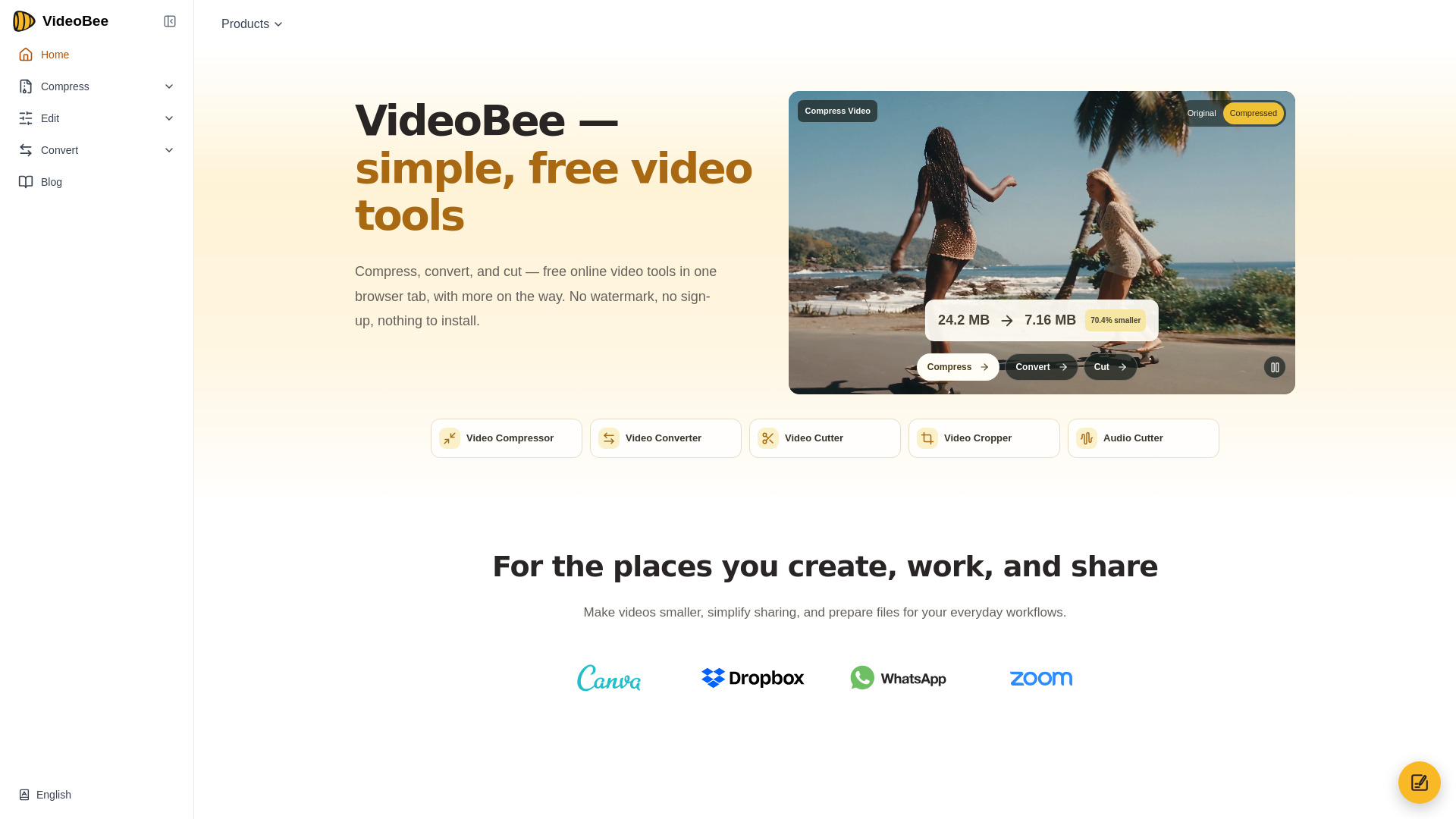
VideoBee is a free online video toolkit that allows you to compress, convert, cut, and crop media files directly in your browser. It supports large files, offers multiple output formats, and requires no sign-up or installation. All processing is done on cloud servers, and outputs are watermark-free.
How to use VideoBee
- Choose a tool from the homepage: Video Compressor, Video Converter, Video Cutter, Video Cropper, or Audio Cutter.
- Upload your file (up to 10 GB for compression, 5 GB for cutting/cropping).
- Adjust settings as needed:
- For compression: set a target size or fine-tune quality, bitrate, and resolution.
- For conversion: select from 19 output formats (9 video, 10 audio).
- For cutting: use the timeline or enter exact start and end times.
- For cropping: choose a ratio preset (e.g., 9:16, 1:1) or enter pixel dimensions.
- Process the file and download the result.
Features of VideoBee
- Compress videos up to 10 GB for free.
- Convert between 16 input formats and 19 output formats (9 video, 10 audio).
- Trim videos up to 5 GB online.
- Crop videos up to 5 GB online.
- Cut and trim audio files up to 5 GB online.
- Set a target file size for compression.
- Adjust quality, bitrate, resolution, and codec.
- No watermark, no sign-up required.
- Cloud-based processing works on any device with a browser.
- Supports multiple languages and platforms.
Use Cases of VideoBee
- Content creators: Convert between MP4, MOV, MKV, and more, or extract audio without extra apps.
- Social & community moderators: Compress videos to fit platform upload limits (e.g., Discord 20 MB, WhatsApp 16 MB).
- Work & everyday users: Reduce video size for email attachments (e.g., under 25 MB).
- Educators & trainers: Trim long lecture recordings to essential segments before sharing.
FAQ
Do I need to create an account?
No, you can use all tools without signing up.
Is there a watermark on the output?
No, VideoBee does not add watermarks to processed files.
What is the maximum file size?
The video compressor accepts files up to 10 GB. The video cutter, cropper, and audio cutter accept files up to 5 GB.
Can I use VideoBee on my phone?
Yes, it works in any modern browser on computers, phones, and tablets.
What formats can I convert to?
You can convert to 19 output formats: 9 video formats and 10 audio formats.