LogoTop AI Hubs
icon of Video Summarizers AI

Video Summarizers AI

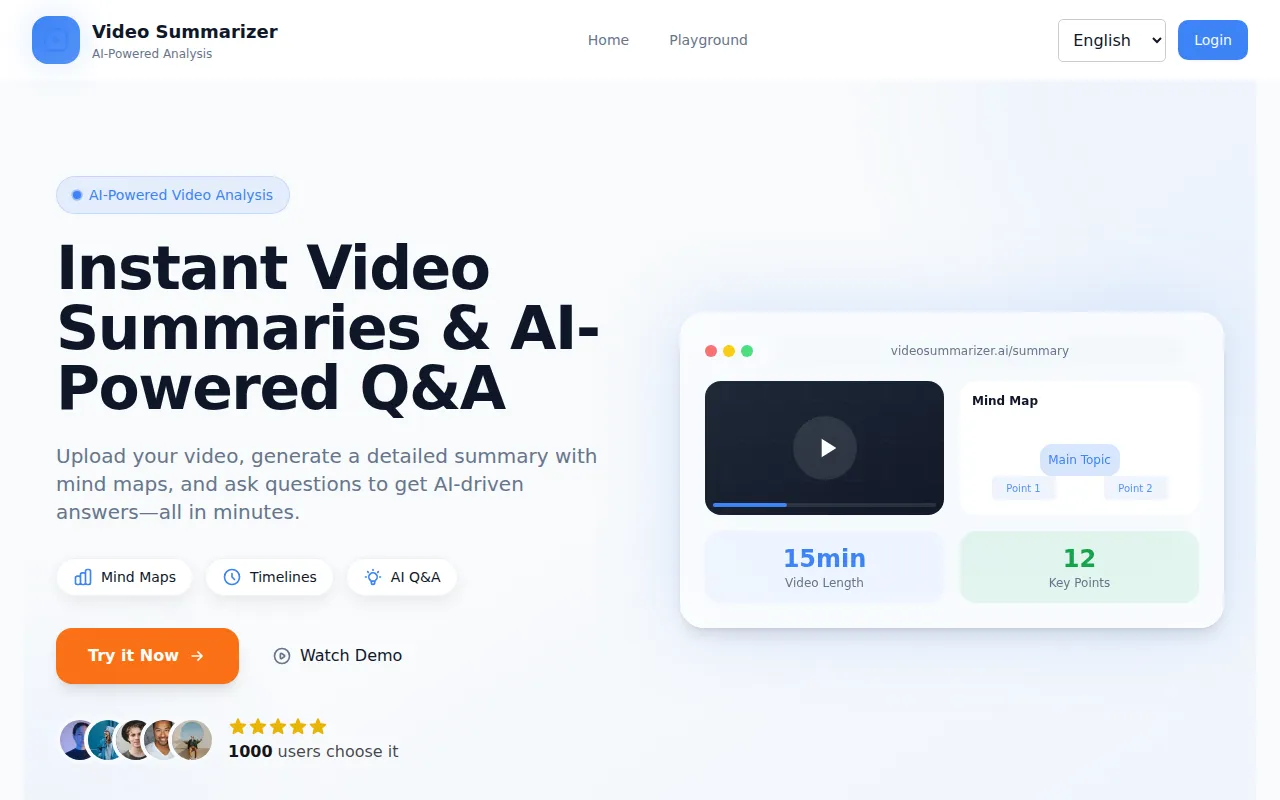
AI-powered platform that turns videos into concise summaries, mind maps, timelines, and instantly answers video-based questions.

Introduction

What is Video Summarizers AI

VideoSummarizers.ai is an AI-powered platform designed to transform video content into concise summaries, mind maps, and timelines. It also offers instant AI-driven answers to questions based on the video's content.

How to use Video Summarizers AI
  1. Upload Your Video: Upload your video file (MP4, WebM, Ogg) or paste a YouTube link for analysis.
  2. Generate Summary & Ask Questions: Choose to generate a mind map or ask specific questions to get AI-powered responses based on the video.
  3. Review Results: Once processed, view the summary and answers directly on the platform.
Features of Video Summarizers AI
  • Video Summary Generation: Generates concise summaries and mind maps from videos for quick comprehension of key points.
  • AI-Powered Q&A: Allows users to ask specific questions about the video and receive accurate, AI-generated answers based on its content.
  • Fast Processing: Video summaries and responses are typically delivered within 10 minutes.
  • Cloud-Based Solution: Offers reliable and scalable processing of videos through its cloud infrastructure.
  • Mind Maps: Creates visual mind maps from video content.
  • Timelines: Generates timelines from video content.
  • Knowledge Cards: Designs knowledge cards from video content.
Use Cases of Video Summarizers AI
  • Student Users: Summarize educational YouTube videos and tutorials to enhance learning and save study time.
  • Professional Users: Quickly extract key insights from industry lectures, webinars, and presentations.
  • Researcher Users: Efficiently explore and digest large volumes of YouTube video content for research purposes.
Pricing

The platform operates on a credit system. Users receive 100 free credits upon signing up. Each summary or Q&A request costs 40 credits. Additional credits can be earned daily by logging in. The website also mentions various pricing plans including:
  • Pay-per-use: Basic, Standard, and Premium packages with varying credit amounts.
  • Monthly Plans: Basic and Premium plans with different credit allocations and support levels.
  • Annual Plans: Basic and Premium plans offering yearly credit packages, support, and advanced features.
FAQ
  • How do I generate video summaries and ask questions? Simply upload your video and let our AI generate a summary and mind map. You can also ask questions about the video content, and our AI will provide answers based on the video material.
  • Do I need to create an account to use the features? Yes, registration is required. After signing up, you get 100 free credits. Each summary or Q&A costs 40 credits. You can earn more credits daily by logging in.
  • How does the credit system work? Each summary or Q&A request costs 40 credits. You start with 100 free credits and can earn more daily by logging in.
  • How long does it take for the video to be processed? The video processing and summary generation typically takes a few minutes. The time required depends on the video length and complexity.
  • Can I download the video summary and answers? Currently, the video summaries and Q&A responses cannot be downloaded. However, you can always access them within the platform during your session.

Newsletter

Join the Community

Subscribe to our newsletter for the latest news and updates