What is VideoTranscript
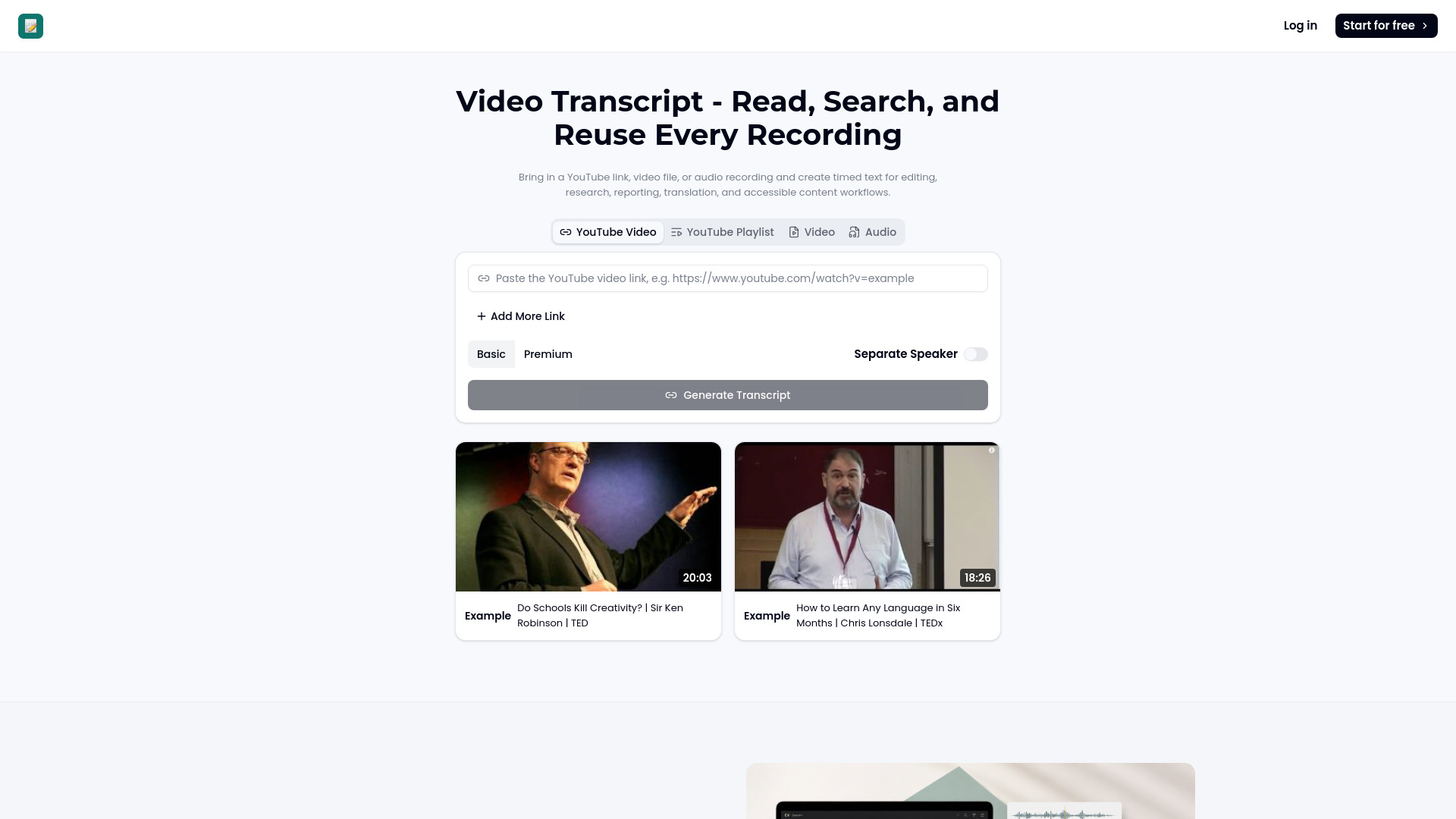
VideoTranscript is a web-based tool that converts videos and audio recordings into searchable, reusable text transcripts. It supports YouTube videos, YouTube playlists, video files, and audio files, generating timed text that can be used for editing, research, reporting, translation, and accessible content workflows.
How to use VideoTranscript
- Choose the recording: Select a YouTube URL, video file, or audio file that contains the speech you need.
- Review the transcript: Read timed passages, search for a phrase, and jump back to the source when wording needs confirmation.
- Prepare the output: Use the video transcript to build chapters, summaries, translated text, study materials, or a visual brief.
Features of VideoTranscript
- Timed transcripts: Transcripts are synchronized with the source, allowing you to jump to specific moments.
- Searchable text: Easily find specific phrases or topics within the transcript.
- Speaker separation: Option to separate speakers, useful for interviews and panel discussions.
- Topic chapters: Break long footage into clear sections for easy navigation.
- Executive notes: Pull outcomes, arguments, and next steps from a transcript for team handoffs.
- Language version: Prepare readable text for international review while retaining the original source.
- Shareable outline: Arrange key statements and figures into a compact visual for reports and updates.
- Conversation map: Trace themes and supporting points across complex discussions.
- Review questions: Generate questions grounded in the spoken content to check understanding.
- Recall cards: Save terminology, claims, and examples as short prompts for later review.
Use Cases of VideoTranscript
- Client calls: Search the transcript for requirements and unresolved questions to create a concrete record.
- Video editing: Use chapter breakdowns to find clean edit points and draft descriptions or pull clips for campaigns.
- Accessibility: Generate text for accessibility review, then verify proper nouns and technical language against timestamps.
- Research: Extract key points and quotes from interviews or presentations.
- Education: Create study materials, review questions, and recall cards from lectures or training videos.
FAQ
What is a video transcript? A video transcript is a text version of the spoken content in a video or audio recording, often with timestamps.
How do I get a video transcript from YouTube? You can paste a YouTube video link into the tool and generate a transcript.
Can I upload a video instead of using a link? Yes, you can upload video or audio files directly.
Can I search inside the finished transcript? Yes, the transcript is searchable.
What is the difference between verbatim and cleaned text? Verbatim text includes every utterance exactly as spoken, while cleaned text removes filler words and may correct grammar for readability.
Will speaker separation help with interviews? Yes, speaker separation labels different speakers, making it easier to follow conversations.
What can I create after transcription? You can create chapters, summaries, translated text, study materials, or visual briefs.
Should I check the video transcript for accuracy? Yes, it's recommended to verify proper nouns and technical language against the timestamps.
Can a transcript support accessible content? Yes, transcripts provide an accessible text alternative to audio and video content.