What is Wan3 Video Generator
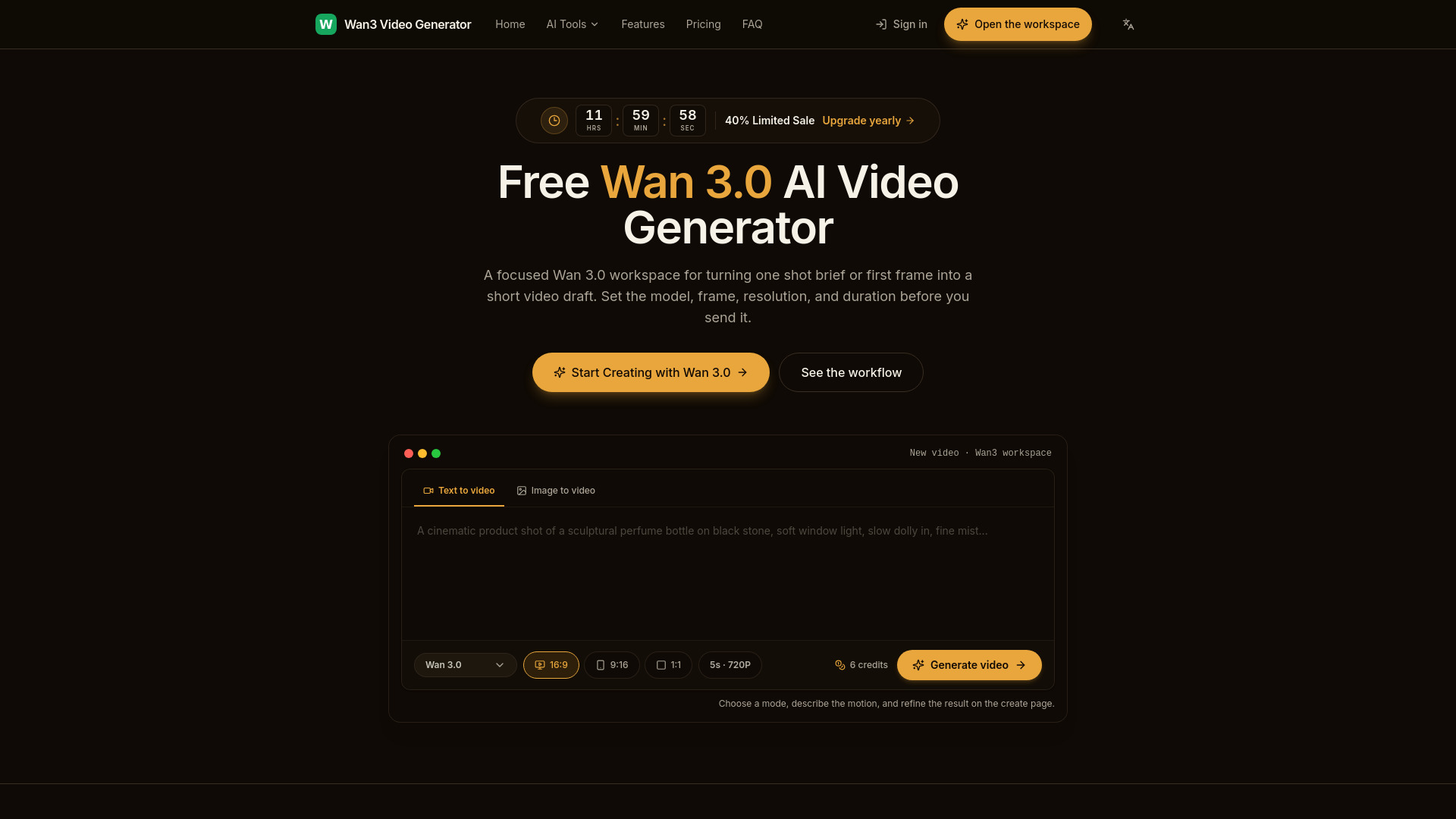
Wan3 Video Generator is an AI-powered tool that creates cinematic videos from text prompts and images using the Wan 3.0 AI model. It produces smooth motion, synchronized audio, and professional results in seconds. The platform offers a focused workspace for turning a shot brief or first frame into a short video draft, with controls for model, frame, resolution, and duration.
How to use Wan3 Video Generator
- Choose a mode: Text to video or Image to video.
- For text to video, enter a detailed prompt describing the scene, action, camera path, and lighting.
- For image to video, upload a first frame and describe the desired motion.
- Select the generation model: Wan 3.0 or Wan 3.0 Prime.
- Choose the aspect ratio: 16:9, 9:16, or 1:1.
- Set the resolution (480P, 720P, or 1080P) and duration (2–15 seconds).
- Click "Generate video" to create the clip.
- Review the result and refine as needed.
Features of Wan3 Video Generator
- Text-to-video creation: Turn a written scene, action, and camera direction into a complete video shot.
- Image-to-video direction: Upload a first frame and guide how the subject, camera, and motion evolve.
- Wan 3.0 model control: Choose Wan 3.0 or Wan 3.0 Prime to balance efficient rendering with richer motion detail.
- Resolution and duration choices: Set 480P, 720P, or 1080P and choose a 2–15 second clip.
- Aspect ratio options: 16:9, 9:16, and 1:1.
- Prompt-led direction: Camera-aware motion and complete short shot generation.
- First-frame anchor: Your chosen first frame stays the visual anchor while movement and camera energy build around it.
- Subject continuity: Controlled transformation and subject continuity in image-to-video.
Use Cases of Wan3 Video Generator
- Product lens: Describe a material, light change, and camera move for a concise product shot suitable for a detail page.
- Character motion: Use a first frame and one physical action such as a step, turn, or glance while keeping wardrobe and framing as references.
- Vertical social cut: Choose 9:16, keep the subject inside the safe center, and write movement that reads clearly in a short mobile clip.
- Storyboard previsualization: Generate separate short shots for beats in a sequence, then use the drafts to test rhythm, blocking, and camera continuity.
Pricing
- Starter: $20/mo – 80 credits each month, 1 project, email support.
- Pro: $40/mo – 160 credits each month, unlimited projects, priority support.
- Enterprise: $150/mo – 600 credits each month, everything in Pro, dedicated support, custom integrations.
FAQ
Which Wan 3.0 models can I select?
Wan 3.0 and Wan 3.0 Prime.
Can I create from an image?
Yes, you can upload a first frame and guide how the subject, camera, and motion evolve.
What resolutions, durations, and ratios are supported?
Resolutions: 480P, 720P, 1080P. Durations: 2–15 seconds. Ratios: 16:9, 9:16, 1:1.
How should I structure a prompt?
Give a focused direction: subject, setting, action, camera path, and light.
Where can I find the finished file?
The finished video is available in your workspace after generation.
How are my generated videos kept private?
Generated videos are kept private.
What information does the server API return?
The server API returns generation results.
Is generation synchronous?
Generation is asynchronous.
Can I use the output in a larger edit?
Yes, the output can be used in a larger edit.