Newsletter
Join the Community
Subscribe to our newsletter for the latest news and updates

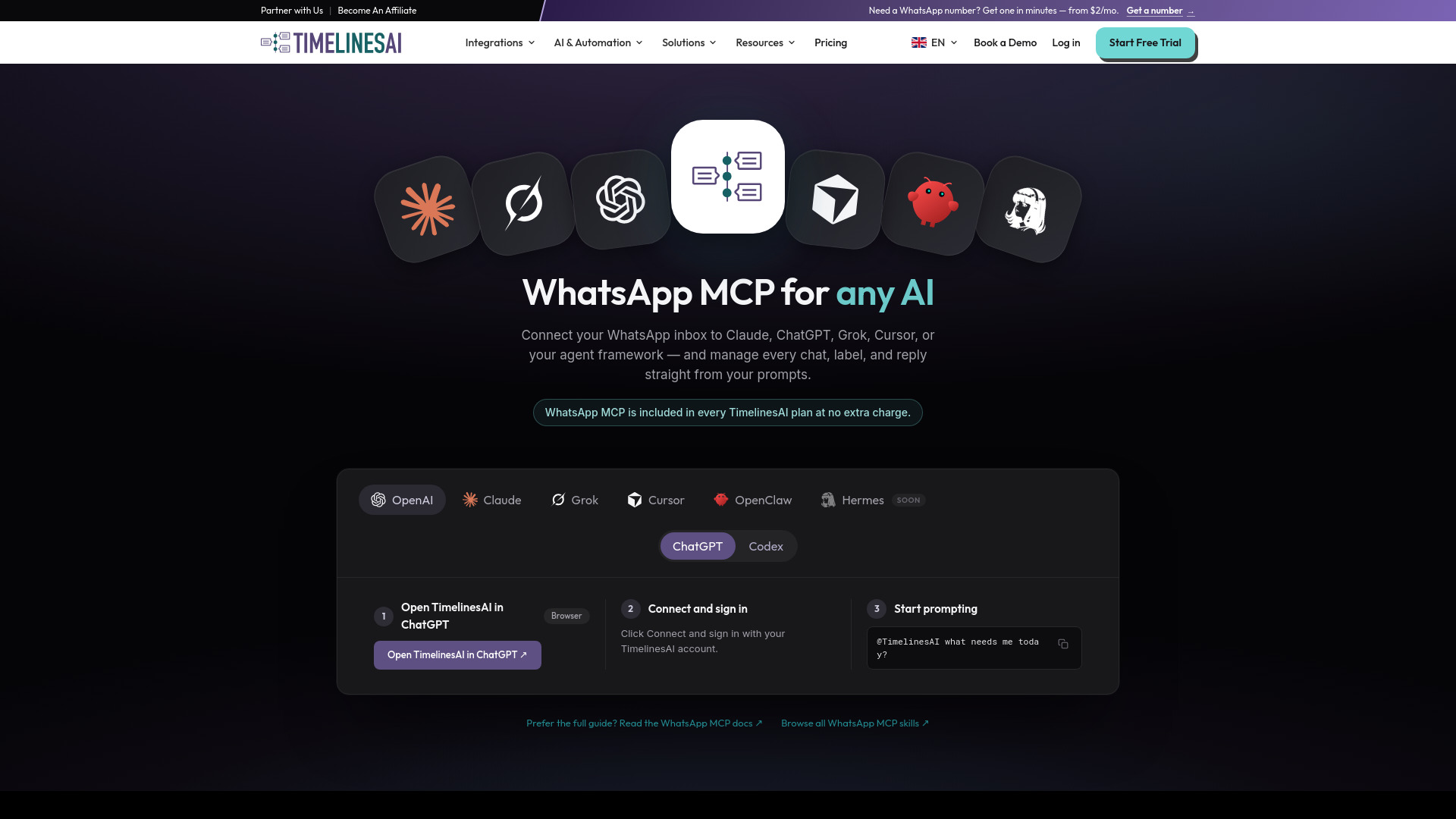
Connect your team's WhatsApp inbox to ChatGPT, Claude, Cursor or any AI assistant. Ask what needs a reply, then reply, label and assign chats from a prompt.
WhatsApp MCP by TimelinesAI is a Model Context Protocol (MCP) server that connects your team's WhatsApp inbox to AI assistants such as ChatGPT, Claude, Cursor, Codex, and Grok. It allows you to ask what needs a reply, then reply, label, and assign chats directly from a prompt. The server provides 34 tools for browsing chats, reading history, sending replies, labelling, assigning, and checking workspace state. It uses OAuth for authentication, so no API keys are required. The MCP server is included in every TimelinesAI plan at no extra charge, and messages sent through MCP draw on the same monthly messaging quota as normal TimelinesAI usage.
MCP is included in every TimelinesAI plan at no extra charge. Messages sent through MCP draw on the same monthly messaging quota as normal TimelinesAI usage — it is one shared budget, not a separate meter. You can ask your agent to call workspace_quotas any time to see remaining headroom.
What is MCP, exactly? Model Context Protocol — an open standard that lets AI agents use external tools. Connect the TimelinesAI server once and your agent gains 34 tools for browsing chats, reading history, sending replies, labelling, assigning, and checking workspace state.
Do I need an API key? No. The MCP server uses OAuth — a browser tab opens on first use and you sign in with your TimelinesAI account. Nothing to generate, paste, or rotate. (The OpenClaw and Hermes skill packages are the exception; those use the public API and do need a token.)
Which AI tools can connect? ChatGPT connects through our published plugin. Claude, Claude Code, Cursor, Codex and Grok Build each have a documented, tested setup path — all of them are covered in the full guide. Claude Desktop uses the same connector URL, and any other MCP-compatible client can point at that URL too. OpenClaw and Hermes connect through a skill package instead.
Can the AI actually send messages to my customers? Yes — and it's worth being clear about it. Sends are real and immediate, there is no sandbox and no undo, and recipients cannot tell an MCP-sent message from one you typed in the UI. Every action runs as you, so your role's existing permissions in TimelinesAI apply exactly as they do in the interface. If you want AI drafting without AI sending, ask for drafts saved as private notes and approve them yourself.
Does using MCP cost extra? No. MCP is included in every plan at no extra charge. Messages sent through MCP draw on the same monthly messaging quota as normal TimelinesAI usage — it's one shared budget, not a separate meter. Ask your agent to call workspace_quotas any time to see remaining headroom.
Do I need the WhatsApp Business API? No. TimelinesAI works with your existing personal or business WhatsApp accounts — scan a QR code and messages start syncing, with no Meta approval process. WABA numbers are supported too if you already use them.
What do I need before the setup steps work? A TimelinesAI account with at least one WhatsApp number connected. The MCP server is a remote control for a real inbox rather than a demo environment, so without a connected number most tools return empty results.