What is Choicer Voicer
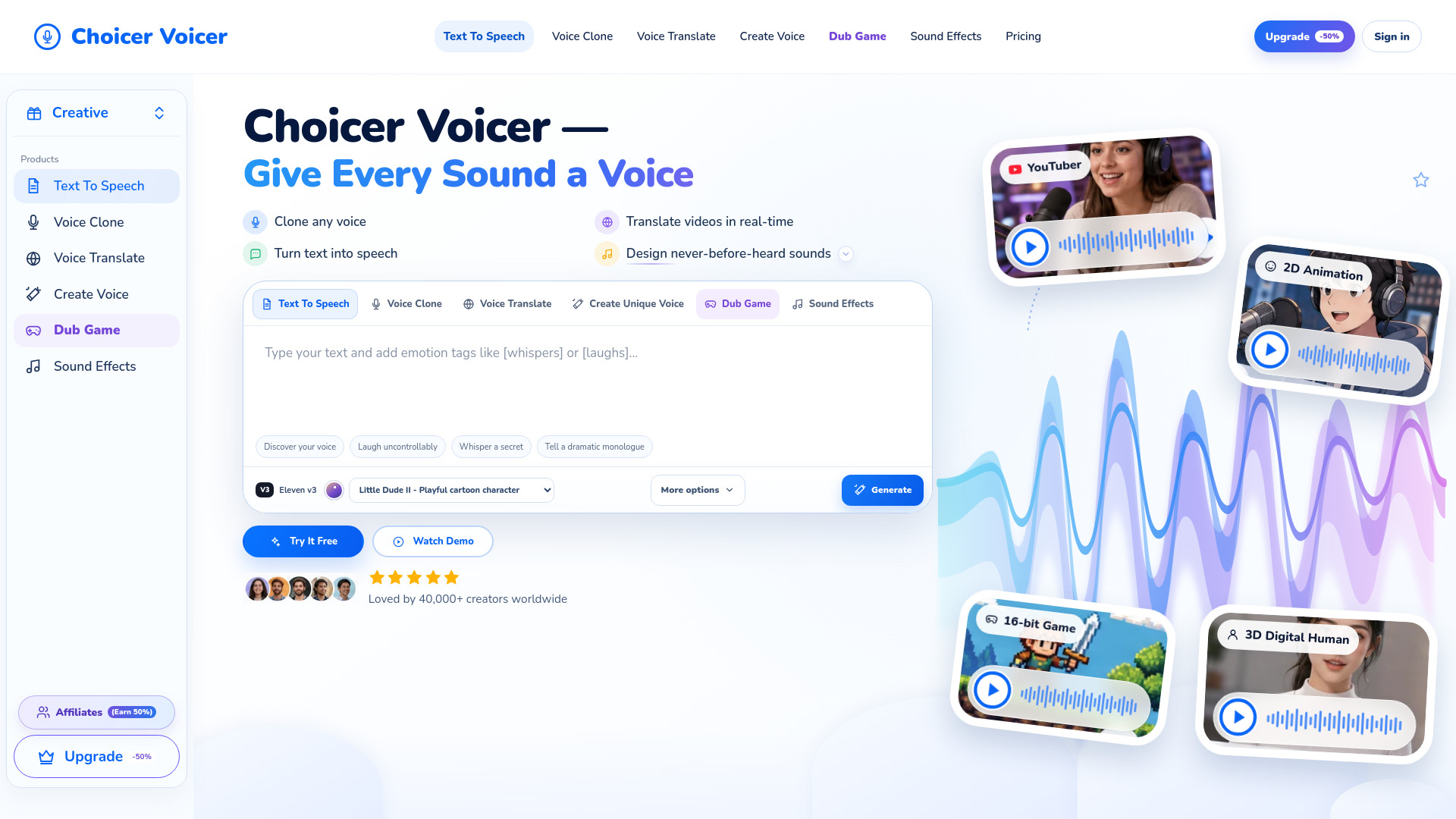
Choicer Voicer is an AI-powered workspace for voice creation, translation, dubbing, and sound effects. It allows users to clone any voice, translate videos in real time, turn text into speech, and design new sounds. The platform offers a range of tools including Text To Speech, Voice Clone, Voice Translate, Create Voice, Dub Game, and Sound Effects.
How to use Choicer Voicer
- Choose a tool from the navigation menu (e.g., Text To Speech, Voice Clone, Voice Translate, Create Voice, Dub Game, or Sound Effects).
- For Text To Speech: Type your text in the provided textarea, optionally add emotion tags like [whispers] or [laughs], select a voice from the dropdown, and click Generate.
- For Voice Clone: Upload an audio file (MP3, WAV, M4A, FLAC, or OGG up to 25 MB) and describe what you want the cloned voice to say.
- For Voice Translate: Upload a video or audio file, select the target language, and the tool will translate the voice in real time while preserving the original tone.
- For Create Voice: Describe the voice you want (age, tone, accent, pace, texture, emotion) and generate a unique voice.
- For Dub Game: Paste character dialogue and describe the scene, role, and emotion to generate dubbed voice lines.
- For Sound Effects: Describe the sound, environment, distance, movement, and duration to generate custom sound effects.
Features of Choicer Voicer
- Voice Clone: Upload any voice and make it say anything.
- Voice Translate: Real-time video voice translation in 7 languages, keeping the original voice tone.
- Text to Speech: Turn text into voice using built-in base voices or any voice sample.
- Voice Design: Design never-before-heard sounds, adjust tone, timbre, and emotion.
- Dub Game: Create voice lines for games, anime, or other characters.
- Sound Effects: Generate custom sound effects based on descriptions.
- Multiple voices: A variety of built-in voices with different characteristics (e.g., playful, calm, menacing, warm).
- Emotion tags: Add tags like [whispers] or [laughs] to control emotional delivery.
- Stability control: Adjust stability from Creative to Robust for speech generation.
- Duration and prompt influence: For sound effects, control duration and prompt influence.
- Language support: For voice translation, supports English, German, French, Italian, Spanish, Indonesian, Chinese, Japanese, Korean, and Portuguese.
Use Cases of Choicer Voicer
- YouTubers: Create relatable, persuasive voices for videos.
- 2D Animation: Generate versatile, infectious voice actors for characters.
- 16-bit Game Development: Inject raw battle energy and enthusiasm for game characters.
- 3D Digital Humans: Produce gentle, warm, hyper-realistic human tones.
- Content Creators: Turn text into speech for videos, podcasts, or audiobooks.
- Businesses: Translate videos into multiple languages for global audiences.
- Game Developers: Create unique voices for NPCs, characters, and sound effects.
FAQ
What audio formats are supported for upload?
MP3, WAV, M4A, FLAC, and OGG, up to 25 MB.
How many languages does Voice Translate support?
It supports 7 languages, including English, German, French, Italian, Spanish, Indonesian, Chinese, Japanese, Korean, and Portuguese (the list shows 10 options, but the feature description says 7).
Can I use my own voice for Text to Speech?
Yes, you can use any voice with a sample, or use built-in base voices.
What is the maximum text length for Text to Speech?
The textarea has a maxlength of 5000 characters.
Is there a free trial?
The website mentions "Try It Free" and "Watch Demo" options, suggesting a free tier or trial is available.