LogoTopAIHubs
icon of FastMoro AI

FastMoro AI

All-in-one AI video generator and image creation studio.

Introduction

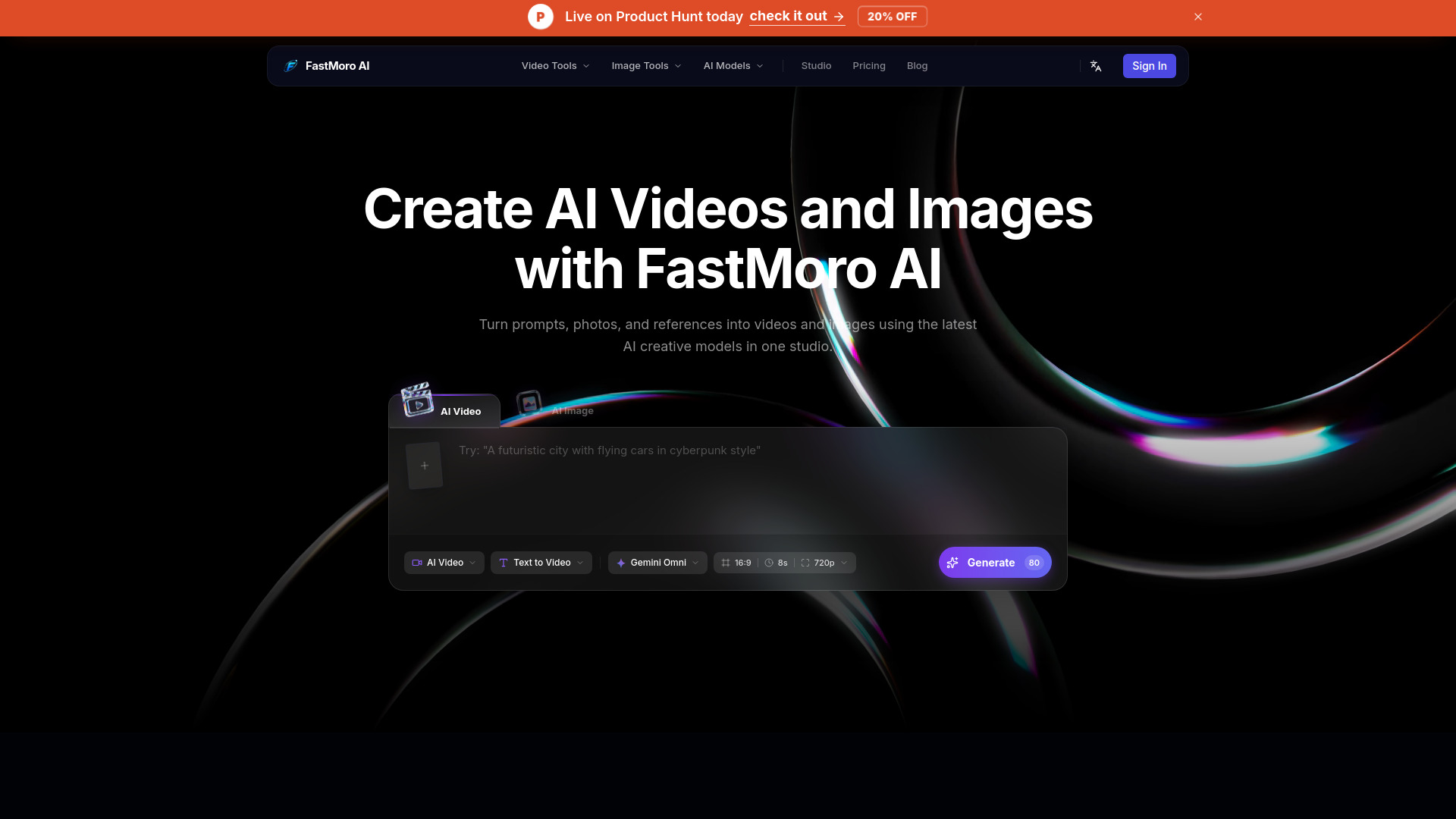
What is FastMoro AI

FastMoro AI is an all-in-one AI video generator and image creation studio. It allows users to create AI videos and images from text, images, and references.
How to use FastMoro AI
  1. Input Your Vision: Type a text-to-video prompt, upload an image as a starting frame, or provide multiple references. The system interprets your creative intent.
  2. Tweak Settings: Adjust aspect ratio, duration, and preferred generation model. Choose from industry-leading video models.
  3. Generate & Download: Click generate to create your video within minutes. Preview, iterate, download, and share across platforms.
Features of FastMoro AI
  • AI Video Generation: Create videos from text, images, or references.
  • AI Image Generation: Create images from text prompts.
  • AI Image Editing: Transform and restyle existing photos.
  • Multiple AI Models: Supports various models including Grok Imagine Video 1.5, Gemini Omni, Veo 3.1, Seedance 2.0, ChatGPT Image 2.0, and Happy Horse 1.0.
  • Text-to-Video: Turn text prompts into dynamic scenes with control over lighting and motion.
  • Image-to-Video: Animate static images by extrapolating depth and motion.
  • Reference-to-Video: Control aesthetic consistency using reference images for color grades, camera angles, and artistic style.
  • Studio Access: An integrated platform for all AI creative tools.
  • Free Tier: Offers a free tier for generating a number of videos daily.
Use Cases of FastMoro AI
  • Creating AI videos from text prompts.
  • Animating still images into videos.
  • Generating high-resolution images from textual descriptions.
  • Editing and transforming existing photos using AI.
  • Achieving specific aesthetic styles and motion dynamics through reference inputs.
FAQ
  • Is this AI video generator really free? Yes, a free tier allows for a number of video generations per day. Pro capabilities require paid plans.
  • What is the maximum video duration I can generate? Free users can generate videos up to 5 seconds. Pro users can extend generation up to 10 seconds per clip. Multi-shot mode allows chaining clips for longer sequences.
  • Can I use the generated videos commercially? Videos generated on paid plans are licensed for commercial use. Free-tier videos are limited to personal/non-commercial use.
  • Which AI models power the video generation? The platform integrates models including Veo 3.1, Seedance 2.0, Sora, FastMoro AI, and Flux.
  • How do credits work? Each video generation consumes credits based on duration and resolution. New users receive free credits, and additional credits can be purchased.

Newsletter

Join the Community

Subscribe to our newsletter for the latest news and updates