LogoTop AI Hubs
Logo of Image Background Remover

Image Background Remover

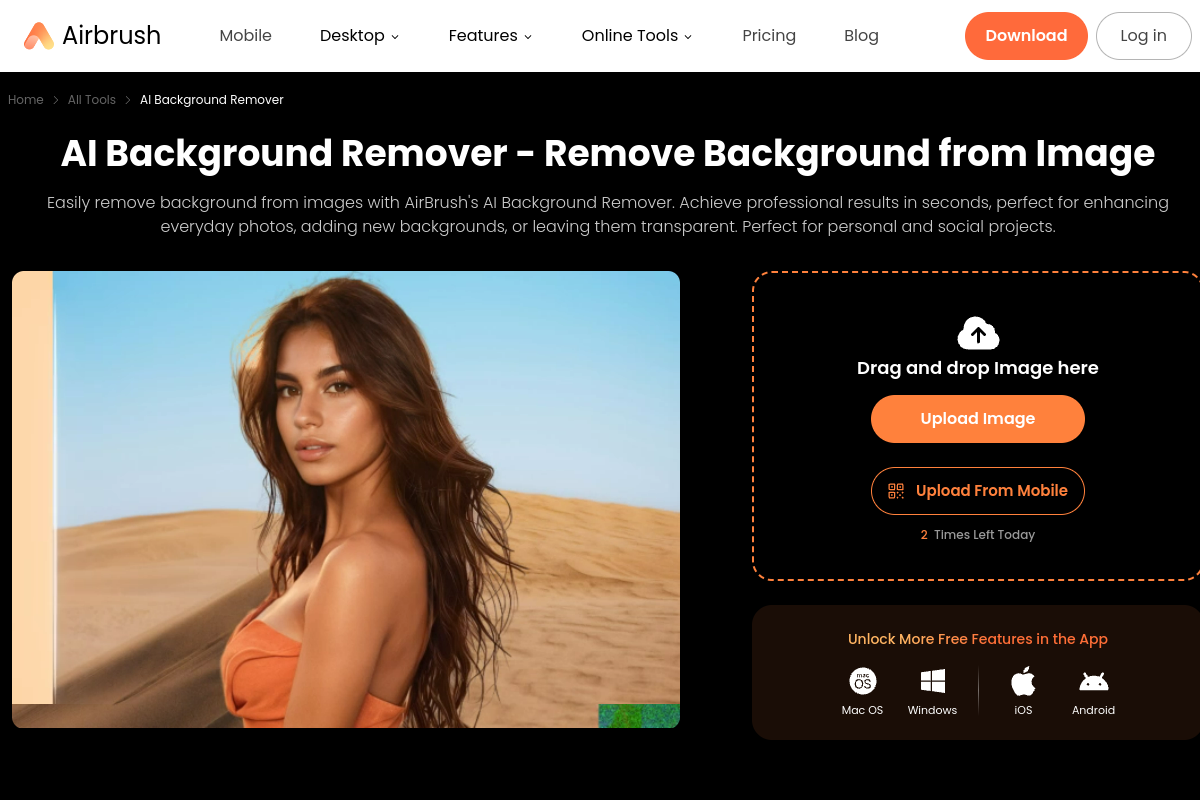
AirBrush AI Background Remover quickly and conveniently removes image backgrounds for professional results.

Introduction

What is Image Background Remover

AirBrush's AI Background Remover is a tool designed to quickly and conveniently remove image backgrounds, delivering professional results. It allows users to remove backgrounds from images online, achieving professional results that are perfect for personal projects and social media.
How to use Image Background Remover
  1. Upload an Image: Visit the AirBrush webpage and click "Upload" to select the image file you wish to edit.
  2. Remove Background Automatically: Once uploaded, the AI will automatically process the image, removing the background to create a clean, transparent result.
  3. Save the Edited Image: Preview the image with the background removed and click "Save" to download the edited file.
Features of Image Background Remover
  • Instant Background Removal: Removes backgrounds from images in seconds.
  • AI-Powered: Utilizes artificial intelligence for accurate background removal.
  • Transparent Backgrounds: Creates clean PNG files with transparent backgrounds.
  • Background Color Change: Allows changing the background to white, black, or other colors.
  • Custom Backgrounds: Option to select pre-designed or generate custom AI backgrounds.
Use Cases of Image Background Remover
  • Instagram Images: Elevate profile pictures or holiday photos for social media.
  • Product Images: Enhance online store product photos with clean, attractive backgrounds.
  • Art Projects: Create professional visuals for digital art and graphic design.
  • Advertising: Create eye-catching images for ads by placing subjects in new contexts.
FAQ
  • How does AirBrush remove backgrounds? AirBrush uses AI to automatically remove backgrounds from uploaded images.
  • Can I change the background color after removal? Yes, you can change the background to white, black, or any other color, or use pre-designed/AI-generated backgrounds.
  • Is it suitable for professional use? Yes, the tool is designed to achieve professional results, suitable for personal projects, social media, and advertising.

Newsletter

Join the Community

Subscribe to our newsletter for the latest news and updates