
What is JFrog Boost
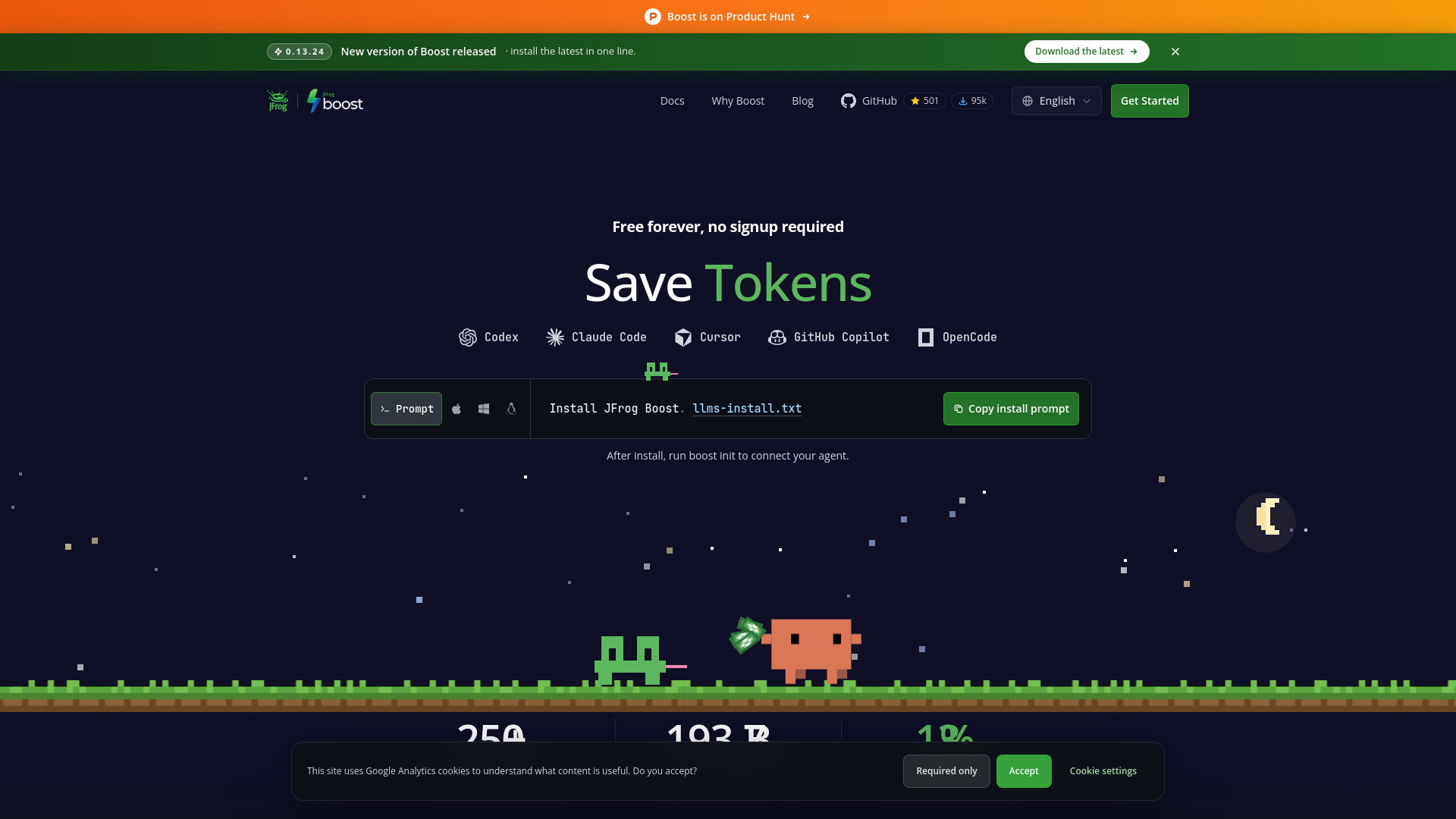
JFrog Boost is a free command-line interface (CLI) tool that compresses noisy tool output before it reaches coding agents such as Cursor, Claude Code, Codex, GitHub Copilot, or OpenCode. By reducing the amount of output that agents process, Boost saves tokens without requiring changes to existing workflows. It is developed by JFrog and is available for macOS, Linux, and Windows.
How to use JFrog Boost
- Install Boost using the one-line command:
curl -fsSL https://boost.jfrog.com/install.sh | bash(for macOS, Linux, or WSL). Windows PowerShell support is coming soon. - After installation, run
boost initto connect your coding agent. - Prefix any command with
boost(for example,boost docker build) to run the real tool transparently while Boost replaces its noisy output with a compact, agent-friendly summary.
Features of JFrog Boost
- Compresses coding-agent command output
- Compresses MCP tool responses
- Preserves explicitly requested detail
- Restores filtered output with
boost retrieve - Reports measured token savings locally
- Converts documents and images before agent reads
- Works with Cursor, Claude Code, Codex CLI, GitHub Copilot, and OpenCode
- Supports over 100 tools including docker, npm, go, gh, git, vite, and bun
- Applies per-command filters to strip progress bars, repeated chatter, and ANSI noise
- Adds intelligent caching for supported tools
- Typical token reductions are 60–90%
Use Cases of JFrog Boost
- Solo developers using coding agents who want to reduce token consumption and cost
- Teams trying to keep agent context under control
- Organizations that want leaner, cheaper agent runs without changing the tools they already use
- CI optimization and Docker builds where output can be noisy
- Any scenario where coding agents run commands that produce verbose output
Pricing
Boost is free forever for its token-saving features. There is no signup, no credit card, and no trial timer. The core CLI will stay free. Later, some advanced, enterprise-grade capabilities (such as team-scale governance and managed acceleration) may be paid, but the CLI that makes agent runs leaner and cheaper remains free. JFrog will always be upfront about what is free and what is not.
FAQ
What is Boost?
Boost is a CLI wrapper that makes every command your coding agents run faster, quieter, and cheaper in tokens. You prefix any command with boost (for example, boost docker build) and Boost runs the real tool transparently while replacing its noisy output with a compact, agent-friendly summary.
Which coding agents does Boost support? Cursor, Claude Code, Codex CLI, GitHub Copilot, and OpenCode — Boost works behind the scenes with the agents you already use.
How does Boost make commands faster and quieter? Boost runs the underlying command (docker, npm, go, gh, git, vite, bun, and 100+ more) and applies a per-command filter that strips progress bars, repeated chatter, and ANSI noise. For supported tools it also adds intelligent caching. Typical token reductions are 60–90%.
Is Boost free? Yes. The token-saving features in the Boost CLI are free, and the core will stay free forever — no signup, no credit card, no trial timer. Later on, some advanced, enterprise-grade capabilities (think team-scale governance and managed acceleration) may be paid, but the CLI that makes your agent runs leaner and cheaper stays free. We will always be upfront about what is free and what is not.
Why is Boost free? We built Boost to fix our own bloated, expensive agent runs — and it turned out to help everyone. Keeping the token-saving CLI free is how JFrog gives something genuinely useful back to the developer community: if it saves you tokens and money, that is the whole point. Any future paid enterprise features are there to fund the free tier for large teams, not to gate the basics.
Who should use Boost? Boost is built for everyone from startups to enterprises: solo developers using coding agents, teams trying to keep agent context under control, and organizations that want leaner, cheaper agent runs without changing the tools they already use.
How does Boost handle my data and privacy? Your code, logs, and terminal output stay on your machine — all filtering and compaction happens locally and is never uploaded. The only thing Boost sends is lightweight telemetry about how many tokens it saved. Our philosophy is simple: we learn from how Boost performs in the real world so we can keep making it faster and smarter for the people who use it, without ever touching what is private to you.