What is lium.io
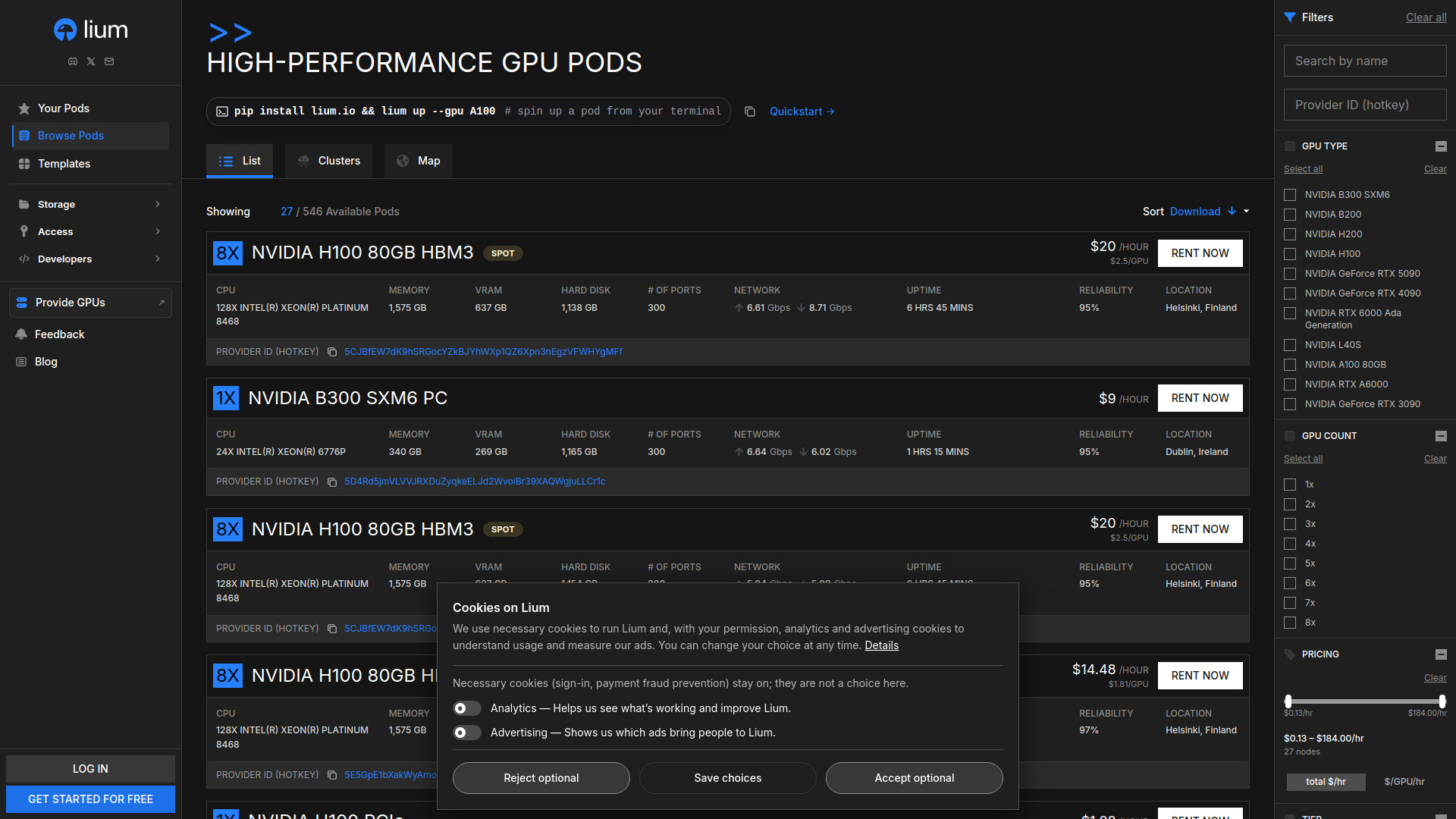
Lium.io is an agent-first GPU cloud marketplace where users can rent NVIDIA GPU pods on demand. It connects renters with providers who set their own prices, offering per-second billing and a range of GPU models from RTX 5090 to B300. Providers earn 95% of rental revenue plus bonuses.
How to use lium.io
- Sign up: Create a free account to get started.
- Browse pods: View available GPU pods with specifications, pricing, and location.
- Rent a pod: Select a pod and click "Rent Now" to deploy instantly.
- Use CLI or API: Install the CLI with
pip install lium.io and launch a pod via command like lium up --gpu H100 --ttl 1h (auto-removes after 1 hour). Alternatively, use the Python SDK or REST API.
- Manage resources: Access your pods, volumes, backups, and SSH keys through the dashboard.
- Provide GPUs: If you have GPUs, sign up as a provider to earn revenue.
Features of lium.io
- Agent-first design: Machine-readable index and full reference for AI agents.
- Per-second billing: Pay only for the time you use.
- Wide GPU selection: Includes H100, B200, RTX 4090, RTX 5090, H200, and B300.
- Multiple access methods: Web interface, CLI, Python SDK, and API.
- Auto-removal: Set TTL (time-to-live) for pods to automatically terminate.
- Storage options: Volumes and backups for persistent data.
- Security: SSH keys and Docker credentials management.
- Provider marketplace: Providers set their own prices and earn 95% of rental revenue plus bonuses.
- Real-time availability: See live pod listings with specs, uptime, reliability, and network speed.
Use Cases of lium.io
- AI/ML training and inference: Rent high-performance GPUs for model training and deployment.
- Agent-driven workflows: AI agents can autonomously start pods, run jobs, and remove them within a budget.
- Short-term compute bursts: Use per-second billing for temporary workloads.
- GPU provisioning: Individuals or organizations can monetize idle GPU resources.
- Development and testing: Quickly spin up GPU environments for experimentation.
Pricing
- Per-second billing: Costs are based on hourly rates but billed per second.
- Provider revenue share: Providers earn 95% of rental revenue plus bonuses.
- Example pricing: An NVIDIA H200 pod with 16 CPUs, 197 GB memory, 140 GB VRAM, and 1,169 GB disk is listed at $5.6/hour.
- Free start: Get started for free.
FAQ
What GPU models are available?
Lium offers NVIDIA H100, B200, RTX 4090, RTX 5090, H200, and B300, among others.
How does billing work?
Billing is per second based on the hourly rate set by the provider.
Can I automate pod management?
Yes, use the CLI, SDK, or API to start and stop pods programmatically. The CLI supports TTL for auto-removal.
How do providers earn?
Providers earn 95% of the rental revenue plus bonuses.
Is there a free trial?
You can get started for free, but GPU usage is billed.