What is NotebookLM Watermark Remover
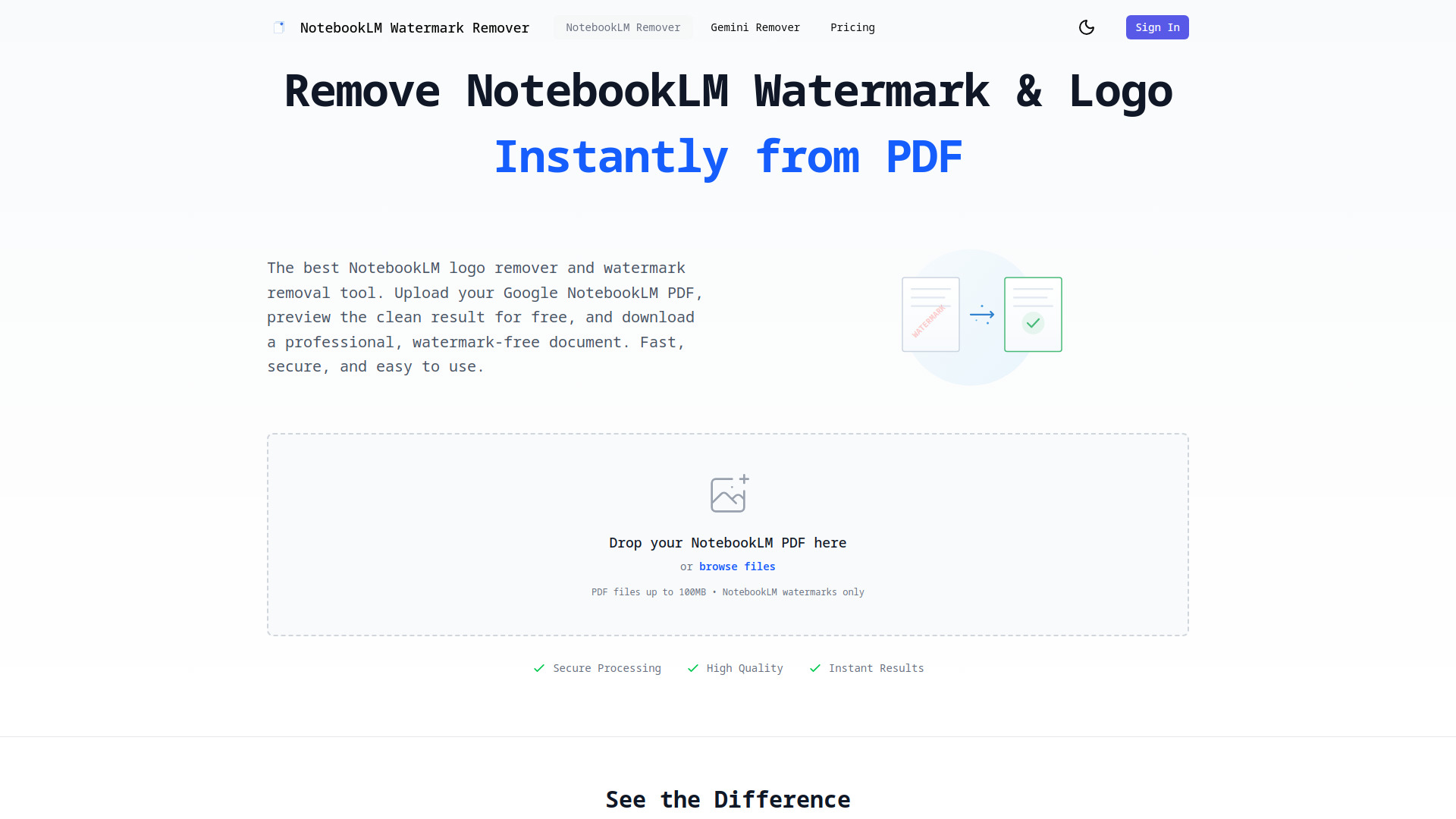
NotebookLM Watermark Remover is an AI-powered tool designed to instantly and securely remove watermarks and logos from NotebookLM PDFs. It offers a fast, secure, and easy-to-use solution for obtaining clean, professional documents.
How to use NotebookLM Watermark Remover
- Upload PDF: Drag and drop or click to browse and upload your NotebookLM PDF file.
- Preview Results: Instantly preview your PDF without watermarks in the browser.
- Download Clean PDF: Choose your plan and download the professional, watermark-free PDF.
Features of NotebookLM Watermark Remover
- Instant Processing: Remove watermarks in seconds.
- Secure & Private: Files are encrypted and automatically deleted after processing.
- High Quality: Maintains original PDF quality and formatting perfectly.
- AI-Powered: Advanced AI technology intelligently detects and removes watermarks seamlessly.
- NotebookLM Specific: Designed exclusively for NotebookLM PDFs, ensuring perfect removal of "Created with NotebookLM" text and logos.
- Free Preview: Preview your watermark-free PDF before downloading.
- Secure Processing: Files are encrypted and deleted within 24 hours.
- Batch Processing: Supported.
- File Size Limit: Up to 100MB per PDF.
Use Cases of NotebookLM Watermark Remover
- Students & Educators: Prepare clean study materials, assignments, and professional handouts.
- Business Professionals: Prepare client-ready reports, polished presentations, and proposals.
- Content Creators: Produce professional documents for publication.
- Legal & Compliance Teams: Prepare official documents for legal submissions.
Pricing
- Free Preview: Upload PDF files, preview watermark removal, see before/after comparison. No credit card required.
- Credit Pack: 100 credits for $9.99. PDF watermark removal costs 5 credits. Credits never expire.
- Annual Unlimited: Unlimited credits for 1 year for $299. Includes batch processing and priority support.
FAQ
- How do I remove the NotebookLM logo from my PDF? Simply upload your NotebookLM PDF. Our tool automatically detects and removes the watermark from all pages. You can preview the result for free before downloading.
- Can you remove the NotebookLM logo from presentations? Yes, the tool works with NotebookLM-generated presentations in PDF format. Upload your presentation PDF, and it will remove the logo while preserving content and formatting.
- How do I remove the NotebookLM watermark within the same page? The advanced algorithm removes the watermark directly from each page without affecting other content. The watermark is cleanly removed from the bottom-right corner where NotebookLM places it.
- What is the NotebookLM watermark? It's a logo in the bottom-right corner of NotebookLM PDFs saying "Created with NotebookLM" and including the NotebookLM logo.
- Does this work for all NotebookLM PDFs? Yes, the tool is specifically designed for NotebookLM-generated PDFs and works with all document types created by NotebookLM. If a PDF doesn't have a NotebookLM watermark, a warning message will appear.
- Can I use a custom logo instead of removing the watermark? Currently, the tool focuses on removing the NotebookLM watermark. You can add your own logo after downloading the watermark-free PDF using PDF editing software.
- Is it legal to remove the NotebookLM watermark? You should only remove watermarks from documents you own or have permission to modify. The tool is for personal and professional use on your own NotebookLM-generated content. Always respect copyright and usage rights.
- What file size can I upload? You can upload PDF files up to 100MB in size. Most documents process in seconds.