What is Orca
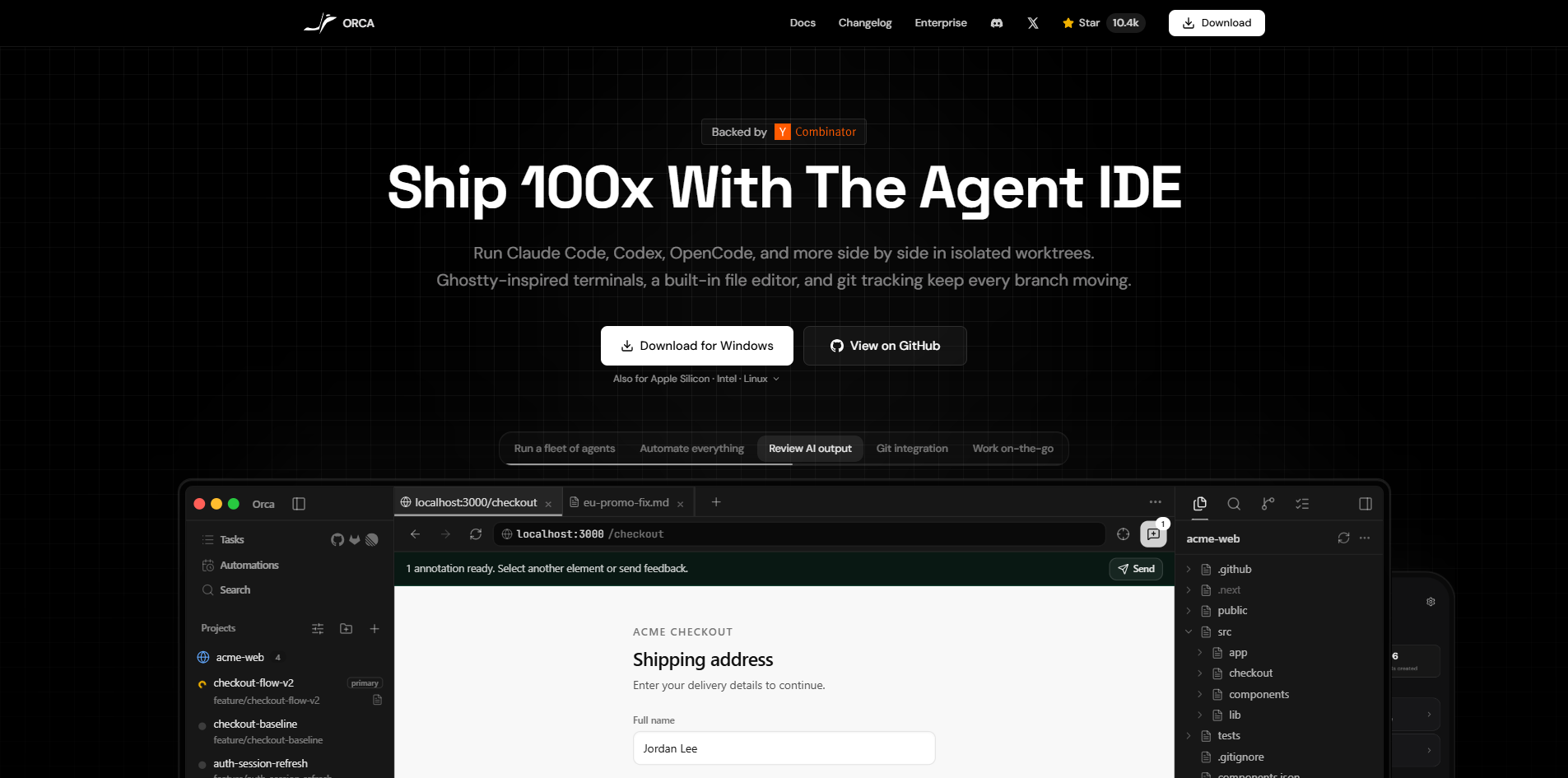
Orca is a free, open-source Agent Development Environment (ADE) designed for shipping with coding agents. It allows developers to run multiple AI coding agents—such as Claude Code, Codex, Gemini, Cursor CLI, and others—in parallel across isolated git worktrees. Orca features a Ghostty-inspired terminal with infinite splits, an in-app diff review, an embedded browser, and remote SSH development. It is available for macOS, Windows, and Linux.
How to use Orca
- Download and install Orca from the official website or GitHub releases for your operating system.
- Open Orca and create or open a project (workspace) from the sidebar.
- Add a worktree for each feature or task you want to work on. Each worktree is an isolated git branch.
- Launch an AI coding agent (e.g., Claude Code, Codex) in a terminal tab within a worktree. You can run multiple agents simultaneously across different worktrees.
- Monitor agent progress via the sidebar, which shows agent status (running, completed, etc.) and task descriptions.
- Review changes using the built-in diff viewer and file editor.
- Use the terminal for additional commands, with support for horizontal, vertical, and nested splits.
- Automate workflows using the Automations feature to trigger agent runs or other actions.
Features of Orca
- Parallel AI agents: Run Claude Code, Codex, Gemini, Cursor CLI, OpenCode, and other CLI agents side by side.
- Isolated git worktrees: Each agent operates in its own worktree, preventing conflicts.
- Ghostty-inspired terminal: Infinite horizontal, vertical, and nested splits for multitasking.
- Built-in file editor: Edit code directly within Orca.
- In-app diff review: Review changes made by agents before merging.
- Embedded browser: Preview web applications without leaving the environment.
- Remote SSH development: Connect to remote servers for development.
- Git integration: Track branches, commits, and agent activity.
- Automations: Schedule or trigger agent tasks and workflows.
- Cross-platform: Available on macOS, Windows, and Linux.
- Free and open source: MIT license.
Use Cases of Orca
- Parallel feature development: Assign different AI agents to work on separate features (e.g., authentication, API, frontend) simultaneously in isolated worktrees.
- Code review and testing: Use agents to run tests, validate code, and review pull requests in parallel.
- Bug fixing: Deploy multiple agents to investigate and fix different bugs concurrently.
- Refactoring: Let agents refactor code across multiple modules without interference.
- Learning and experimentation: Experiment with different AI coding agents in a unified environment.
Pricing
Orca is completely free and open source under the MIT license. There are no paid plans or tiers.
FAQ
What is Orca? Orca is the most powerful Agent Development Environment (ADE)—a free, open-source desktop app for shipping with coding agents. It runs Claude Code, Codex, Gemini, Cursor CLI, and every other CLI agent in parallel across isolated worktrees, with a Ghostty-class terminal, in-app diff review, an embedded browser, and remote SSH dev built in.
How does Orca use git worktrees? Orca is worktree-first—each AI agent runs in its own isolated git worktree, so Claude Code can work on authentication while Codex handles the API and OpenCode builds the frontend, all in parallel without conflicts.
Does Orca work with Claude Code? Yes, Orca is built specifically to manage Claude Code alongside other AI coding agents. Run multiple Claude Code instances across different worktrees simultaneously with full terminal control, status tracking, and notifications.
What terminal does Orca use? Orca features a Ghostty-inspired terminal with infinite horizontal, vertical, and nested splits. Watch server logs while your AI agent codes right next to it, all within a single window.
Is Orca a Cursor alternative? Yes, Orca serves as a terminal-first Cursor alternative. Instead of a standard text editor, it acts as a worktree manager that lets you run multiple AI agents simultaneously and manage git worktrees for AI seamlessly.
Can I use Orca as a Ghostty for Windows or Linux? Yes. Since Ghostty is primarily macOS-focused, developers searching for 'Ghostty for Windows' or 'Ghostty for Linux' can use Orca to get a Ghostty terminal alternative designed specifically for parallel AI coding.
How do I run Claude Code on Windows or Linux? Orca provides a native environment to run Claude Code on Windows and Linux smoothly. As a robust worktree manager, it eliminates terminal compatibility issues, making it easy to run multiple AI agents across different operating systems.
Is Orca free? Yes, Orca is completely free and open source under the MIT license. Download it for macOS, Windows, or Linux at no cost.