What is Pixae AI
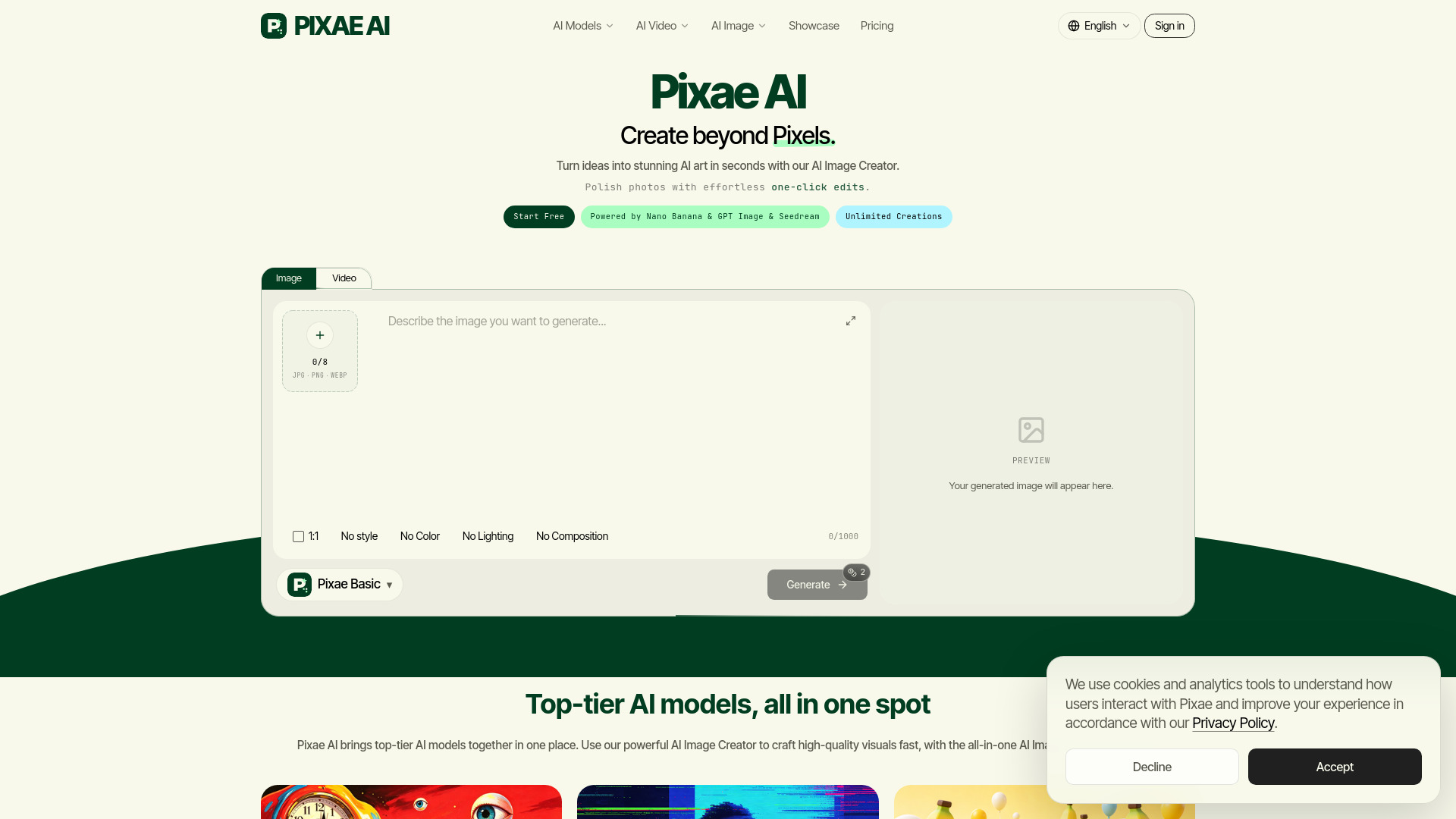
Pixae AI is an all-in-one AI image and video creation platform that allows users to generate creative content effortlessly with native capabilities. It offers a suite of AI-powered tools for image generation, editing, restoration, upscaling, and video creation.
How to use Pixae AI
- Sign In: Create an account or sign in with Google to access the Pixae AI platform.
- Choose a Tool: Select from various AI tools like the AI Image Creator, AI Image Editor, Background Remover, Image Upscaler, and more.
- Generate or Edit: For image generation, input text prompts or use reference images. For editing, upload an image and describe the desired changes.
- Select Model (if applicable): Choose from different AI models like Nano Banana, GPT Image, Seedream, and others, each with varying strengths and capabilities.
- Customize Settings: Adjust aspect ratios, resolutions (up to 4K), and other parameters as needed.
- Create and Download: Generate your content and download the results.
Features of Pixae AI
- AI Image Creator: Generate images from text prompts with various styles (photoreal, anime, pop-art, sketch, neon, glam doll, dreamy pastel).
- AI Video Creator: Generate video clips from text prompts or animate photos.
- AI Image Editor: Edit existing images using text prompts for retouching and transformations.
- Background Remover: Instantly remove backgrounds to create transparent PNGs or solid backgrounds.
- Image Upscaler: Enhance low-resolution images into high-definition visuals.
- Image Restore: Repair, colorize, and restore old or damaged photos.
- Magic Eraser: Seamlessly remove objects, people, and text from images.
- Watermark Remover: Remove logos, stamps, and text overlays.
- Image Merge: Combine multiple reference images into cohesive compositions.
- Multiple AI Models: Access to models like Nano Banana (Classic, 2, Pro), GPT Image (1.5, 2), Seedream (4.5, 5 Lite), and others.
- High Resolution Output: Supports up to 4K resolution for generated and edited images.
- Reference Images: Utilize up to 16 reference images for image-to-image workflows and editing.
- In-Image Typography: Generate legible text within images, supporting multilingual copy.
- Advanced Editing Controls: Precise subject locking, material and lighting adjustments, and detailed instruction following.
- Privacy Protection: Securely linked sessions and privacy-first default settings.
- Free Daily Credits: Access to daily credits on the free plan for image generation.
Use Cases of Pixae AI
- Marketing and Advertising: Create campaign visuals, social media content, product mockups, and ad stills.
- E-commerce: Generate product shots, lifestyle imagery, and packaging designs.
- Content Creation: Produce blog visuals, infographics, storyboards, and presentation assets.
- Personal Projects: Explore creative ideas, generate art, and retouch personal photos.
- Design and Branding: Develop brand mockups, logos, and visual identity elements.
- Video Production: Create short video clips from text or photos for social media and marketing.
Pricing
Pixae AI offers different plans including Free, Pro, and Ultimate, with varying credit allocations, resolution access (2K/4K), and model availability. Paid plans unlock higher quotas, advanced models, and faster queues.
FAQ
- What is Pixae AI? Pixae AI is an all-in-one platform for AI image and video creation, offering tools like text-to-image, image-to-image, text-to-video, and various editing features.
- Is Pixae AI free to use? Yes, Pixae AI offers a free plan with daily credits for image generation. Paid plans provide more credits and access to advanced features.
- Do I need an account to use Pixae AI? Yes, an account is required to use the AI Image Creator, save creation history, and access daily credits.
- What AI models power Pixae AI? Pixae utilizes models such as Nano Banana, GPT Image, Seedream, and others, with different plans unlocking access to premium models.
- Can I use AI-generated images commercially? Yes, users own the rights to images generated with Pixae AI and can use them for personal and commercial projects (commercial use may be restricted on the free plan).
- What is the difference between AI Image Creator and AI Image Editor? The AI Image Creator generates new images from text or references, while the AI Image Editor modifies uploaded images based on text instructions.