What is SurfMind
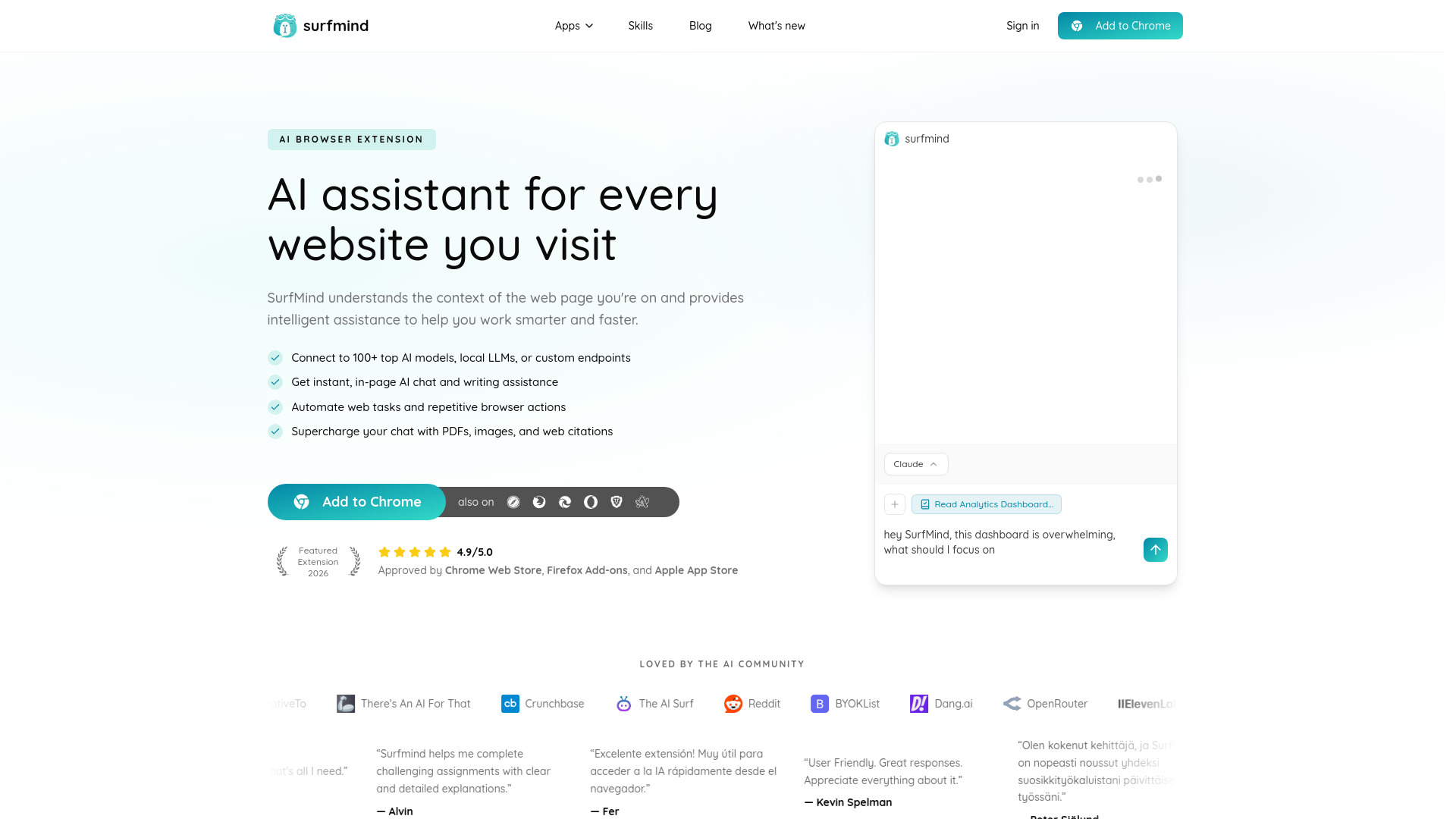
SurfMind is an AI-powered browser extension that understands the context of any web page you visit and provides intelligent assistance to help you work smarter and faster. It lives in a sleek, persistent sidebar so your assistant is always a click away. SurfMind connects to 100+ top AI models, local LLMs, or custom endpoints, and offers instant in-page AI chat, writing assistance, web task automation, and the ability to chat with PDFs, images, and web citations.
How to use SurfMind
- Install the SurfMind extension from the Chrome Web Store, Firefox Add-ons, or Apple App Store.
- Once installed, the SurfMind sidebar appears on any website you visit.
- You can start a conversation by typing in the chat input at the bottom of the sidebar.
- Use the model selector to switch between different AI models (GPT, Claude, Gemini, etc.) or connect your own API key.
- Highlight text on any page to unlock contextual AI tools for understanding, translating, refining, and improving content.
- Attach documents (PDFs, images, etc.) to your chat for file-aware responses.
- Use the browser agent to automate repetitive browser tasks with step-by-step reasoning.
Features of SurfMind
- AI-first sidebar: Persistent sidebar that stays with you on every site.
- Page-aware context: Automatically reads the current page to provide relevant answers.
- Quick summaries (TL;DR): Instantly condense long articles, threads, or reports into crisp summaries.
- Multi-page research chat: Run a single conversation that references several pages or tabs.
- Instant in-page assistant: Highlight text to access contextual AI tools.
- Chat with documents and images: Attach PDFs, screenshots, and more to your chat.
- Local & custom models: Use your own endpoint or any OpenAI-compatible provider.
- Browser agent: Automate web tasks and repetitive browser actions.
- MCP connectors: Connect to MCP servers for approved tools and data sources.
- Privacy first: Conversations remain private between you and your chosen AI provider.
Use Cases of SurfMind
- Research: Compare sources, extract facts across sites, and keep research in one threaded chat.
- Writing: Brainstorm ideas, draft text, refine content, and get explanations without leaving the page.
- Learning: Get clear and detailed explanations for challenging assignments.
- Productivity: Summarize long documents, translate content, and automate repetitive browser tasks.
- Development: Use local models or custom endpoints for development workflows.
Pricing
SurfMind is free to use. You can either use your own API key from your chosen AI provider or use SurfMind credits instead so you don't have to manage API keys.
FAQ
Is SurfMind safe to use?
Yes. SurfMind has been thoroughly reviewed and approved by both the Chrome Web Store and Apple App Store, ensuring it meets strict security and privacy standards.
Do I need an AI API key?
Not necessary. You can either use your own API key or use SurfMind credits instead.
How does the AI understand my page?
When you interact with SurfMind, it analyzes the content of the current webpage and includes relevant context in your conversation with the AI.
What browsers are supported?
SurfMind works on Chrome, Firefox, Edge, Brave, Arc, Opera, and Safari.
Can I use multiple AI models?
Yes. You can easily switch between different AI models (GPT, Claude, Gemini, etc.) within the extension.
Does SurfMind support local models or custom AI providers?
Yes. SurfMind fully supports local models and custom endpoints compatible with the OpenAI Completions API.