What is Tome AI PPT
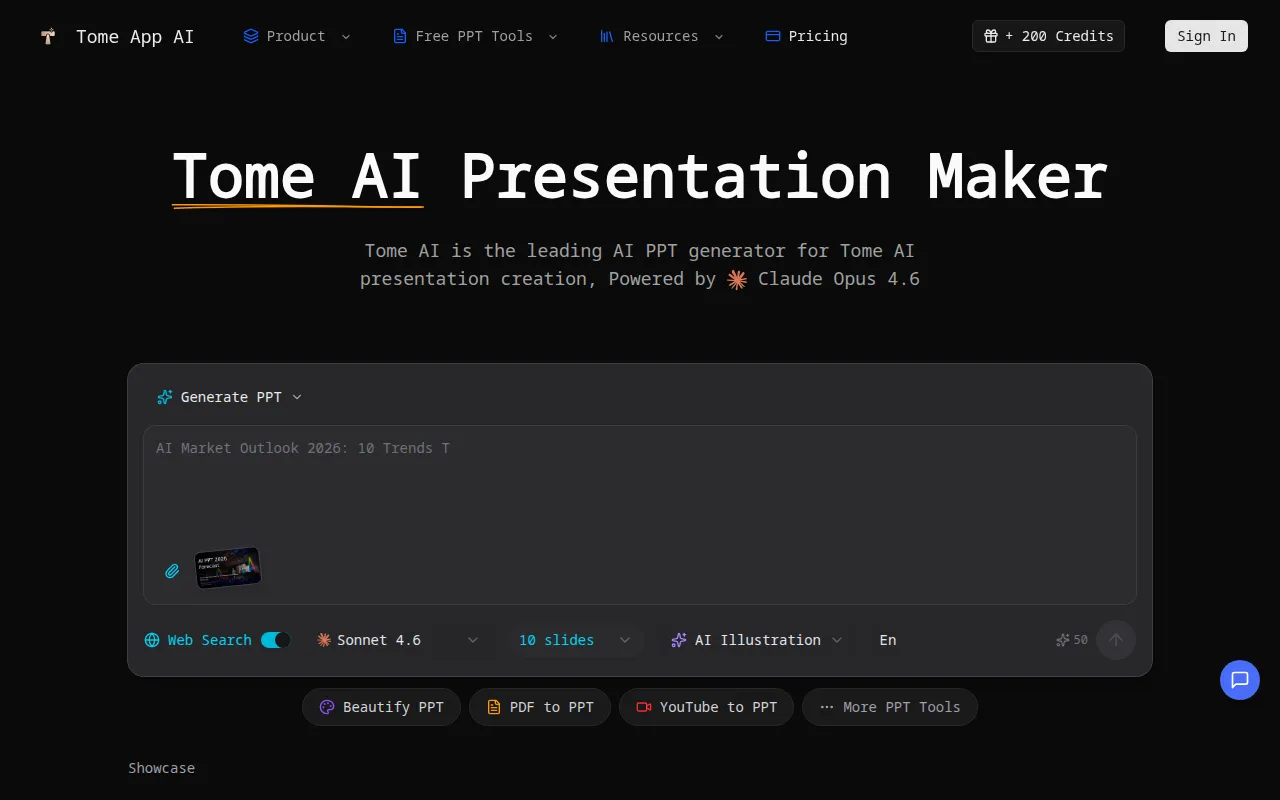
Tome AI is an AI-powered presentation maker that generates, beautifies, and exports professional slide decks in minutes. It is described as the leading AI PPT generator for Tome AI presentation creation, powered by Claude Opus 4.6.
How to use Tome AI PPT
- Generate PPT: Input a topic or description to have the AI create a slide deck.
- Upload and Beautify: Upload existing presentations to enhance design, fix layouts, and apply professional styling.
- Convert Files: Convert various file formats like PDF, Word documents, HTML, and YouTube videos into presentations.
- Add Content: Use the text area to input your presentation content.
- Utilize Tools: Access features like AI chart generation, image suggestions, and speaker notes generation.
Features of Tome AI PPT
- AI PPT Generation: Creates slide decks from text prompts.
- AI PowerPoint Beautification: Enhances and redesigns existing slides.
- File Conversion: Converts PDF, Word, HTML, and YouTube videos to presentations.
- Smart Layouts: Automatically selects optimal layouts based on content.
- Chart Generation: Creates charts and graphs from data.
- Image Suggestions: Provides relevant image recommendations for slides.
- Speaker Notes Generation: Automatically generates speaker notes for presentations.
- Real-time Preview & Edit: Allows in-browser preview and editing.
- Export to PPTX: Exports presentations in a compatible PowerPoint format.
- Multi-language Support: Creates presentations in multiple languages.
- PPT Reverse Prompt: Extracts prompts from existing presentations.
Use Cases of Tome AI PPT
- Business Presentations: Quickly create professional business slide decks.
- Educational Content: Generate presentations for lectures and academic purposes.
- Content Creation: Transform ideas and data into visually appealing presentations.
- Enhancing Existing Slides: Improve the design and structure of current presentations.
- Video to Presentation: Convert YouTube videos into slide formats.
FAQ
- What is Tome App AI? Tome AI is a revolutionary AI PPT maker that transforms ideas into polished presentations, acting as an advanced AI PowerPoint generator for design, layout, and content structure.
- How does the AI PPT generator work? It creates presentations from text prompts, beautifies existing slides, and converts various file formats into presentations.
- Can I edit presentations generated by the AI PPT maker? Yes, you can preview and edit presentations in the browser and export them to PPTX.
- What file formats does the AI PowerPoint generator support? It supports PPTX, PPT, PDF, DOC, DOCX, XLS, XLSX, MD, TXT, HTML, JPG, JPEG, PNG, GIF, WEBP, BMP, and SVG.
- Can I upload and beautify existing presentations with Tome App AI? Yes, you can upload existing presentations to enhance their design and styling.
- Does Tome App AI's AI PPT generator create speaker notes? Yes, it automatically generates detailed speaker notes and talking points for each slide.
- How fast is the AI PPT generator? It can create a complete slide deck in minutes, significantly faster than manual creation.