What is Stageum
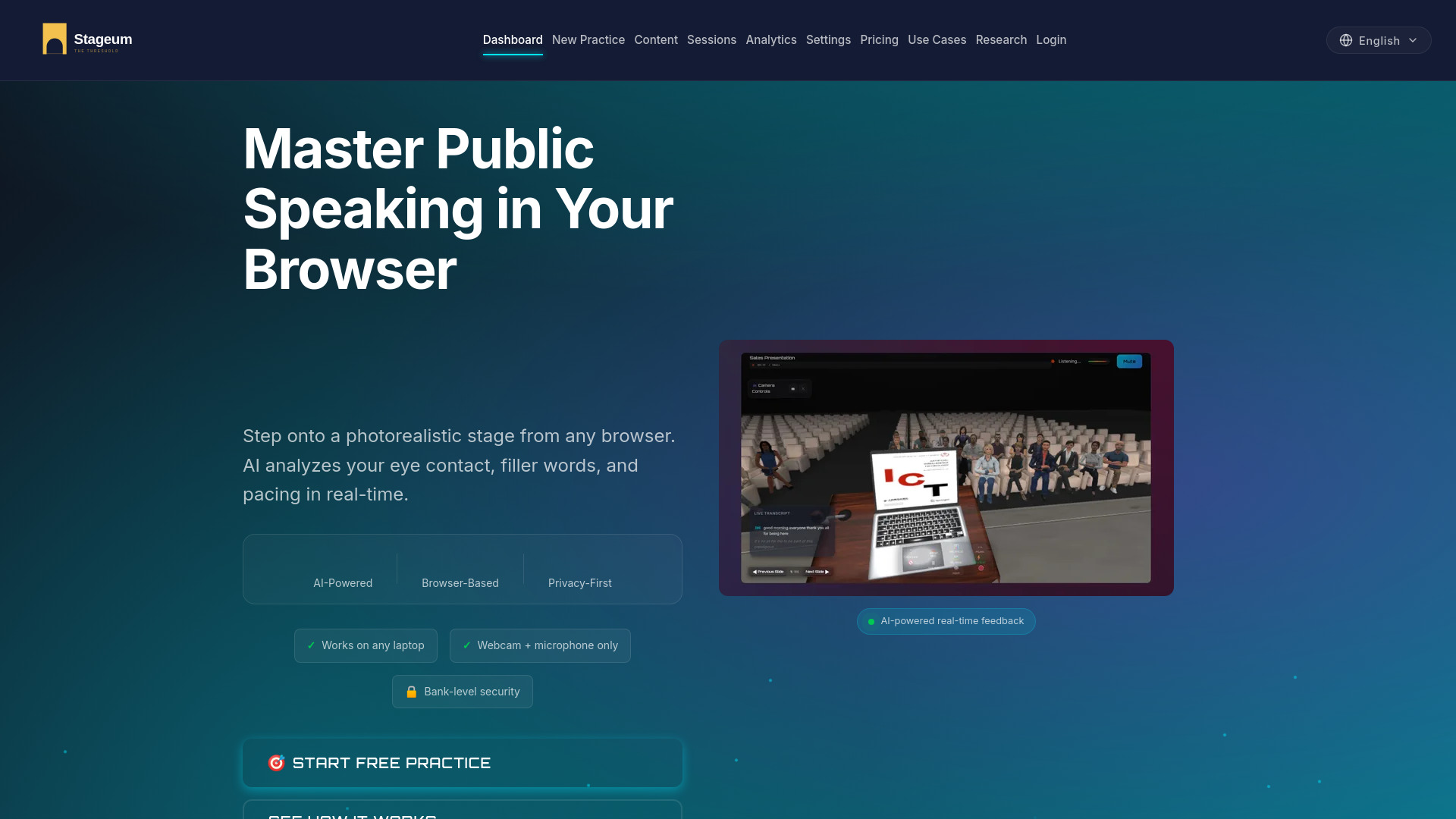
Stageum is a browser-based AI public speaking coach that uses photorealistic 3D environments to help users practice and improve their presentation skills. It requires no VR headset, no downloads, and no setup—just a modern browser with a webcam and microphone.
How to use Stageum
- Open Stageum in any modern browser (Chrome, Safari, Firefox, Edge).
- Choose from five photorealistic 3D environments: Boardroom, Auditorium, Classroom, TV Studio, or Courtroom.
- Adjust audience size and layout as desired.
- Start your practice session (1 to 60 minutes).
- Receive real-time AI feedback on filler words, pacing, eye contact, body language, and vocal variety.
- Review session history and track improvement over time.
Features of Stageum
- Zero Setup: Practice in 10 seconds from any browser—no downloads or installations.
- AI-Powered Feedback: Real-time analysis of filler words, speaking pace, eye contact, body language, and vocal variety.
- 3D Environments: Photorealistic boardrooms, auditoriums, classrooms, TV studios, and courtrooms.
- Virtual Audiences: Customizable audience personas with different sizes, demographics, and behavioral reactions.
- Progress Tracking: Session history with detailed metrics on filler words, pace trends, and confidence scoring.
- Privacy First: Real-time analysis runs on your device; recordings are encrypted and stored securely in the cloud.
Use Cases of Stageum
- Professionals: Practice presentations, pitches, and meetings to improve communication skills.
- Students: Prepare for class presentations, thesis defenses, or academic talks.
- Sales Teams: Refine sales pitches and improve close rates through repeated practice.
- Public Speakers: Overcome speech anxiety and master delivery in realistic virtual settings.
- Anyone: Build confidence in public speaking with no hardware investment.
Pricing
- Free Tier: 3 practice sessions per month with basic AI feedback. No credit card required.
- Pro Plan: $10/month. Unlimited practice sessions with advanced AI analysis, all 5 3D environments, and 60-minute recordings.
- Team Plan: $69/month. Up to 5 team seats with shared analytics and priority support.
FAQ
Do I need a VR headset to use Stageum? No. Stageum works in any modern browser (Chrome, Safari, Firefox, Edge) with no VR headset required.
How does the AI feedback work? Stageum uses your webcam and microphone to analyze speech patterns (filler words, pacing, volume), body language (posture, gestures), and eye contact. Real-time analysis runs on your device; recorded sessions are encrypted and stored in the cloud for progress tracking.
Is my practice data private? Your webcam feed is analyzed on your device during practice. Recordings are uploaded to encrypted cloud storage so you can review past sessions. Your raw files are never used for model training.
Can I try Stageum for free? Yes. The free tier includes 3 practice sessions per month with basic AI feedback. No credit card required.
What environments are available? Five photorealistic 3D environments: Boardroom, Auditorium, Classroom, TV Studio, and Courtroom. Each with adjustable audience size and layout.
How long does a practice session take? Sessions are flexible—practice from 1 to 60 minutes. Extended recording up to 60 minutes is available on the Pro plan.